Kisi Door Access
Automate door access based on membership.
Location: Settings → Integrations → Kisi
Connect your Kisi account to automatically manage door access for your members. When a member purchases or cancels a membership plan, their Kisi door access is updated automatically.
Connecting Kisi
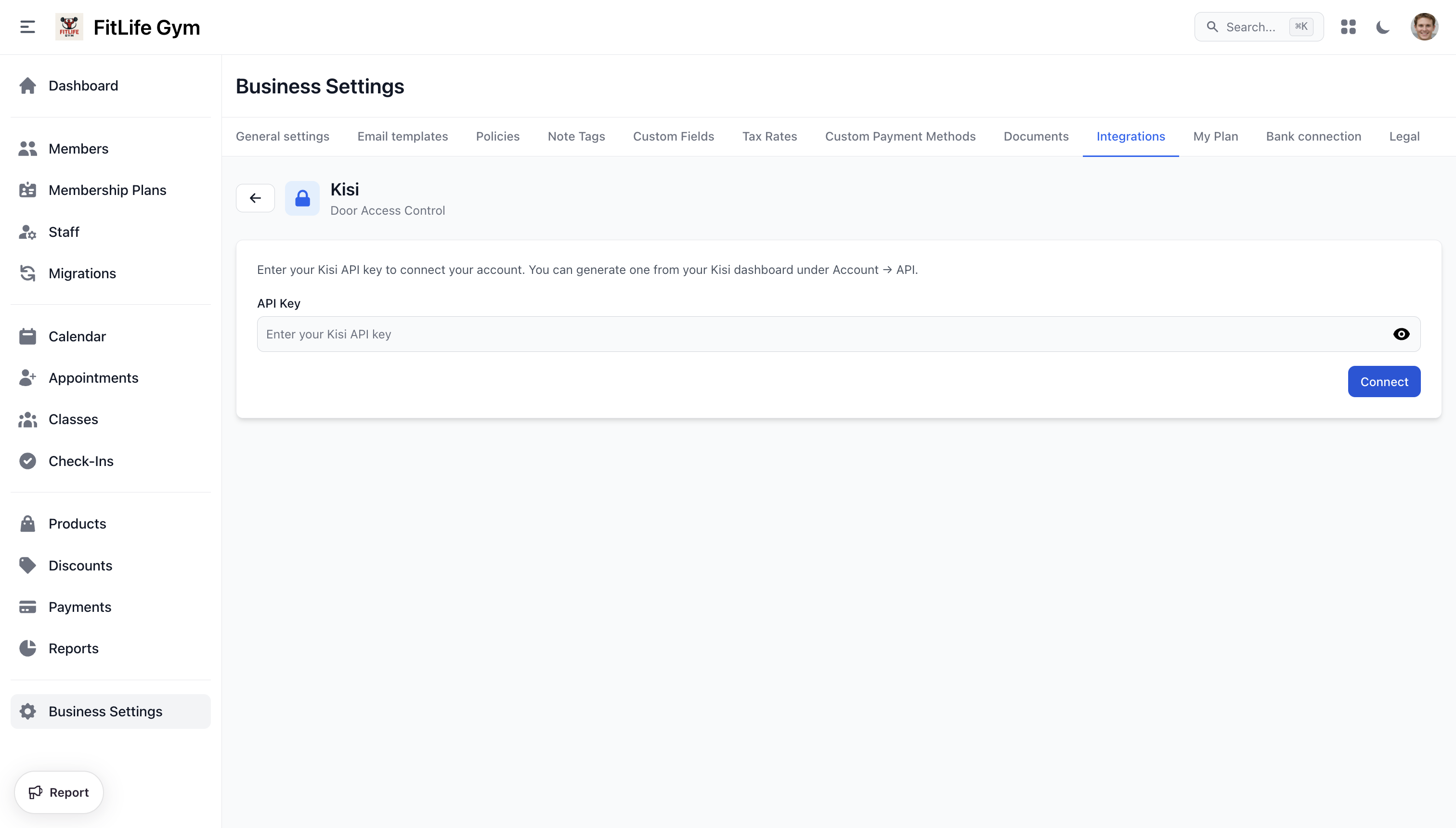
- Log in to your Kisi dashboard and navigate to Account → API
- Generate an API key (login secret)
- In Finegym, go to Settings → Integrations → Kisi
- Enter your API key and click Connect
Your Kisi access groups are synced automatically on first connection.
Access Groups
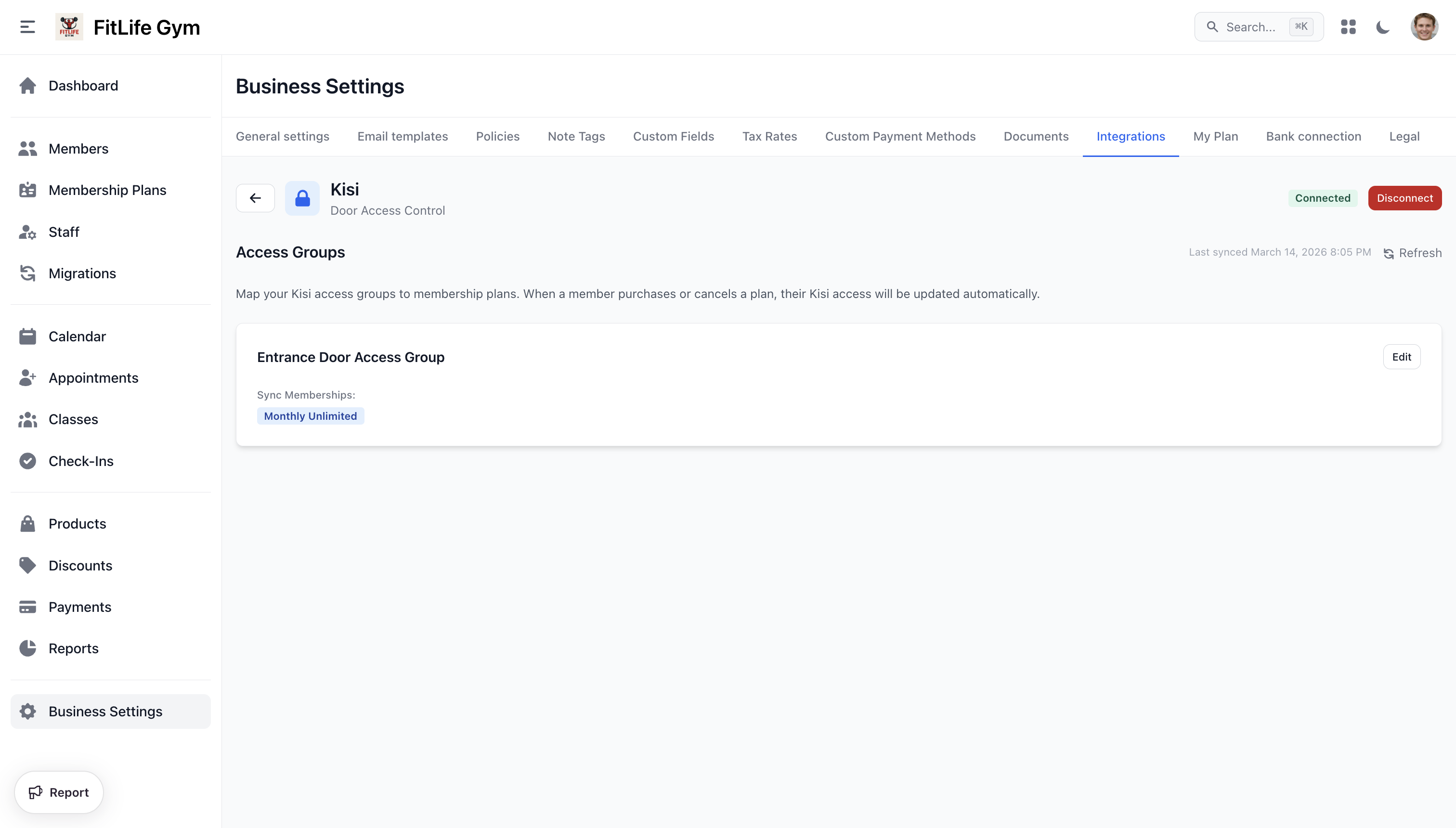
After connecting, Finegym imports your Kisi access groups. You can map each group to one or more membership plans.
- Sync Memberships — Select which membership plans grant access to each Kisi group
- Refresh — Pull the latest groups from your Kisi account (use this if you added or removed groups in Kisi)
- Last synced — Shows when groups were last synced (groups also sync automatically once per day)
How It Works
When a member's access changes, Finegym automatically updates their Kisi group assignments:
| Event | Action |
|---|---|
| Membership purchased | Member added to mapped Kisi groups |
| Membership cancelled | Member removed from mapped Kisi groups |
| Membership frozen | Member removed from mapped Kisi groups |
| Membership unfrozen | Member added back to mapped Kisi groups |
| Membership expired | Member removed (if no other active memberships) |
| Member blocked | Member removed from all Kisi groups |
| Member unblocked | Member added back to mapped Kisi groups |
| Member deleted | Member removed from all Kisi groups |
Disconnecting
Click Disconnect in the header to remove the Kisi integration. This will delete all group mappings. Members already provisioned in Kisi will not be removed — you can manage them directly in Kisi.
Troubleshooting
Connection fails:
- Verify your API key is correct (not expired or revoked)
- Ensure your Kisi account has API access enabled
Groups not appearing:
- Click Refresh to pull the latest groups from Kisi
- Verify groups exist in your Kisi dashboard
Member not getting access:
- Check that the membership plan is mapped to the correct Kisi group
- Verify the member's email in Finegym matches their Kisi account email