Account Setup
Sign up, set up your admin profile, and open your dashboard.
Create your Finegym account and get access to your dashboard in minutes.
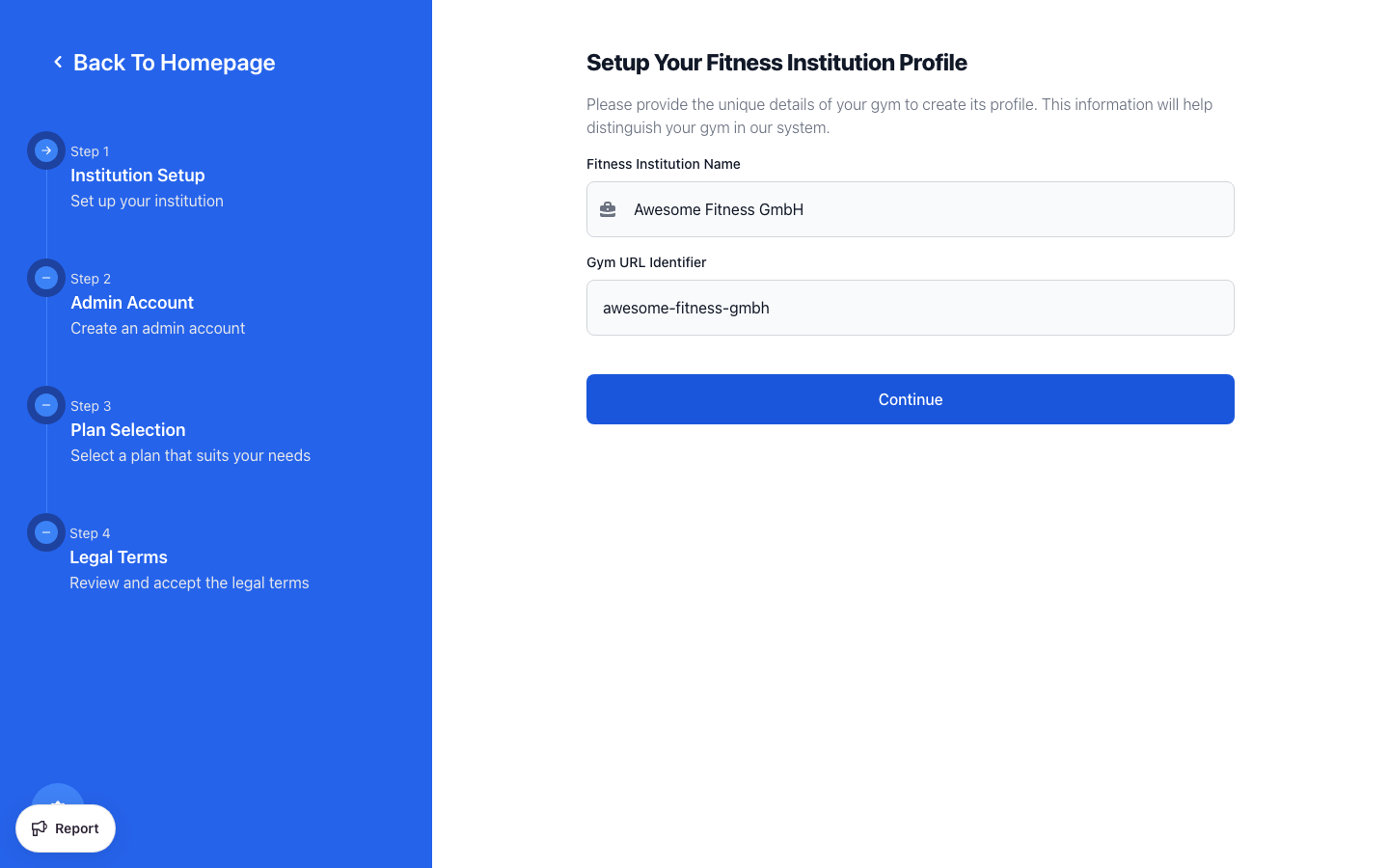
Step 1: Institution Setup
When you first sign up for Finegym, you'll be asked to provide basic information about your fitness business.
- Enter your Fitness Institution Name (e.g., "Downtown CrossFit" or "Sunrise Yoga Studio")
- Your Gym URL Identifier will be automatically generated from your name
- This creates your unique URL:
yourgymname.finegym.io - You can customize this if needed
- This creates your unique URL:
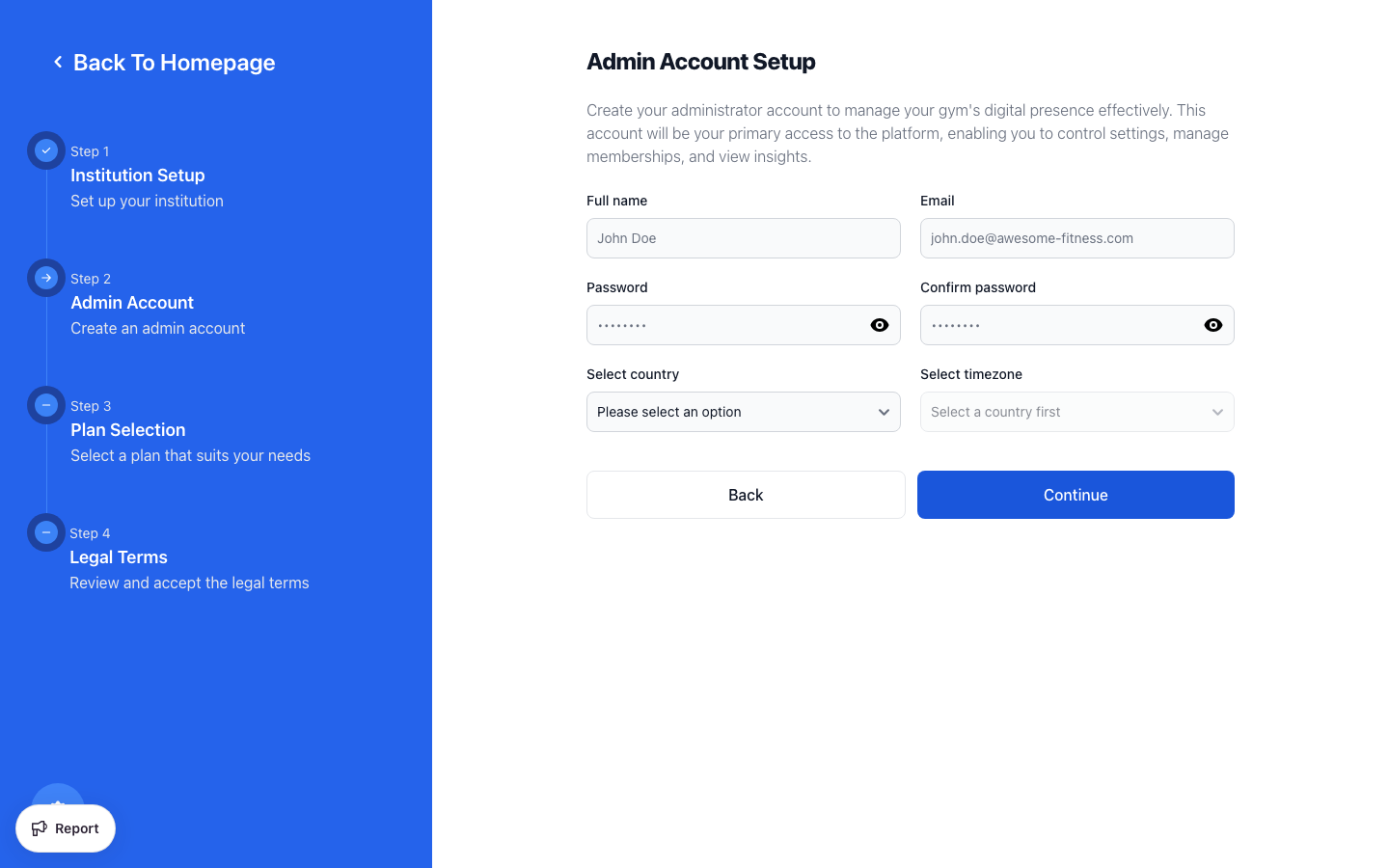
Step 2: Admin Account
Next, create your administrator account:
- Enter your Full name
- Enter your Email Address (this will be your login)
- Create a Password (must meet security requirements)
- Confirm your password
- Select your Country
- Your Timezone will be automatically set based on your country
Use a professional email address that you check regularly. Important notifications about payments and member activity will be sent here.
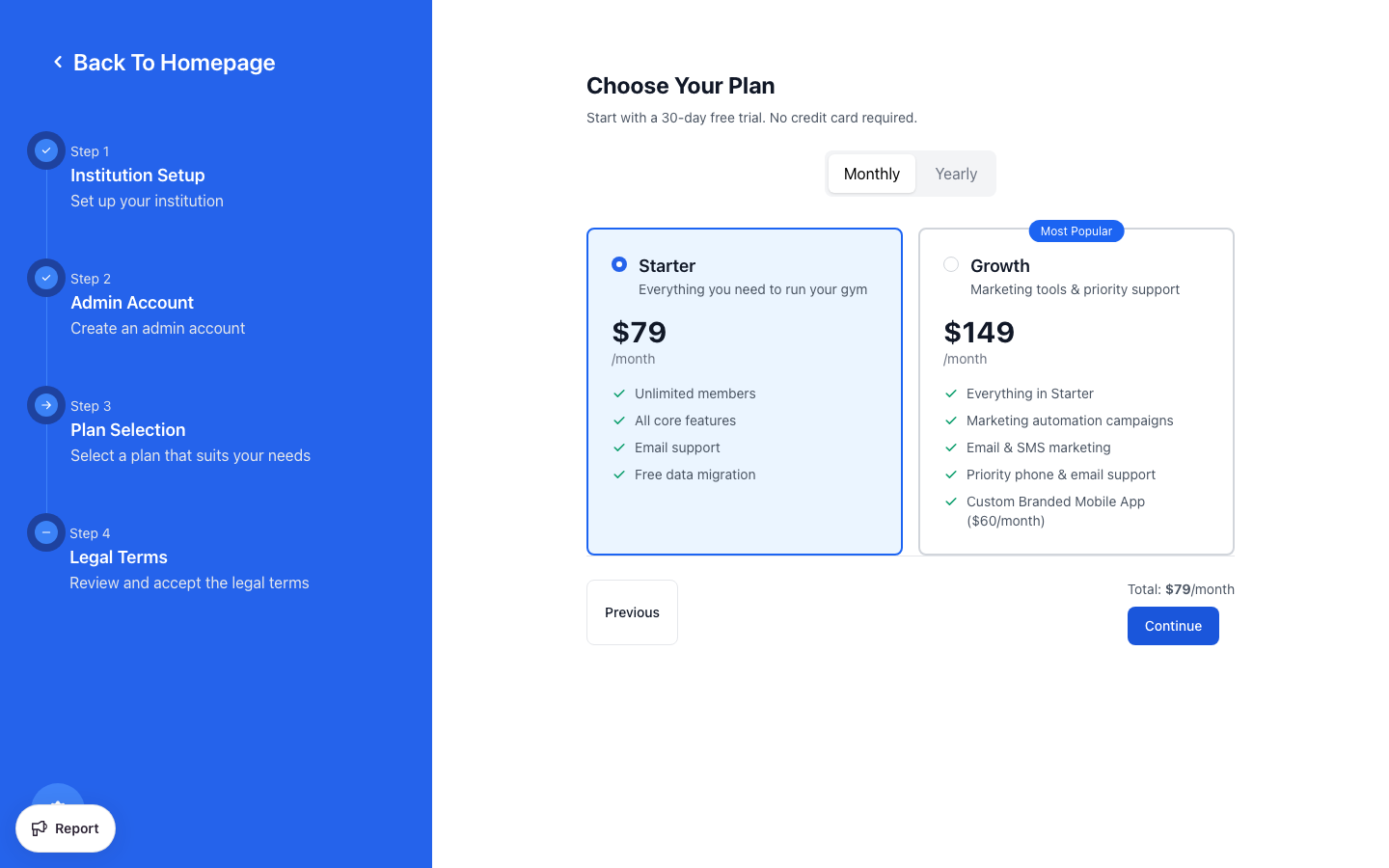
Step 3: Choose Your Plan
Finegym offers flexible subscription options:
| Plan | Features | Best For |
|---|---|---|
| Starter | Unlimited members, all core features, email support, free data migration | Small gyms getting started |
| Growth | Everything in Starter + priority support, custom branded mobile app, early access to new features | Growing businesses |
- Choose between Monthly or Yearly billing (save with yearly!)
- All plans include a 30-day free trial
- Special Lifetime Deal options may be available
Step 4: Accept Terms & Complete Signup
- Review and accept the Terms & Conditions
- Complete the security verification
- Click Create Account
You'll be redirected to your new Finegym dashboard!
Signing In with Google
You can sign in to Finegym using your Google account:
- On the login page, click Sign in with Google
- Select your Google account and authorize Finegym
- Your Google account is automatically linked to your Finegym account
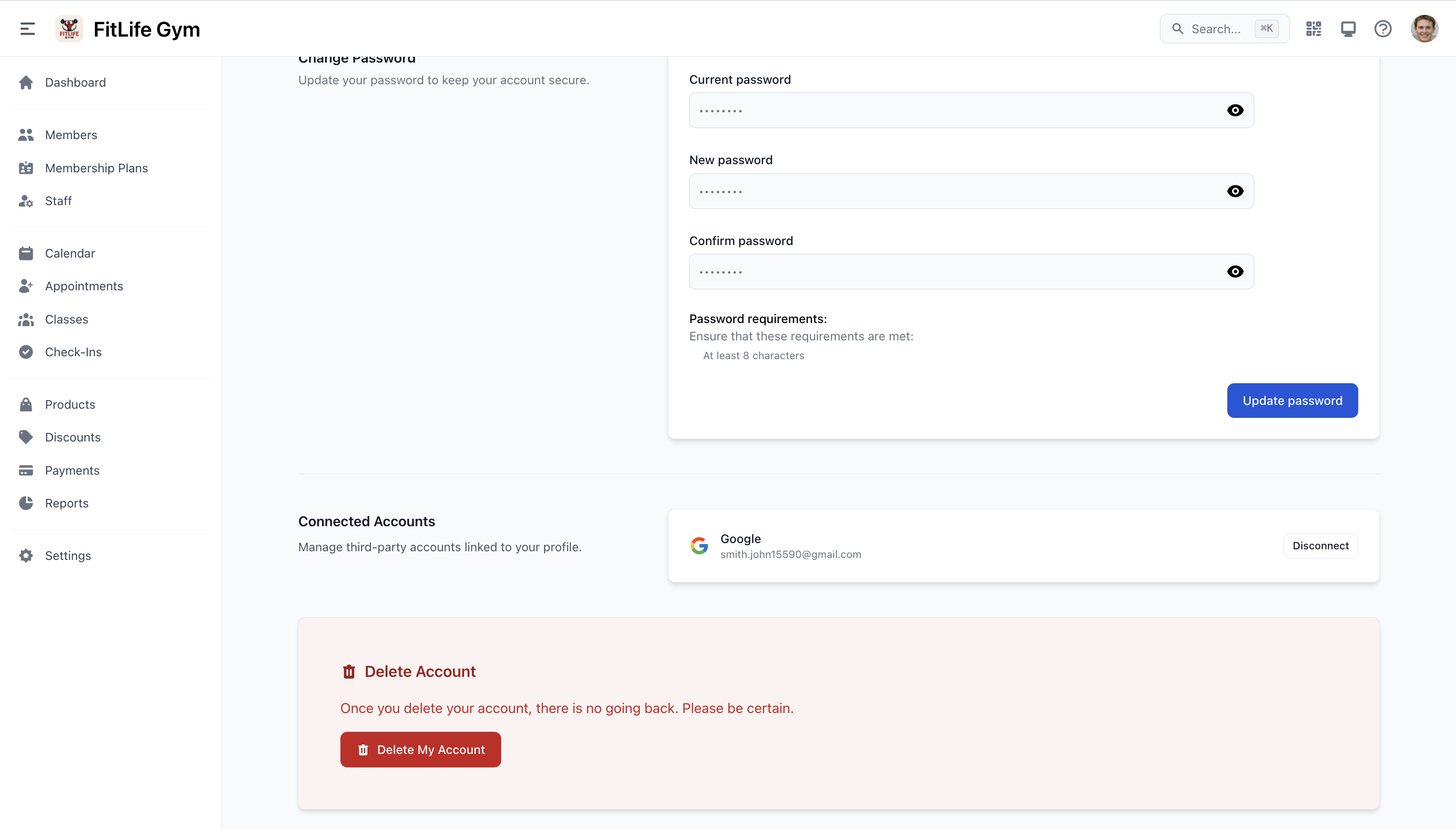
Once connected, you can view your linked accounts under Account Settings > Connected Accounts. To disconnect, click Disconnect next to your Google account.
Linking Google does not replace your password. You can still sign in with your email and password at any time.
Next Steps
- Business Setup - Configure your business info, taxes, and payment processing
- Your First Workflow - Create your first plan, add a member, and process a check-in