Track expenses
Record what your business spends, from rent to supplies, and let the ones that come back every week or month record themselves.
Record what your business spends next to the payments Finegym already takes in, so you can see one against the other without a spreadsheet.
Before you start
- You need the Expenses permission. The Owner and Managers have it. Expenses are on every Finegym plan, Free included.
Record an expense
-
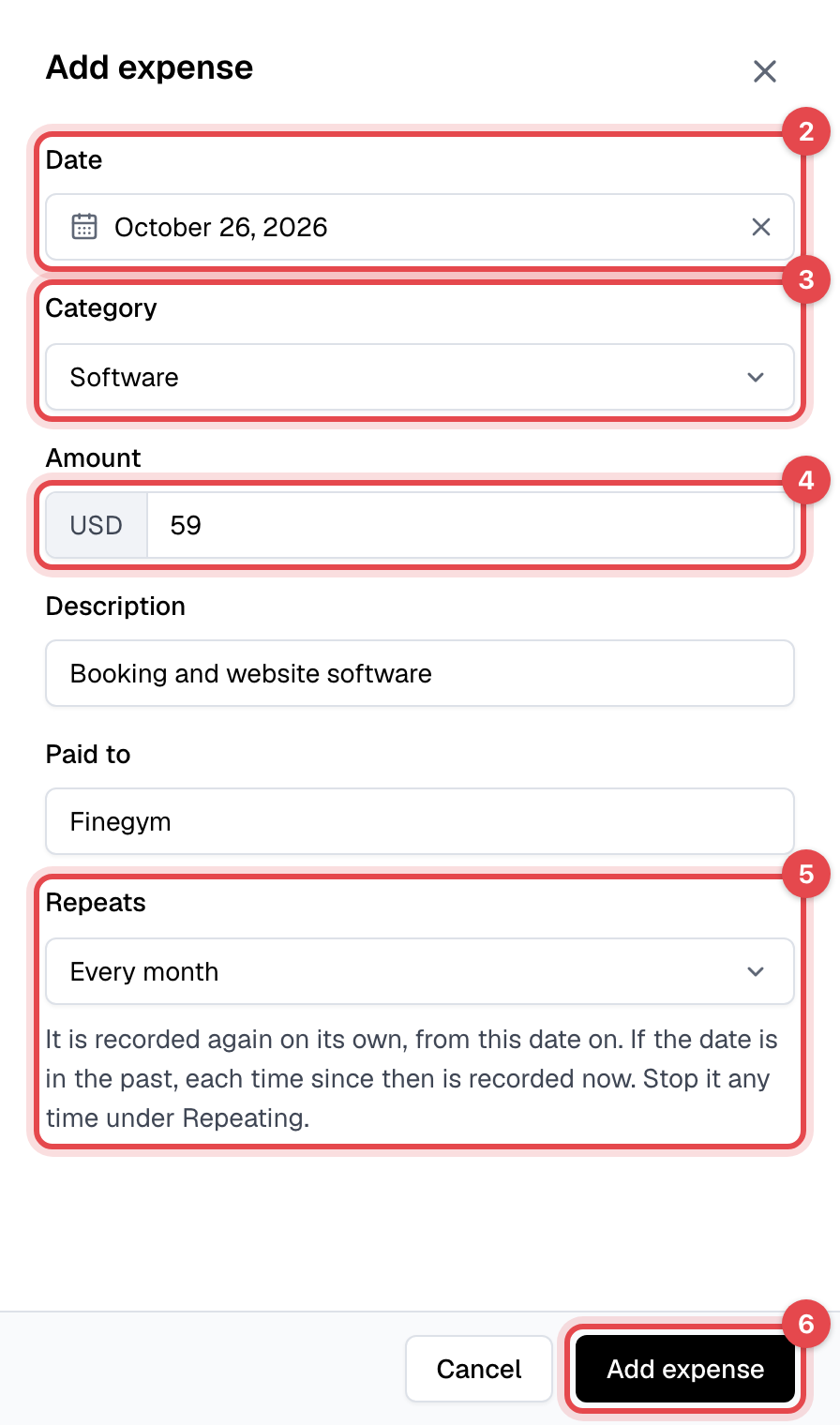
In Expenses, click Add expense.
-
Set the Date you paid. It starts on today; an expense can't be in the future.
-
Pick the Category.
-
Enter the Amount, and if you like a Description and who it was Paid to.
-
For rent, a salary or a subscription, choose Every week or Every month under Repeats. Otherwise keep Does not repeat.
-
Click Add expense.
Change or stop a repeating expense
-
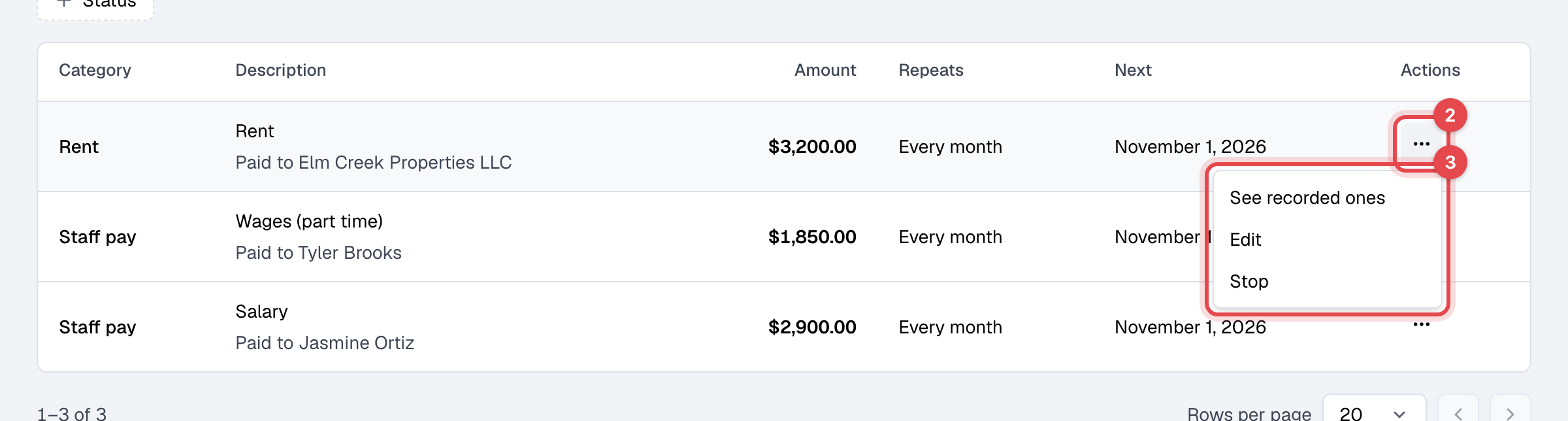
Click the Repeating tab.
-
Click the ⋯ button on its row.
-
Choose Edit to change its category, amount, description or payee from the next time on, or Stop to end it.
What happens next
- The expense is listed on the Expenses tab, newest first, with who recorded it. The total next to the filters adds up what they match, and Export CSV downloads it.
- A repeating expense is recorded again on its own each week or month, just after midnight in your business's time zone. A monthly one keeps its day of the month, or the last day of a shorter month. A start date in the past records each time since then at once.
- Expenses count in Income & expenses.
Good to know
- Edit changes neither how often it repeats nor the expenses already recorded: change those on the Expenses tab. A stopped expense can't be restarted. Deleting one recorded expense doesn't stop the repeating one.
- Categories: you start with Supplies, Rent, Staff pay, Utilities, Advertising and Other expenses. On the Categories tab you can add, rename and archive them. They are never deleted, so past expenses keep theirs.
- Staff pay: pay worked out from pay rates is recorded from the payroll report (see Staff pay and payroll); a fixed salary is a repeating Staff pay expense. Record each person one way only, or their pay counts twice.
- QuickBooks: expenses stay in Finegym. The sync sends paid invoices, payments and refunds only.