Set staff pay and close a pay period
Give staff a rate per class, appointment or hour, then see what each earned, freeze it and export it.
Give each staff member a pay rate, and Finegym works out what they earned from the classes and appointments they taught. Close the period when you have paid them, so the numbers stay put.
Before you start
- Setting pay rates takes the Staff permission; the payroll report and closing periods, Reports; recording pay as expenses, Expenses. The Owner and Managers have all three.
Set a pay rate
-
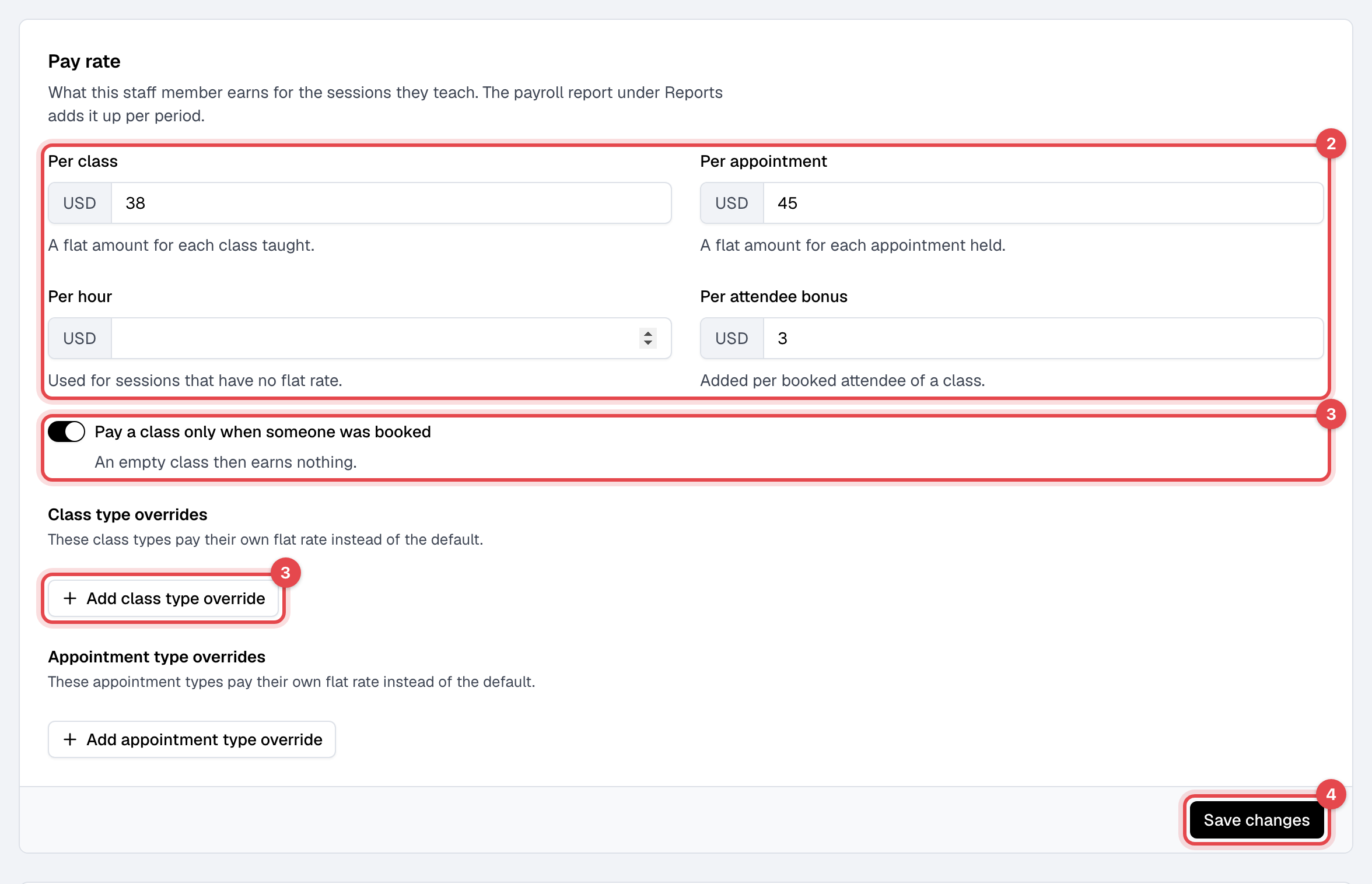
In Staff, open the staff member. On Profile, find Pay rate.
-
Enter what they earn Per class, Per appointment, Per hour, and any Per attendee bonus. Leave empty what doesn't apply.
-
If an empty class should earn nothing, turn on Pay a class only when someone was booked. For types that pay their own flat rate, use Add class type override or Add appointment type override.
-
Click Save changes.
Close a pay period
-
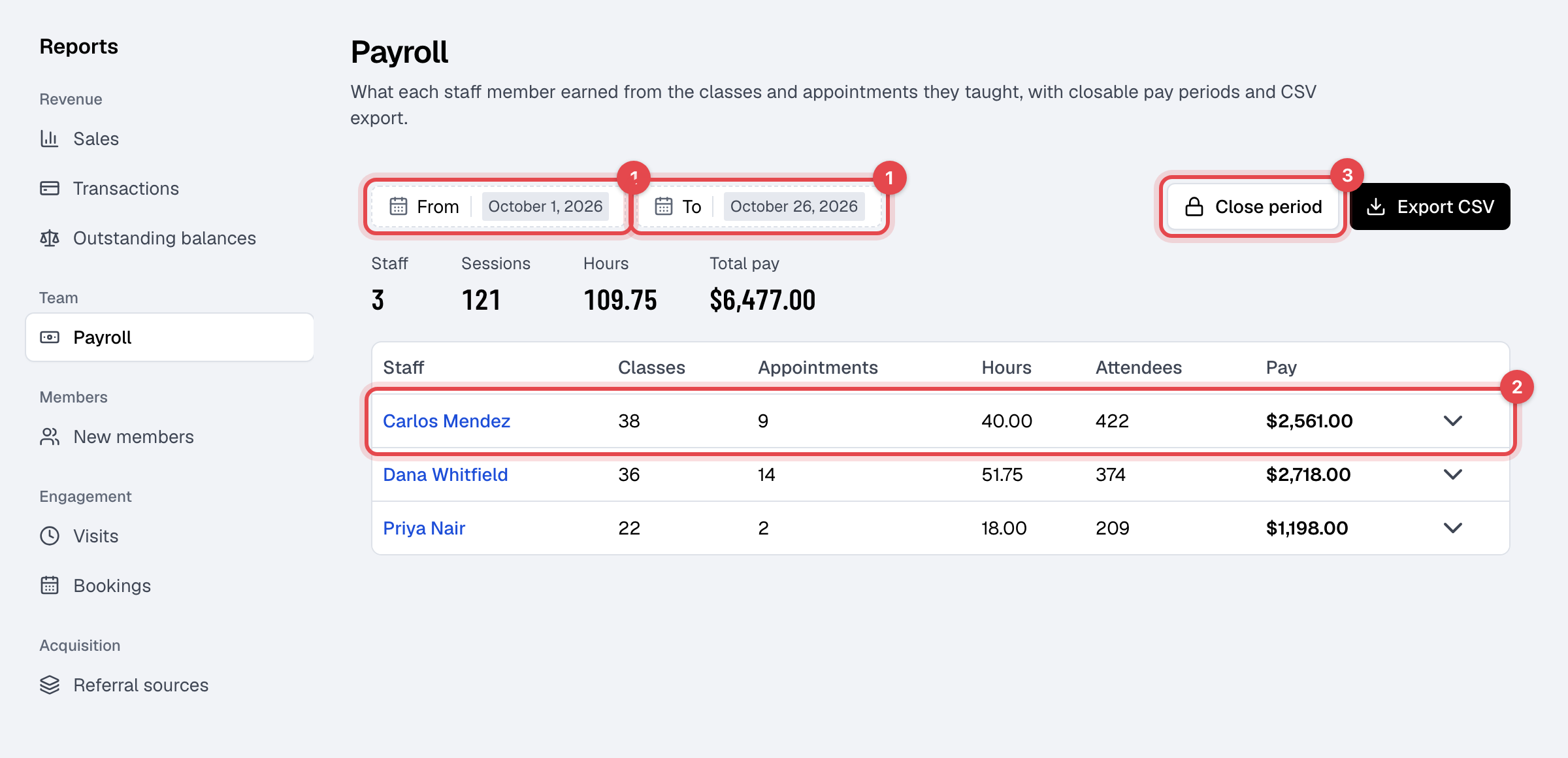
In Payroll, set From and To to the period. It opens on this month so far.
-
Check each row. Click one to see every class and appointment behind it, with its rate and pay.
-
Click Close period and confirm.
-
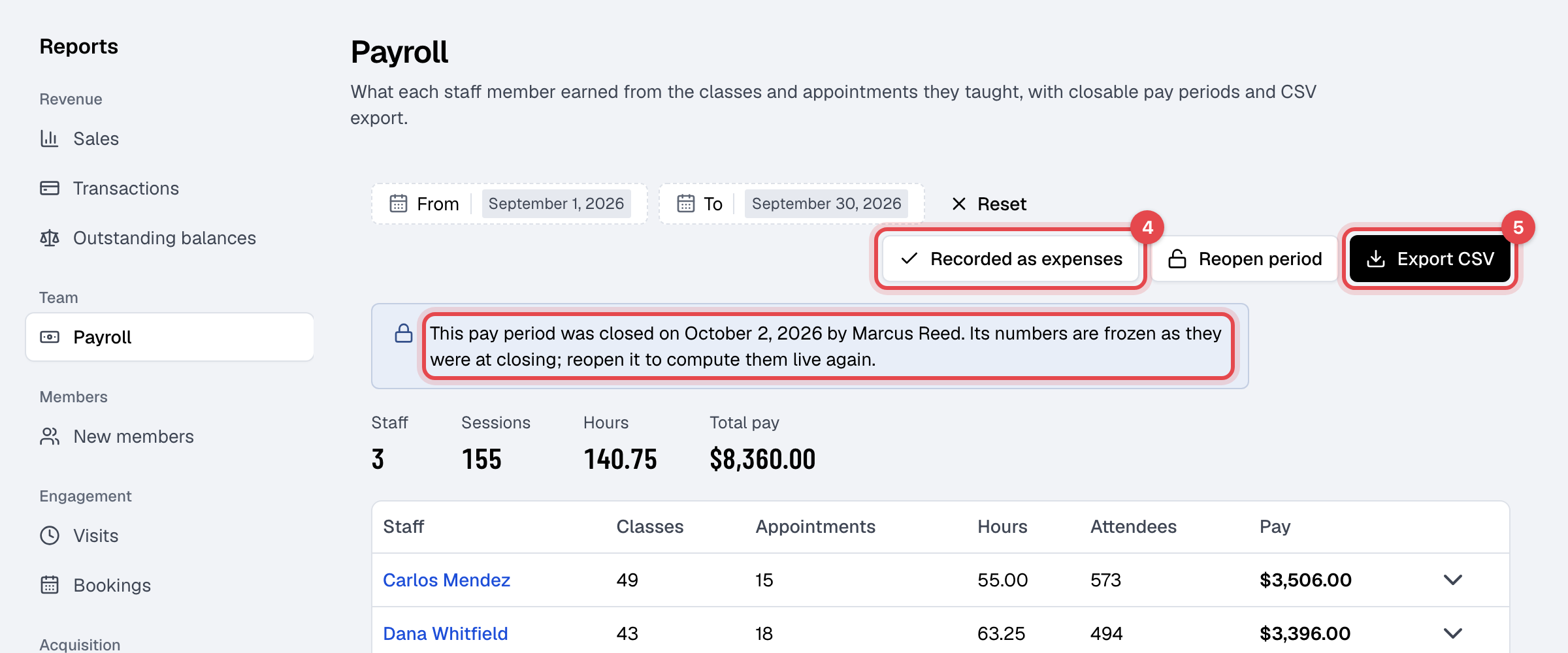
To count the pay in your expenses, click Record as expenses and confirm.
-
Click Export CSV for your payroll provider or accountant.
How pay is worked out
- Each class or appointment that has ended counts for the staff member on it. Canceled ones don't.
- It pays the type's override, or else Per class or Per appointment. With neither, Per hour times its length. With no rate at all, it pays nothing and shows No rate set.
- Per attendee bonus is added for each member booked into a class, checked in or not.
What happens next
- A closed period's numbers are frozen. An open period follows the rates as they are now, past days included.
- Record as expenses adds a Staff pay expense for each person with pay, on the period's last day, never twice.
- Reopen period discards the frozen numbers and deletes the Staff pay expenses recorded from it.
- Each staff member sees their own pay under My pay in their user menu.
Good to know
- Closed periods can't overlap.
- Finegym works out what people earned. Paying them, and payroll taxes, stay with you.