See income against expenses
What came in, what went out and what was left, by month or week, and what you spent it on.
The Income & expenses report puts the payments your business took in next to the expenses you recorded, so you see what was left each month or week.
Before you start
- You need the Expenses permission. The Owner and Managers have it.
Steps
-
In Expenses, click the Income & expenses tab.
-
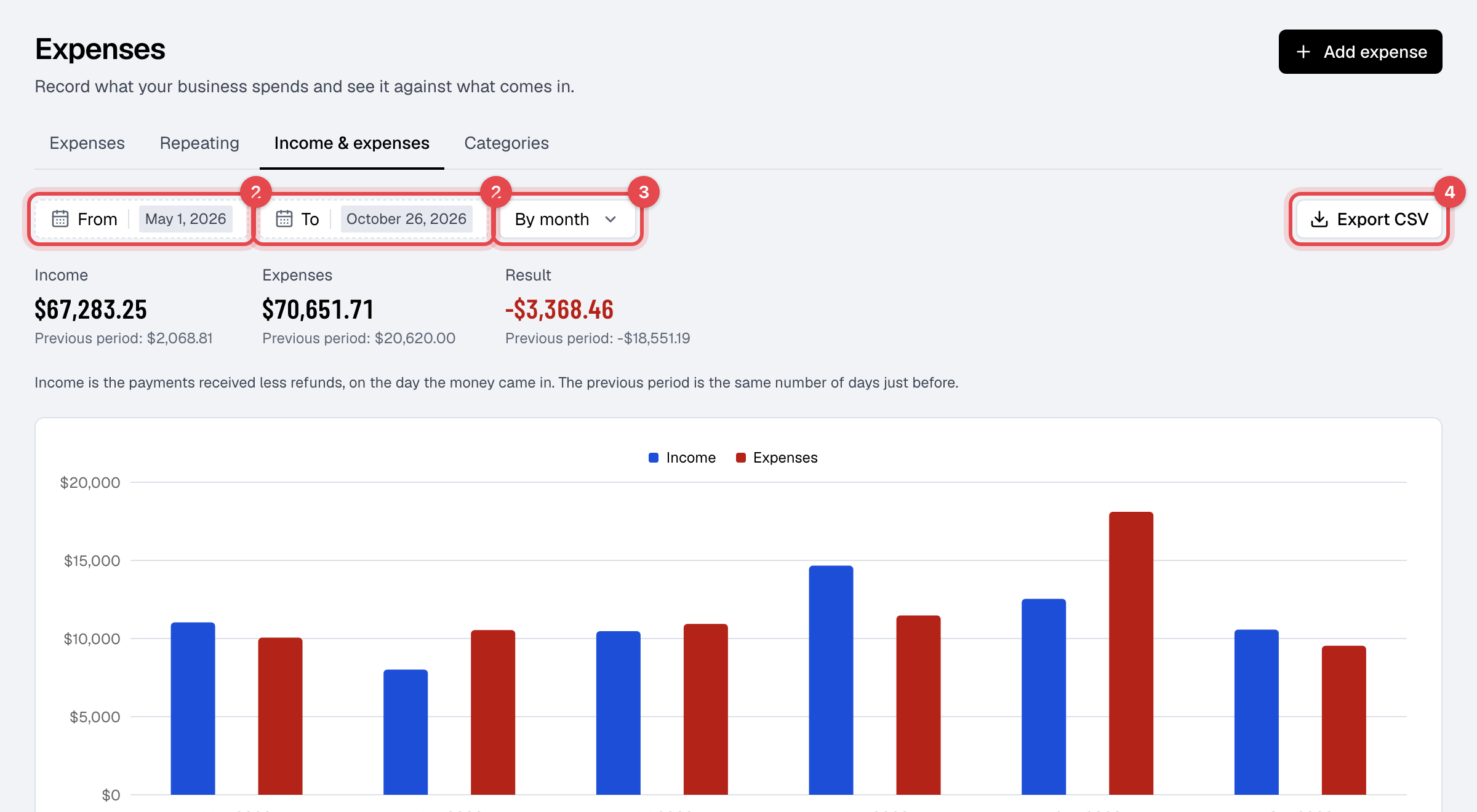
Set From and To. The report opens on the last six months, and covers at most two years.
-
Choose By month or By week.
-
To work on the numbers elsewhere, click Export CSV.
What the report shows
- Income, Expenses and Result (income less expenses) for the dates, each with the same number of days just before as Previous period. A loss shows in red.
- A chart with income and expenses side by side, and a row for each month or week. Weeks run Monday to Sunday.
- Spent on: what each category came to, and its share of all you spent.
Good to know
- Income is the payments received less refunds, on the day the money came in, in your business's time zone. It is the same money as the Transactions report. An invoice not paid yet isn't income.
- The export has a row for each month or week, a total, and what you spent on each category.