Gym Terms of Service & Legal Policies
Set your terms, privacy policy, and waivers.
Manage your business policies and review Finegym's legal documents.
Policies
Location: Settings → Policies
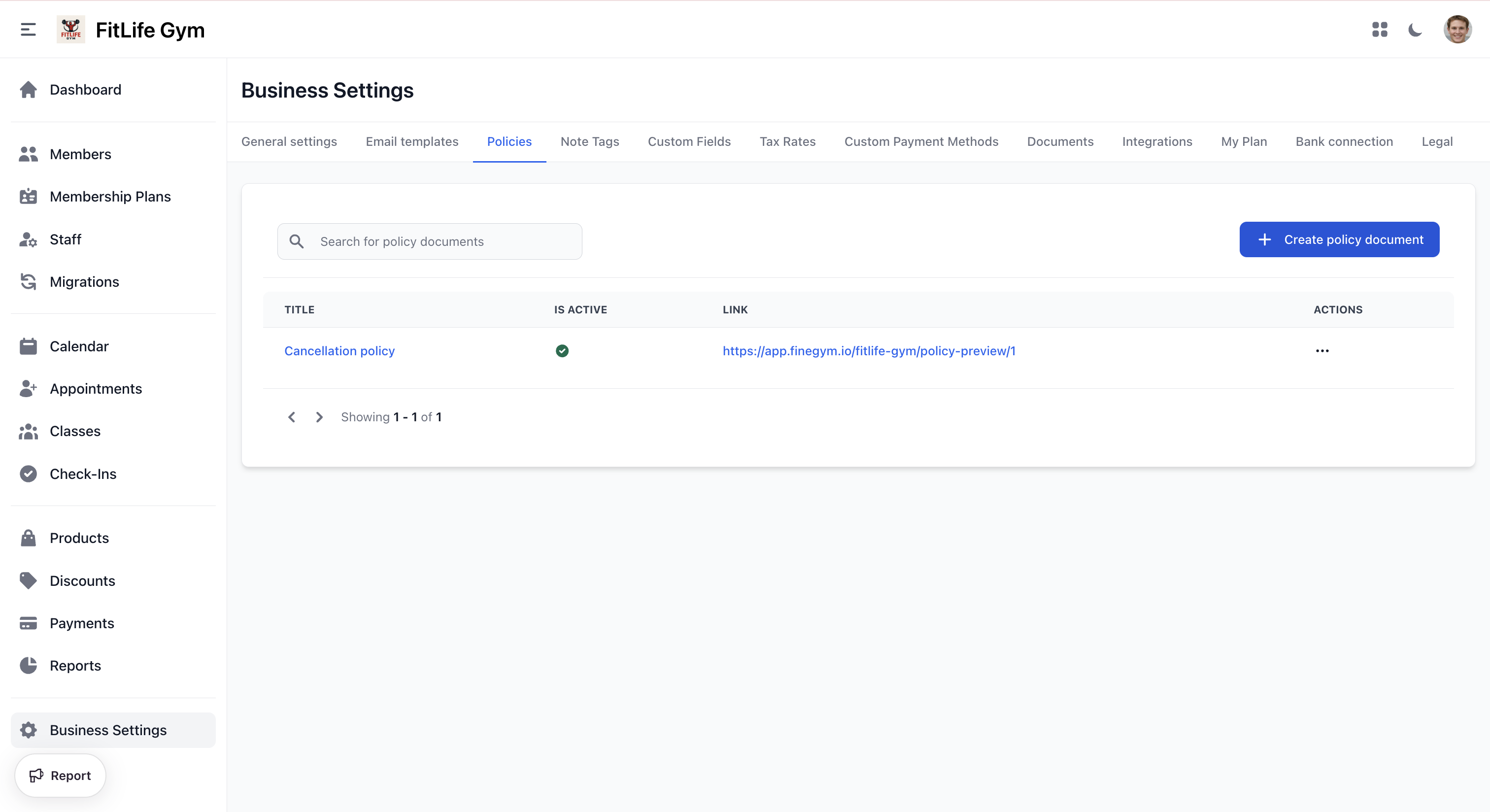
Create policy documents for your business (e.g., cancellation policy, house rules).
Policies List
The policies table shows:
- Title — Policy name (click to edit)
- Is Active — Whether the policy is live
- Link — Public URL to preview the policy
- Actions — Delete
Creating a Policy
- Click Create Policy
- Configure:
- Is active — Toggle to enable the policy
- Title — Policy name (e.g., "Cancellation Policy")
- Content — Rich text editor for the policy text
- Click Save
Managing Policies
Click a policy title to edit it. From the edit page you can:
- Save — Update the policy
- Delete — Permanently remove the policy
Legal
Location: Settings → Legal
The Legal tab provides links to Finegym's own legal documents:
- Terms and Conditions — Terms governing the use of the platform
- Privacy Policy — How Finegym collects, uses, and protects personal information
- Cookie Policy — Information about cookies and tracking technologies
- Refund Policy — Terms and conditions for refunds and cancellations
- Copyrights Policy — Copyright and intellectual property rights
note
These are Finegym's platform legal documents, not your business policies. They are regularly updated — review them periodically to stay informed about changes.
Related Topics
- General Settings - Business information
- Digital Documents - Waivers, contracts, and signatures
- Email Templates - Customize system emails