What coaches can do
A coach runs their own classes and appointments, and sees their own pay. Everything else, they can look at but not change.
The Coach role is for staff who teach classes or give appointments. A coach holds the Bookings and Check-ins permissions, but only for the classes they coach and the appointments they give. Any staff member with Only their own classes and appointments ticked works the same way.
On their own classes and appointments
On a class they coach, a coach can:
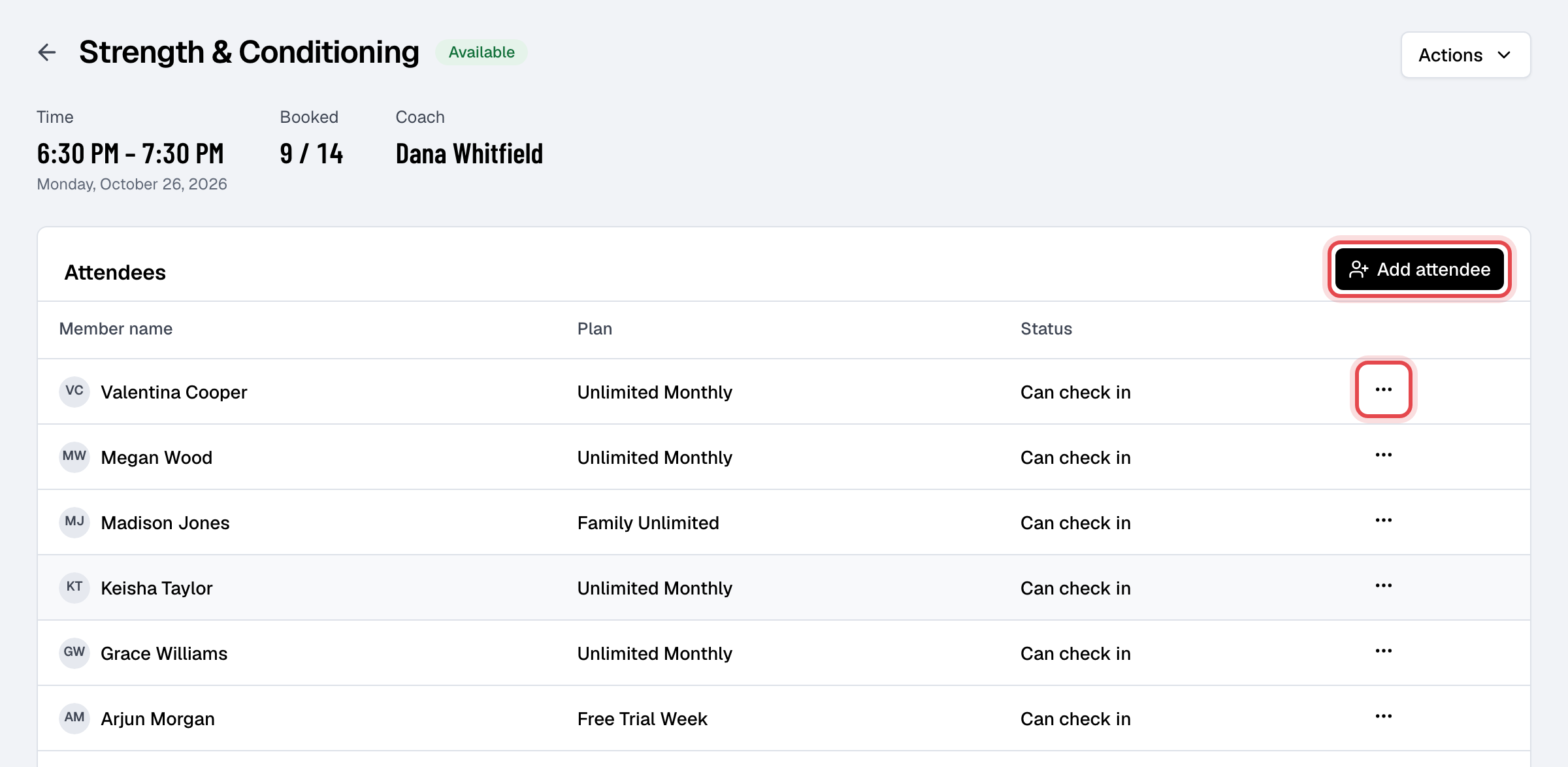
- book a member in with Add attendee, or add them to the waitlist once the class is full;
- cancel a member's booking, check members in on the day, and Mark as present after the class;
- book a member into every class of the series, or take them out of it (Enroll in series, Remove from series);
- start the class's Zoom meeting as its host, for an online class.
On an appointment they give, a coach can book a member in (the coach is always them), move it to another time, cancel it, and check the member in. They can't give an appointment to another coach.
On everyone else's
A coach sees the whole calendar, every class and appointment and who is booked, but can't change them: on a colleague's class, Add attendee and the bookings' menus aren't there. If they try another way, Finegym refuses.
What a coach sees
| A coach | |
|---|---|
| Today | Their own classes and appointments for the day, and who has checked in |
| Calendar, Classes, Appointments | Everyone's, to look at; their own, to book and check in |
| Members and Leads | Profiles, memberships, bookings and notes, to look at |
| Check-ins | The list of check-ins; they can remove one only from their own sessions |
| My pay and My availability | Their own pay for any period, and the hours they take appointments |
A coach doesn't check members in at the door: they have no Scan member button and can't switch on front desk mode. They don't see payments, reports, expenses, marketing, plans, products, staff or settings, can't add or edit members or notes, can't sell, and can't set up classes or change the schedule.
Giving a coach more
Tick more permissions on the coach's Permissions tab, for example Members so they can add notes to members. Their role becomes Custom, and Only their own classes and appointments stays ticked: their bookings and check-ins still reach only their own sessions. It narrows only those two; any other permission you give works on the whole business (with Schedule, for example, they can change every class). Untick it to let them book and check in on everyone's. See Roles and permissions.