Contact support
Write to us from the admin, and where you were comes along with your message.
When something isn't working, or you need something only Finegym can do, write to us from the admin. Your message arrives with the page you were on, so we can start on the answer instead of asking where you were.
Steps
-
Click Help (the question mark in the top bar) and choose Contact support. The same button sits under an answer in Ask Finegym when the help center can't help, and at the bottom of its panel.
-
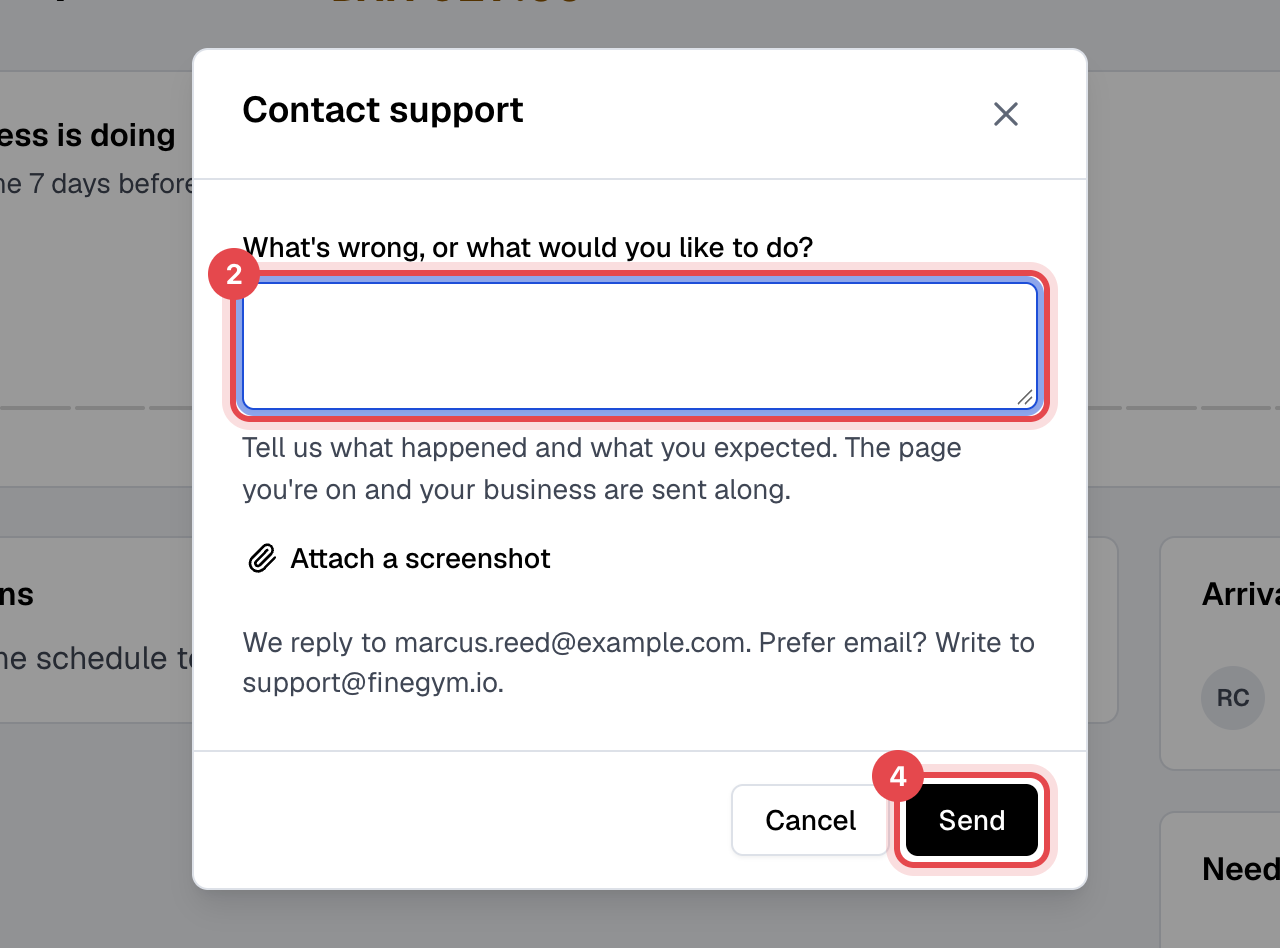
Under What's wrong, or what would you like to do?, say what happened and what you expected.
-
Click Attach a screenshot if a picture helps, up to three.
-
Click Send.
What happens next
- Support gets your message with your name, business and role, the page you were on, your browser, the last few requests that failed in it, and a link to the admin's session recording when one was made. If you asked Ask Finegym first, that chat comes too. Nothing about your members or payments is sent unless you wrote it or it's in your screenshot.
- We reply to your sign-in email; the confirmation names it. Writing to support@finegym.io directly works just as well.