Finegym plans and billing
What Free, Starter and Growth include, how the 30-day trial works, and where you manage your plan.
Your business is on one of three Finegym plans. Every plan has unlimited members and everything you need to run the business day to day; the paid plans add integrations, marketing and a branded app. Prices are on finegym.io/pricing; paying yearly costs less than paying monthly.
What each plan includes
| Free | Starter | Growth | |
|---|---|---|---|
| Members, plans, classes, appointments, check-ins, invoices, reports, expenses | Yes | Yes | Yes |
| Leads and an inquiry form | Yes | Yes | Yes |
| Your website and the Finegym member app | Yes | Yes | Yes |
| Free data migration | Yes | Yes | Yes |
| Transaction fee | 1% on top of Stripe's fees | None | None |
| Integrations: Twilio texts and WhatsApp, Kisi doors, Zoom, QuickBooks Online, Wellhub, Zapier | No | Yes | Yes |
| Marketing: automations, campaigns and segments | No | No | Yes |
| Your own branded member app | No | No | Yes |
| Support | Priority phone and email | Priority phone and email |
On Free, the pages for integrations and marketing are still there, with a button to upgrade.
The 30-day trial
- Starter or Growth chosen at sign-up starts with 30 days free, without a card.
- On Free, you can try a paid plan once: in Settings > My plan, under Try a paid plan, click Try free for 30 days on Starter or Growth. Once you've had a trial, the button reads Subscribe and you pay from the first day.
- During the trial, My plan shows when it ends. Until you add a card, Finegym won't send emails to many members at once: campaigns, and emails to all members or to a plan's members.
- Add a card before the trial ends with Add payment method on My plan. Without one, the plan isn't paid when the trial ends: integrations and marketing lock again, and everything on Free keeps working.
My plan
My plan, under Settings, shows your plan, its status, the date and amount of your next invoice from Finegym, and whether a card is on file. Only the Owner sees it.
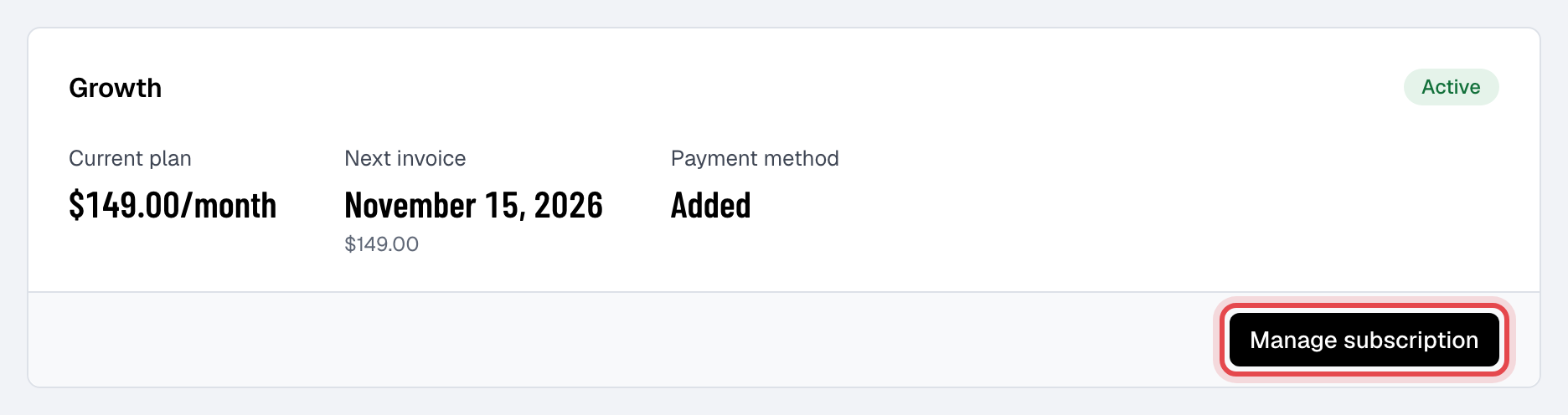
Manage subscription opens Stripe's billing page for your Finegym plan. There you:
- change your plan, for example from Starter to Growth;
- change the card Finegym charges;
- see and download Finegym's invoices and receipts;
- cancel.
The button reads Update payment method when a payment to Finegym failed, and Reactivate subscription after you cancel, while the plan still runs.
When you cancel
The plan runs to the end of the period you've paid for; My plan shows the date it ends. After that your business moves to Free: your members, schedule and history stay, and paid features lock. To delete the business altogether, cancel first, then see Set your business details and time zone.
Good to know
- Growth's branded app: click Request app on My plan and we set it up with you. See Your own branded app.
- Finegym's plan is separate from your members' payments. Members pay your business through your own Stripe account; see Accept card payments.