Collect inquiries from your website
Share your inquiry form, or put it on your own website, so every question becomes a lead.
Your inquiry form lets visitors leave their name, email and a question. Each one lands in Leads, and you get an email so you can reply quickly. The form is on your Finegym website, and you can put it on your own website too.
Before you start
- Any staff member can open the form's link and code.
Steps
-
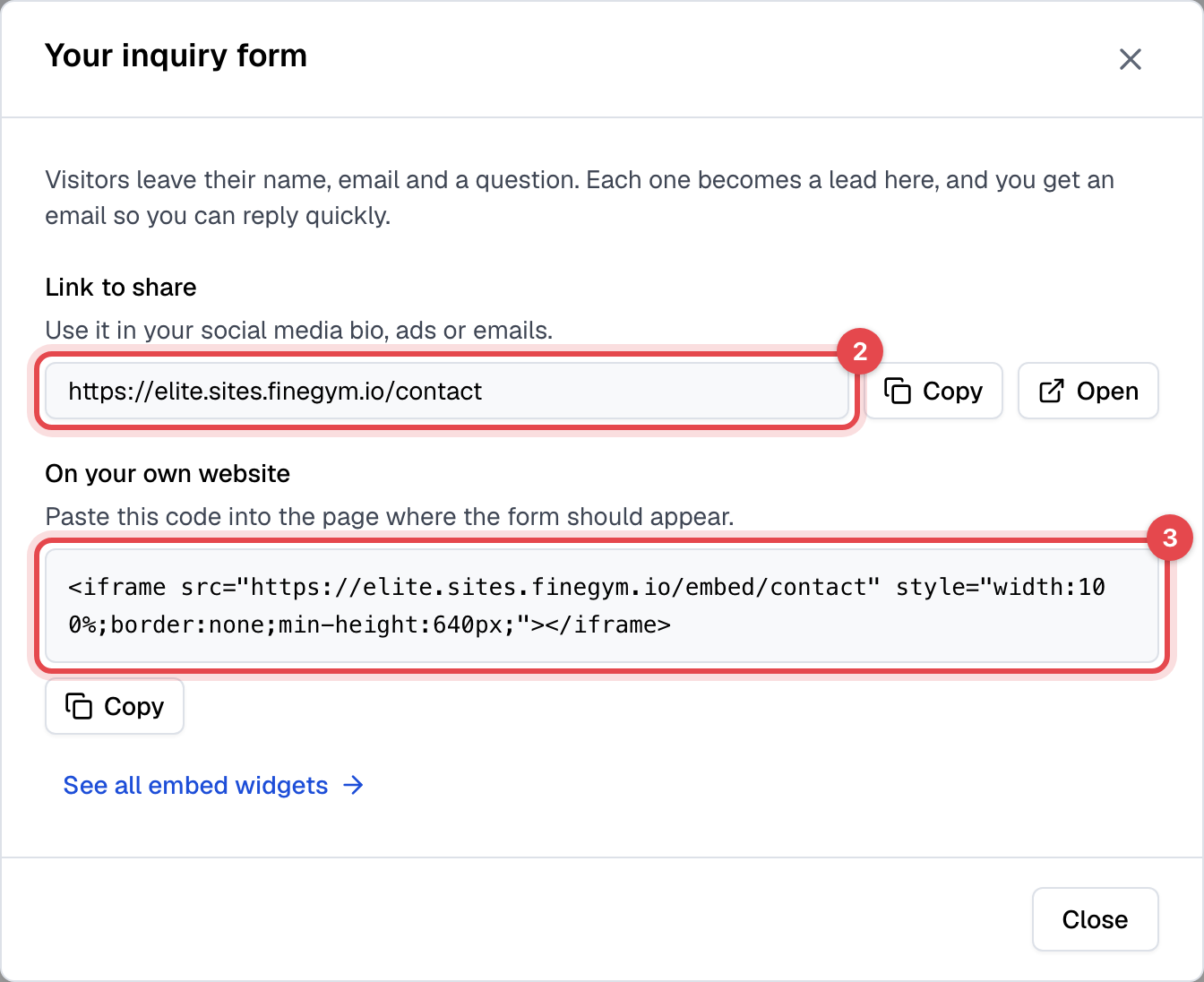
In Leads, click Inquiry form.
-
Copy the link under Link to share and use it in your social media bio, your ads or your emails. It opens the form on your website's Contact tab.
-
To show the form on a website you already have, copy the code under On your own website and paste it into the page where the form should appear.
What happens next
Visitors fill in their Full name and Email, and if they like their Phone, Your question and How did you hear about us?, then click Send.
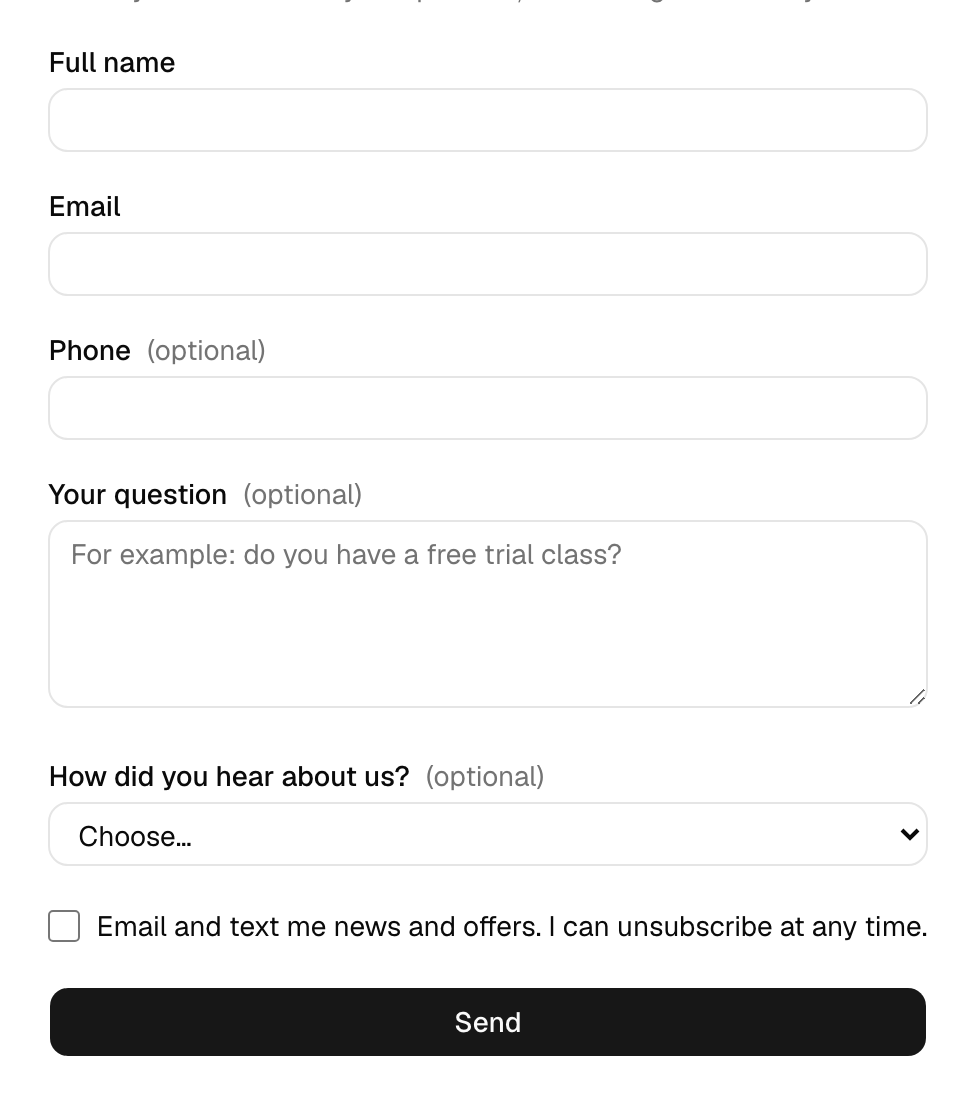
- Someone new becomes a lead, marked Inquiry form under Came from, with their question.
- The Owner gets a New lead email with their details and a link to Leads.
- Someone who already asked before gets no second account: their new question is added to their lead. A member who already trains with you reaches you by the email alone.
- The form never tells a visitor whether their email already has an account, and entries from spam bots are dropped.
Good to know
- Marketing needs their yes. The box "Email and text me news and offers" starts unticked. Leads who leave it unticked get no marketing emails or texts. Once they buy a membership, your marketing emails reach them like any member's, each with its unsubscribe link; texts still need their yes. See Email and text consent.
- The email to you is the New lead email in Settings > Email templates, where you can reword it or turn it off. See Customize email templates.
- Website sign-ups become leads too, marked Signed up on the website, but don't email you: most of them are about to buy.