Put booking on your own website
Embed your schedule, plans, appointment booking or inquiry form in a website you already have.
If you already have a website, you can put your Finegym schedule, plans, appointment booking and inquiry form on it. Visitors book, buy and pay without leaving your page. If you don't have a website, you don't need this: your Finegym website already does it all.
Before you start
You need the Settings permission to open the codes. The Owner and Managers have it.
Add a widget
-
Open Embed widgets, under Online in Settings.
-
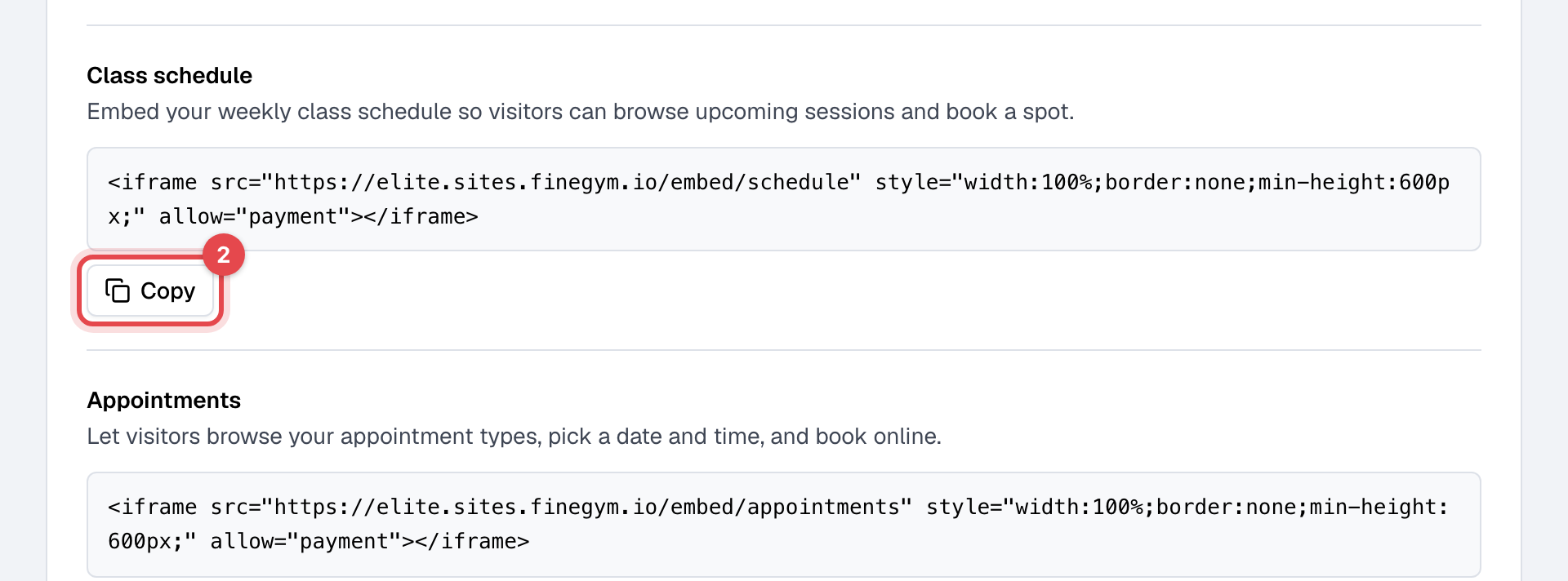
Under Iframe embeds, find the widget you want (Class schedule, Appointments, Membership pricing or Inquiry form) and click Copy under its code.
-
In your website's editor, add an HTML or embed block where the widget should appear, and paste the code. This step happens in your website builder, outside Finegym.
-
Publish the page.
What happens next
- The widget shows the same schedule, plans and booking as your Finegym website, and follows your changes in Finegym at once.
- A visitor who books or buys signs in or creates an account inside the widget, can enter a Discount code, and pays by card.
- Each inquiry sent from the Inquiry form becomes a lead, and you get an email: see Collect inquiries from your website.
Build your own with the JavaScript SDK
For a web developer who wants your website's own design: under JavaScript SDK, copy the SDK
script tag into the page. It gives the page a Finegym object with these methods:
| Method | What it does |
|---|---|
Finegym.plans.list() | Fetch membership plans |
Finegym.classTypes.list() | Fetch class types |
Finegym.appointments.list() | Fetch appointment types |
Finegym.checkout.openPlan({ planId }) | Open membership checkout drawer |
Finegym.checkout.openClassType({ classTypeId }) | Open class booking drawer |
Finegym.checkout.openAppointment({ appointmentTypeId }) | Open appointment booking drawer |
The page's Full example shows them together, with your business's address filled in.
Good to know
- A membership plan appears in the widgets and the SDK only with Show on website switched on.
- Visits and bookings in widgets aren't reported to Google Analytics or the Meta Pixel: see Track your website's visitors.
- Taking card payments needs your bank connection: see Accept card payments.