Group members with segments
Name a group of members by rules, such as active members who haven't visited in two weeks, and send it a campaign or a branch of an automation.
A segment is a group of members described by rules, such as "active members who haven't visited in 14 days". It updates by itself: whoever matches the rules when a message goes out is in it. Use segments as the audience of a campaign, or to split an automation in two.
Before you start
- Marketing is on the Growth plan.
- You need the Marketing permission. The Owner and Managers have it.
Steps
-
In Marketing, open the Segments tab and click New segment.
-
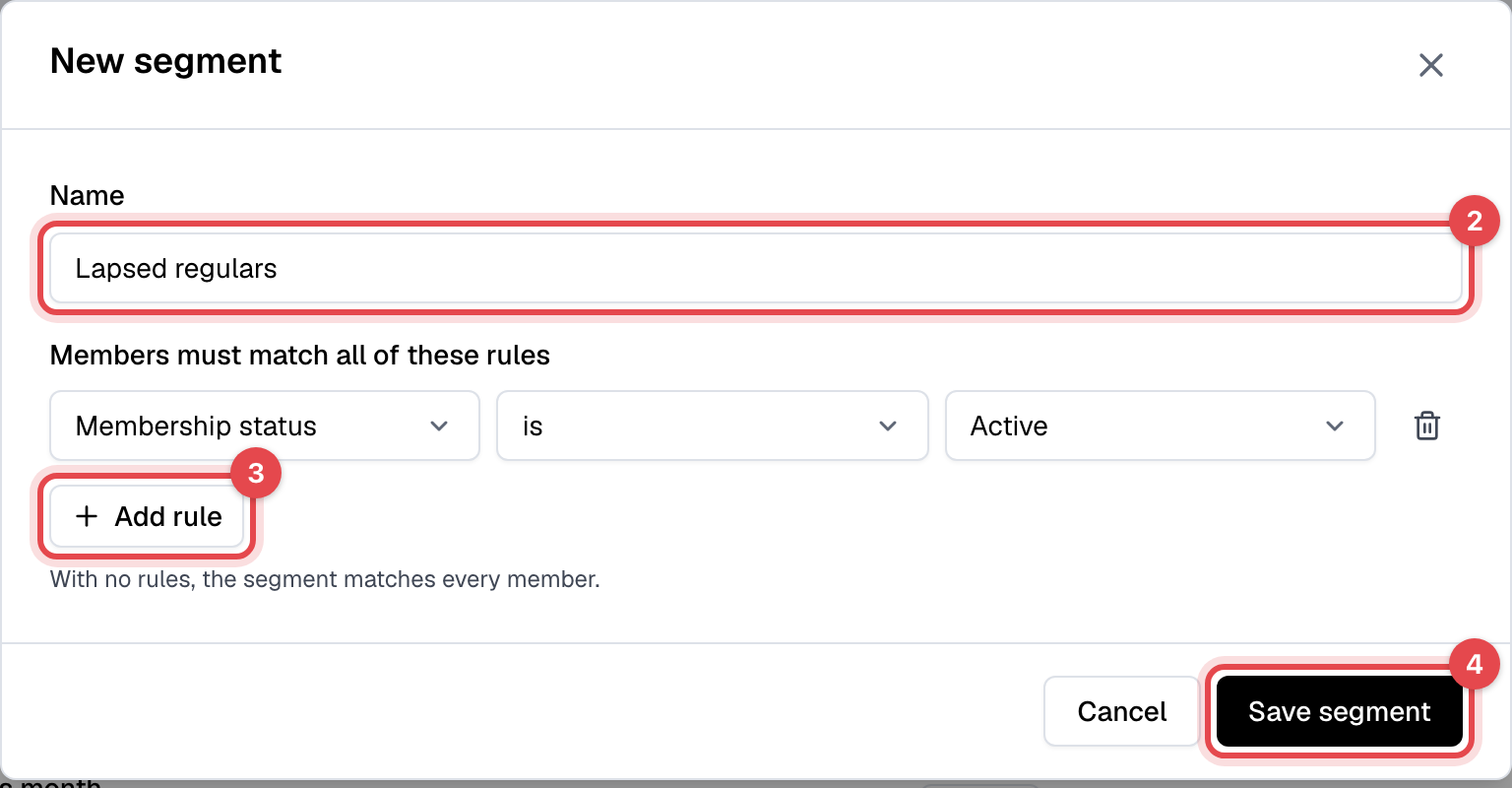
Under Name, give it a name your staff will recognize, such as "Lapsed regulars". Members never see it.
-
Set the first rule: what to check, how, and the value. Click Add rule for each rule you need. A member must match all of them.
-
Click Save segment.
-
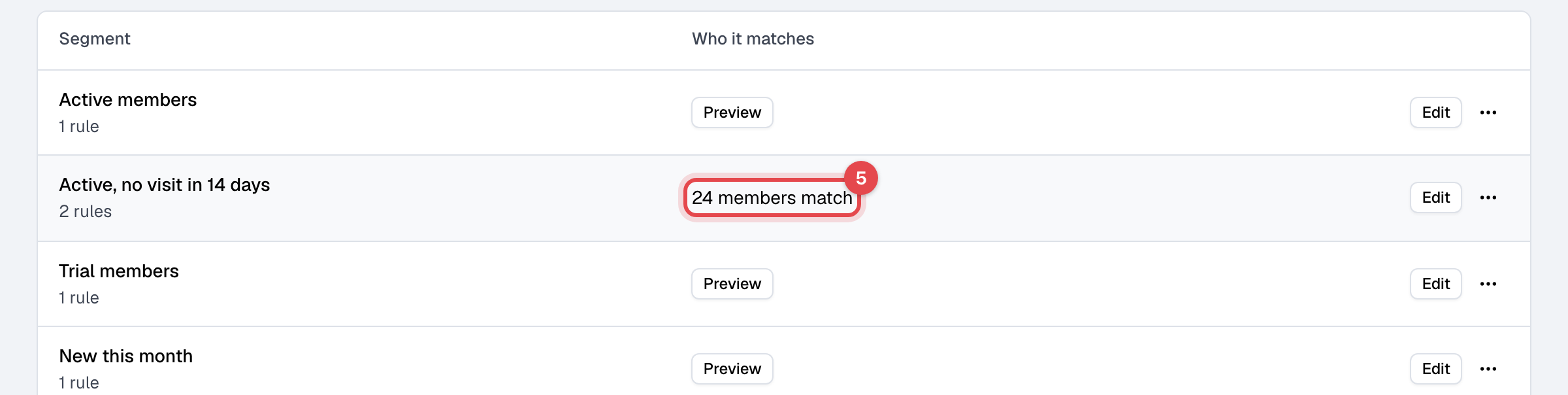
To see how many members match right now, click Preview next to the segment in the list.
The rules
| Rule | Choices | Matches |
|---|---|---|
| Membership status | is Active, Expired or Never had one | Active: a membership running today. Expired: had one, none running today. Never had one: no membership ever. |
| Membership plan | is a plan | A membership on that plan running today. |
| Days since last visit | at least or at most a number of days | at least: no check-in in that many days, including members who never checked in. at most: checked in within that many days. |
| Days since joining | at least or at most a number of days | How long ago they were added to Finegym. |
What happens next
- Nothing is sent: a segment is only an audience. Pick it under Send to on a campaign, or in a Split by segment step of an automation.
- A campaign counts the segment again when it goes out, and a split checks it when a member reaches it, so members who now match are in and those who no longer match are out.
Good to know
- Leads count as members here. A rule like Days since joining also matches leads; add Membership status is Active to keep only members with a membership running today.
- With no rules, a segment matches every member.
- Up to 10 rules per segment.
- A segment in use can't be deleted. Finegym refuses while an automation splits on it or a campaign that hasn't gone out uses it.