Reports overview
Every report in Finegym, the question it answers, and how to read its numbers.
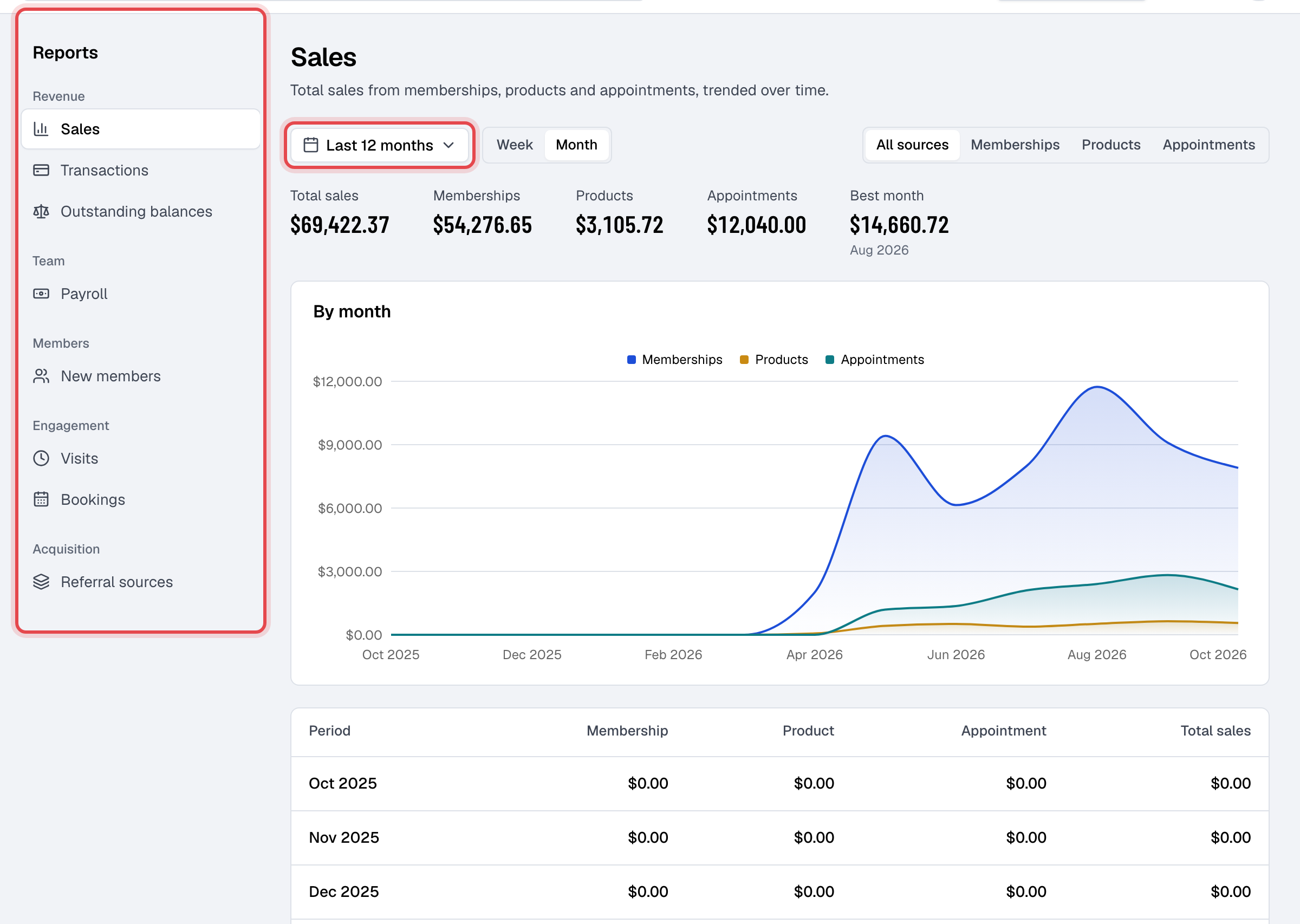
Reports show how the business is doing, from what came in to who keeps coming. Open Reports in the menu: the reports are listed down the left, grouped by what they are about, and it opens on Sales.
Reports need the Reports permission, which the Owner and Managers have. Every other staff member sees their own pay under My pay, in the menu behind their picture at the top right.
The reports
| Report | Answers | What it counts |
|---|---|---|
| Sales | How much did we sell, and from what? | Payments taken in the period, tax included, split into Memberships, Products and Appointments. Pick one source at the top to see it alone. Refunds aren't taken off. |
| Transactions | What came in and went out, for the books? | Every payment and refund between two dates, with totals by source and by payment method, then Refunds, Net taxes and Net revenue (after taxes). |
| Outstanding balances | Who owes us money, and since when? | One row per member with open invoices: what they've paid so far, the Amount due, and since when they've owed it. |
| Payroll | What do we owe the staff who taught? | Each staff member's classes, appointments, hours, attendees and pay, worked out from their pay rates. Close a pay period to freeze it. See Staff pay and payroll. |
| New members | Is the business growing? | Members added in each day, week or month. Leads count only once they become members. |
| Visits | How busy are we? | Every check-in, at the door or for a booking, by the day it happened. |
| Bookings | Are members booking? | Class and appointment bookings, by the day of the class or appointment. Canceled bookings aren't counted. |
| Referral sources | How do new members find us? | Members who joined in the period, by their Referred by answer, with each source's share. Members without an answer aren't counted. |
Expenses has its own report, Income & expenses, on the Expenses page. See Track expenses.
Pick the period
- Click the period at the top left of a report to choose Today, Last 7 days, Last 4 weeks, Last 3 months, Last 6 months, Last 12 months, Month to date, Quarter to date or Year to date, or pick a start and end date on the calendar and click Apply.
- Next to it, choose whether each row is a Day, Week or Month. A short period offers days; a long one, weeks and months.
- The period is kept in the page's address, so you can bookmark a report or send its link to another staff member.
- Transactions, Outstanding balances and Payroll work differently: Transactions and Payroll have their own From and To dates, and Outstanding balances shows what is owed today.
Every date and time is on your business's time zone.
Why two reports show different money
Sales and Transactions answer different questions, so their totals rarely match:
- Sales counts what was paid, tax included, and keeps a payment that was later refunded.
- Transactions takes refunds and tax off to reach Net revenue (after taxes): use it to close a month or to hand to your accountant.
The first figure at the top of Sales, New members, Visits and Bookings also says how it compares with the period before, such as "+12% on the period before".