Have members sign documents at check-in
Make members sign your waivers and contracts before they check in, on the kiosk or at the desk.
Turn this on to make sure nobody trains before they've signed your waiver or contract. Members with a document to sign are asked for it before they can check in or book.
Before you start
- You need the Settings permission to turn it on. The Owner and Managers have it.
- The documents themselves are set up under Settings → Documents: see Documents and waivers.
Steps
- In Settings → Documents, turn on Require document signing. It's saved at once.
- Check that each document members must sign is Active, and set under Who signs it to All membership plans or to the plans it's for.

What happens next
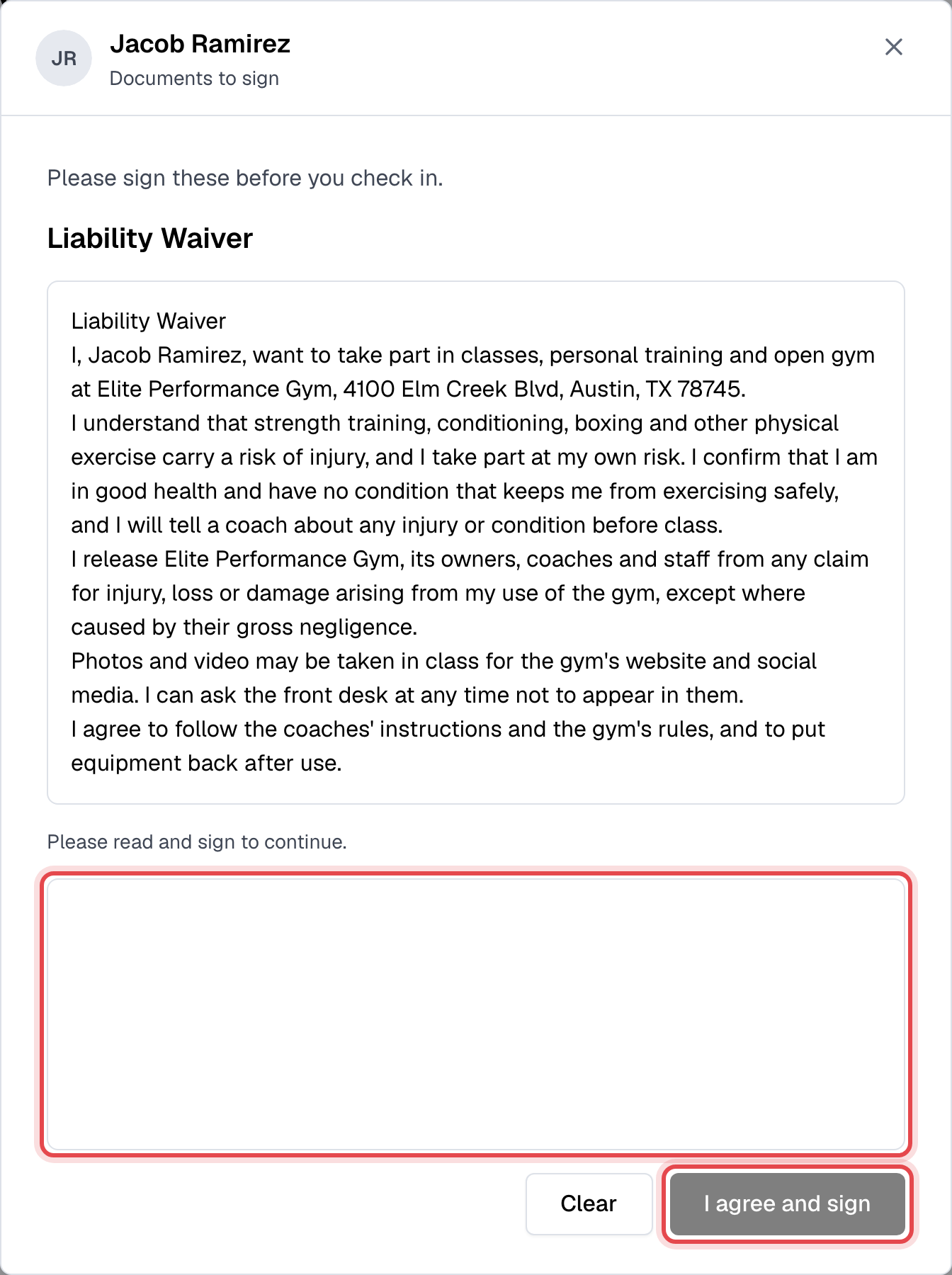
- At the front desk kiosk, a member with a document to sign sees Documents to sign as soon as they scan their code or type their PIN. They read it, sign with a finger, and tap I agree and sign, one document after another. Then the check-in window opens.
- At the desk, in the app and on your website, checking in or booking is refused until they've signed: "You have unsigned documents that need to be signed before proceeding." Members sign in the app or on your website. To have them sign on your screen, open their profile, click Documents, then To sign, and choose Sign document in the document's menu.
- Each signature is kept with the date and the version they signed, on the member's Documents tab under Signed documents.
Good to know
- A member is asked to sign a document set for All membership plans, or for the plan of any membership they have held, even one that has ended.
- A member who signed a document once isn't asked again for a small edit. Publishing a new version with Ask everyone to sign this version checked asks everyone again, before their next booking, payment on your website or check-in. See Documents and waivers.
- The kiosk asks for signatures only when the staff account it runs on has the Members permission. Without it, members with a document to sign are refused there.
- Staff never need to sign.