Send text messages with Twilio
Text your members booking confirmations, payment reminders and other notices, from your own Twilio number.
With Twilio connected, Finegym can text your members, by SMS or WhatsApp, alongside the emails it sends: booking confirmations and changes, payment reminders and notices. The texts come from your own Twilio number, and Twilio bills your Twilio account for them.
Before you start
- Your business is on the Starter plan or above, and you have the Settings permission. The Owner and Managers have it.
- In Twilio, outside Finegym: an account, its Account SID and Auth token from the Twilio Console, and a phone number bought in Twilio. For WhatsApp, a WhatsApp Business number registered with Twilio.
Connect Twilio
-
Open Integrations.
-
Click Connect next to Twilio.
-
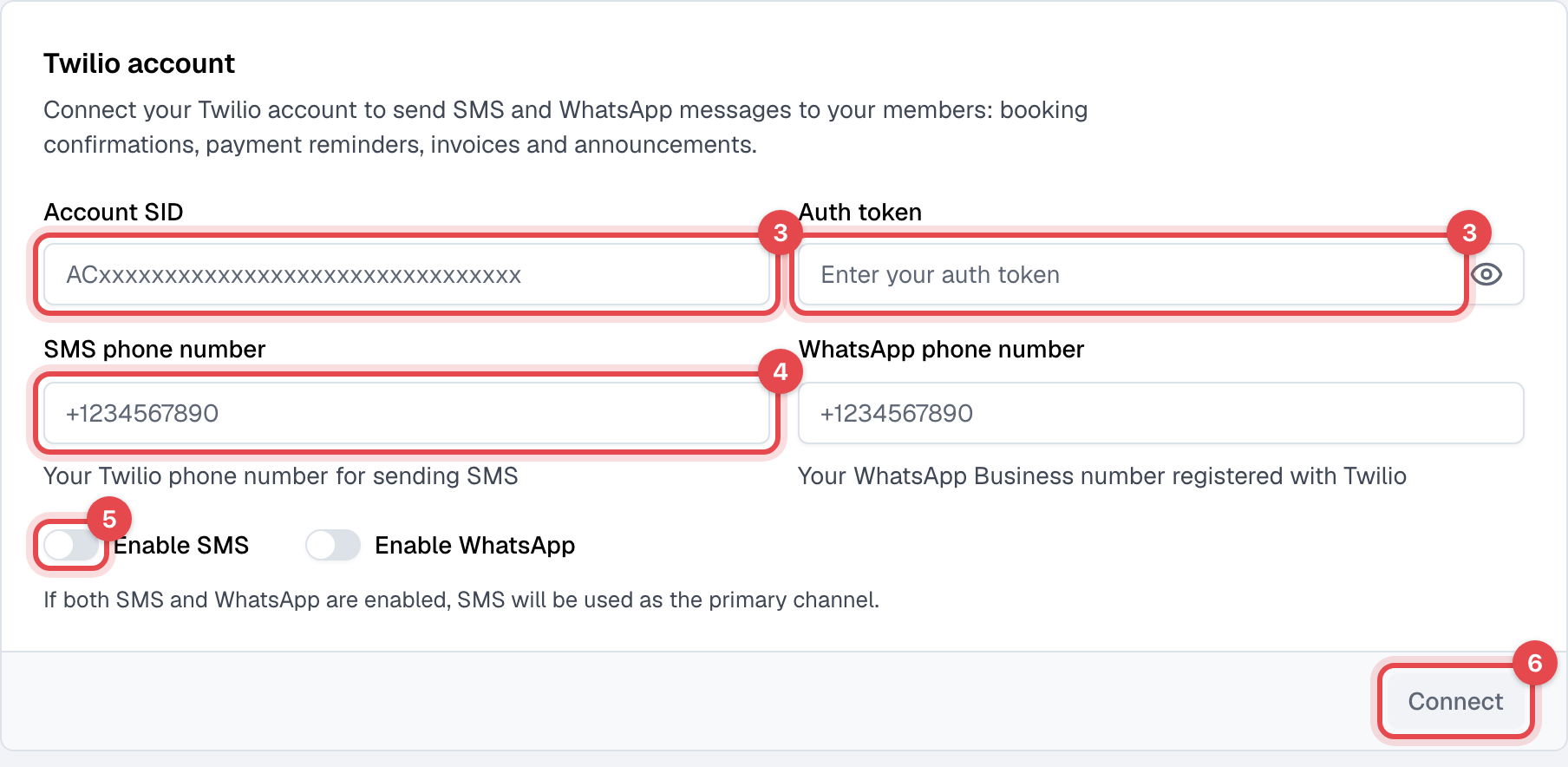
Enter the Account SID and Auth token.
-
Enter your Twilio number under SMS phone number, starting with + and the country code, such as +15551234567. For WhatsApp, fill in WhatsApp phone number too.
-
Switch on Enable SMS, Enable WhatsApp, or both. With both on, texts go by SMS.
-
Click Connect. Finegym checks the details with Twilio, and that the numbers belong to that account.
Choose which emails are also texted
Texts are off for every email until you turn them on, one email at a time:
- Open Email templates and click an email. Those that can be texted have an SMS section: account and booking confirmations, waitlist news, membership and payment reminders, invoices, documents to sign.
- Switch on SMS enabled.
- Click Save changes.
What happens next
- A member gets the text when the email's SMS enabled is on, they have a phone number on their profile, and their SMS/WhatsApp notifications are on. That switch is on for every member unless they or your staff turn it off.
- Each text is in the member's language, and shows on their Messages tab in Finegym.
- Marketing campaigns can be texted too: see Campaigns and Email and text consent.
Good to know
- A text is at most 160 characters. Its wording is in the email's SMS content; changing it needs writing your own text switched on.
- In the US and Canada, a member who replies STOP to your number gets no more texts from it: Twilio refuses them.
- Disconnect removes your Twilio details, and texting stops.