Set your business details and time zone
Your business's name, address, logo, color, language and time zone, and where members see each one.
Your business's details appear on invoices, in the emails Finegym sends for you, on your website and in the member app.
Before you start
- You need the Settings permission. The Owner and Managers have it.
- Only the owner can change the time zone.
Change your business details
-
Open Settings. General settings opens first.
-
Change what you need in one section (see the table below).
-
Click Save changes at the bottom of that section. Each section saves on its own.
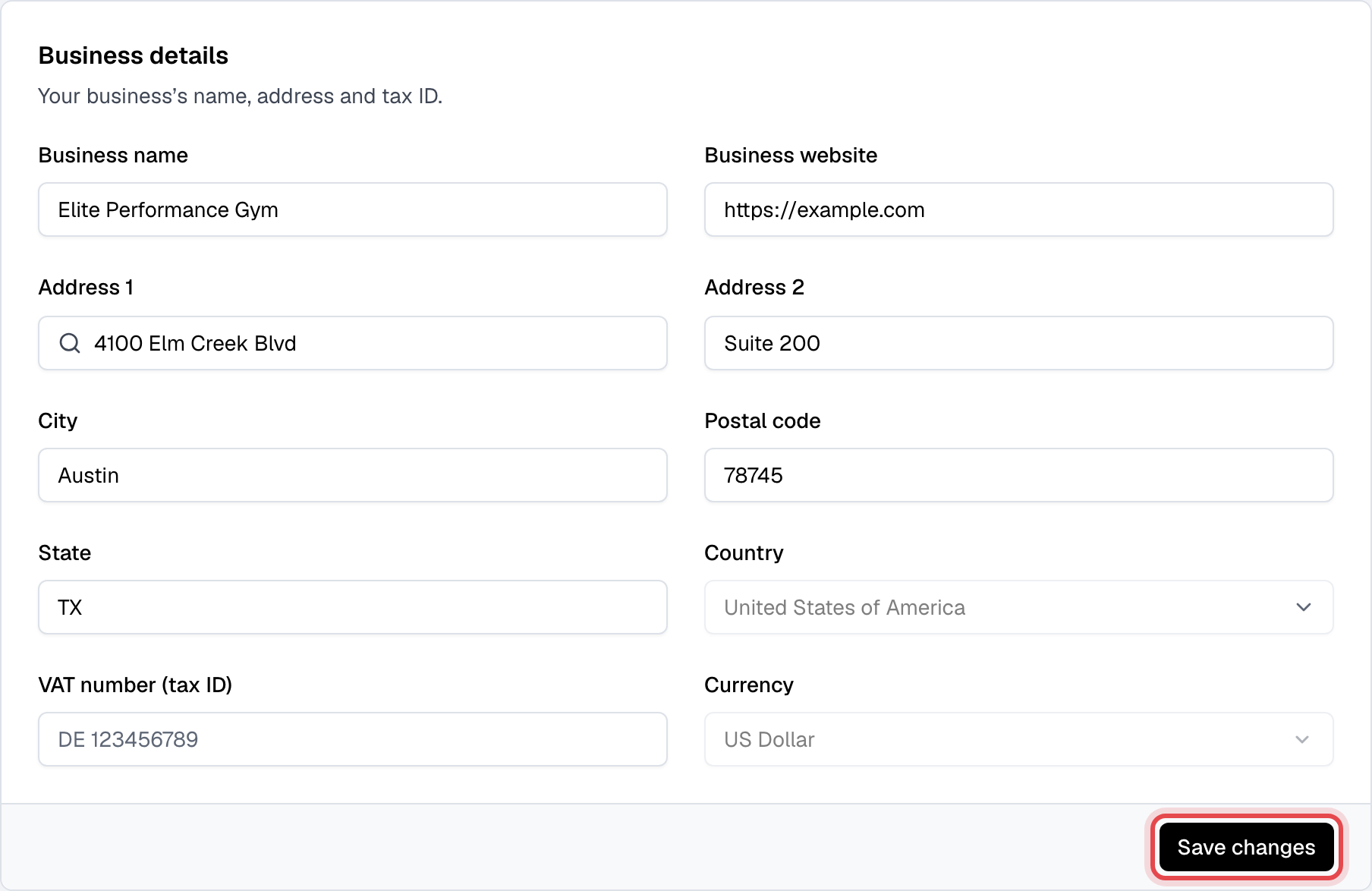
| Section | What it holds | Where it shows |
|---|---|---|
| Business details | Name, website, address, VAT number (tax ID). Country and Currency are fixed when the business is created. | Invoices and receipts, your emails |
| Logo | A square PNG, JPG or WEBP. Click Upload logo, then Save. | Emails, invoices, your website, the app |
| Branding | Main color | Buttons, links and the top edge of your marketing emails |
| Language & time zone | Default language (English, Bosanski, Português or Español) and the time zone | The language of everyone who hasn't picked their own |
| Customer service | Customer service email and Customer service phone | Your contact details in the app and on your website; replies to marketing emails |
| Social links | Facebook page and private group, Instagram, Twitter | Your emails and the member app |
| Member retention | At-risk inactivity threshold (days): days without a check-in before a member with an active membership is flagged as at-risk. Membership expiring soon reminder (days): days before a membership ends that its renewal email goes. | At-risk members on Today and Members; the Membership expiring soon email |
Change the time zone
-
Under Language & time zone, next to Timezone, click Change. Everyone but the owner reads "Only the owner can change it." instead.
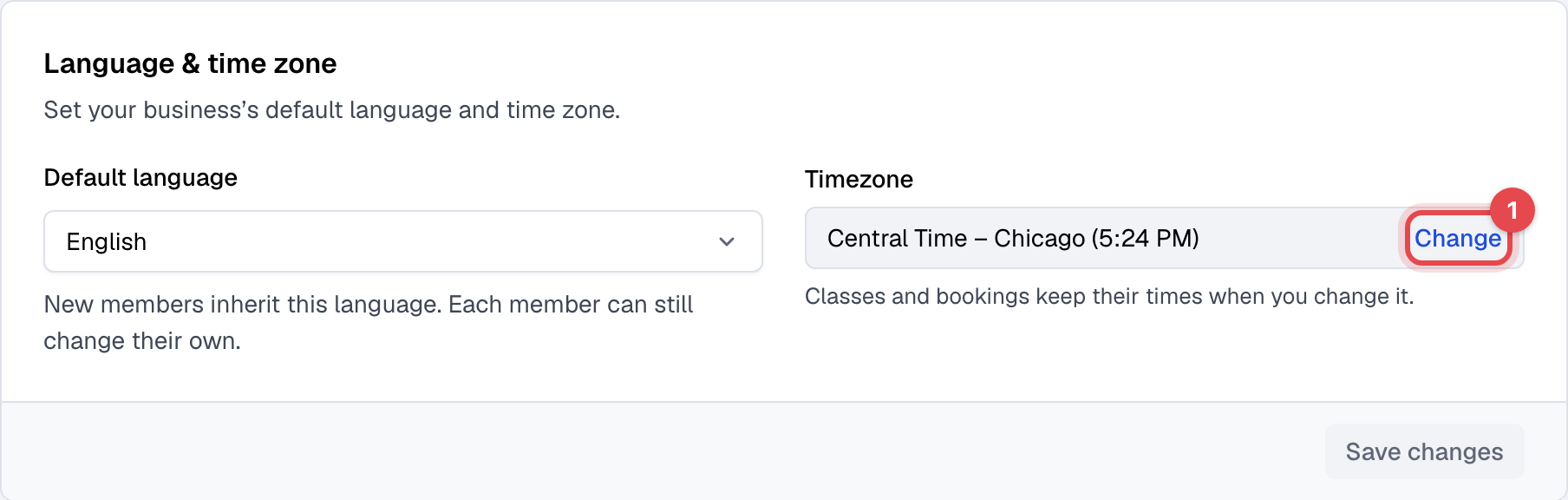
-
Pick the New time zone. Each zone shows its time now.
-
Click Change time zone.
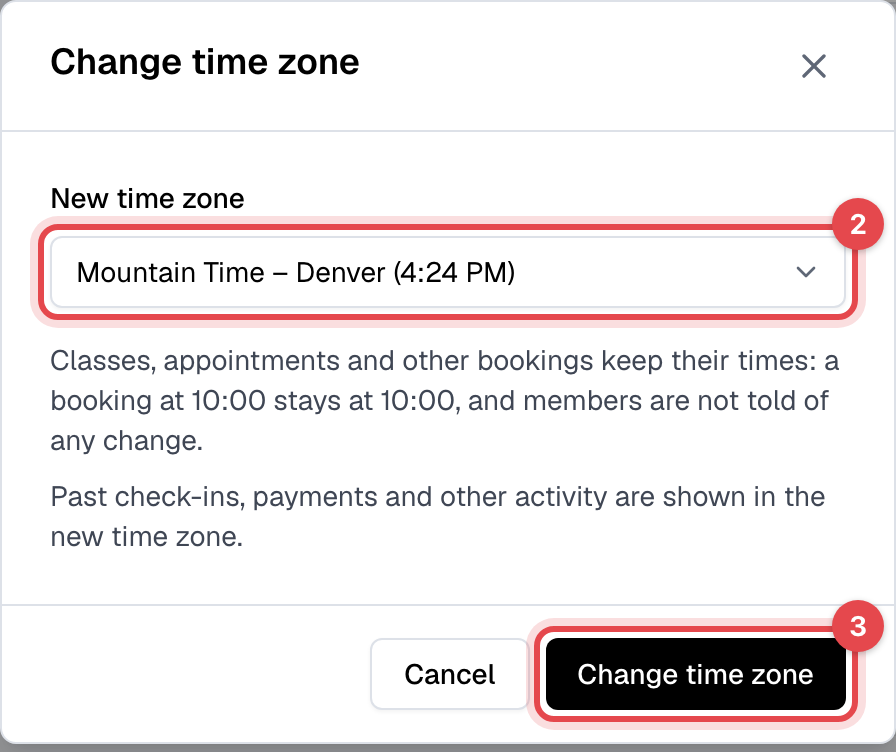
What happens next
- Bookings keep their times: a class or appointment at 10:00 stays at 10:00, and members aren't told. Scheduled campaigns and note reminders keep theirs too. Past check-ins and payments are shown in the new time zone.
- Every time in Finegym is on your business's clock, wherever the computer or phone is: in the admin, on your website and in the app. See Times or dates look wrong.
Good to know
- The renewal reminder is the Membership expiring soon email in Email templates, where you can turn it off.
- The owner also hands the business over and deletes it from this page: see Transfer ownership and Delete your business.