Your own branded app
A member app under your business's name on the App Store and Google Play, on the Growth plan.
Every business's members can use the Finegym member app. On the Growth plan, you can also have the app published under your business's own name, on both the App Store and Google Play: your members search for your business, not for Finegym.
Who can request it
- The owner only. Branded app appears in Settings, under Online, only for the owner.
- The Growth plan. On another plan, the page reads "Upgrade to the Growth plan to get a custom branded mobile app…", with a button to upgrade. See Finegym plans and billing.
How it works
-
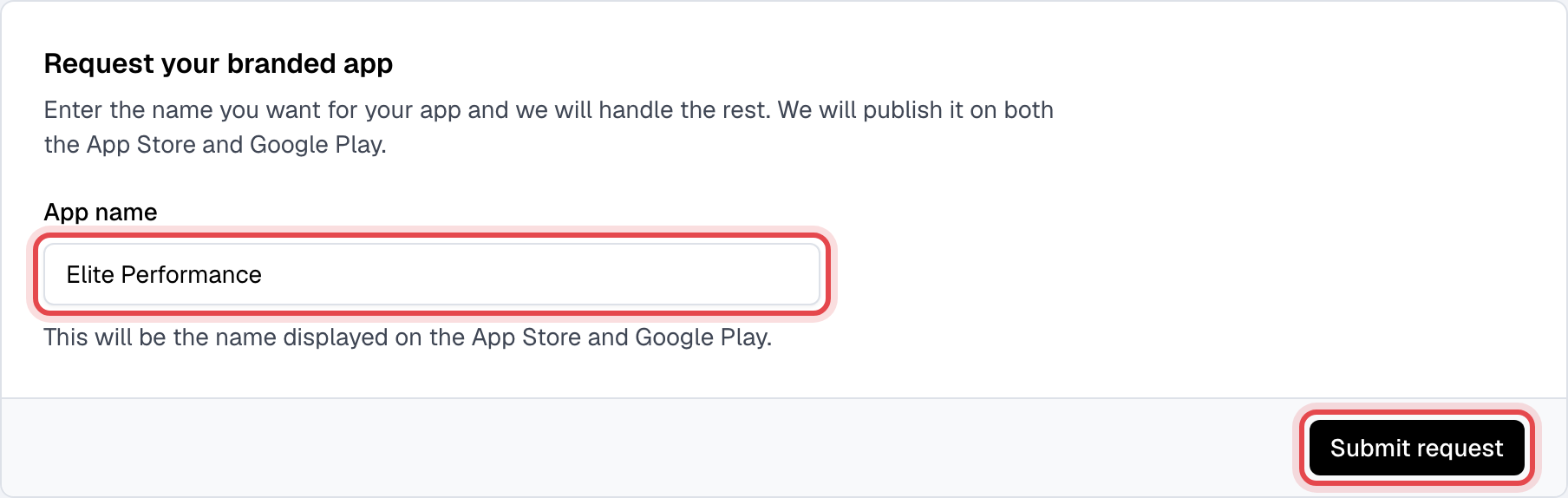
You ask for it. Open Branded app, enter the App name (the name shown on the App Store and Google Play), and click Submit request. Finegym's team is told at once.
-
Finegym builds and publishes it. The page shows where it stands:
Status What it means Requested Your request has been received. The team reviews it and starts work soon. In progress The app is being developed. Finegym lets you know once it's published. Published The app is live. The page shows App Store and Google Play buttons that open its store pages. -
You tell your members. Share the store links once it's published.
Good to know
- You send the request once: after that, the page shows its status instead of the form. To change the app name, write to support@finegym.io.
- The page shows the date you asked and, once it's live, the date it was published.
Related
- Get the app (for your members)
- Finegym plans and billing
- Set your business details and time zone