Freeze a membership
Pause a member's billing and access for a while, and pick it up again later.
Freeze a membership when a member takes a break, for a vacation or an injury. While it's frozen, it isn't billed and can't be used.
Before you start
- You need the Sales permission. The Owner, Managers and Front desk have it.
- Recurring and non-recurring memberships can be frozen; punchcards can't.
- Members can't freeze a membership themselves: they ask you.
Freeze a membership
- Open the member from Members and click the Memberships tab.
- In the membership's row, click ⋯, then Freeze membership.
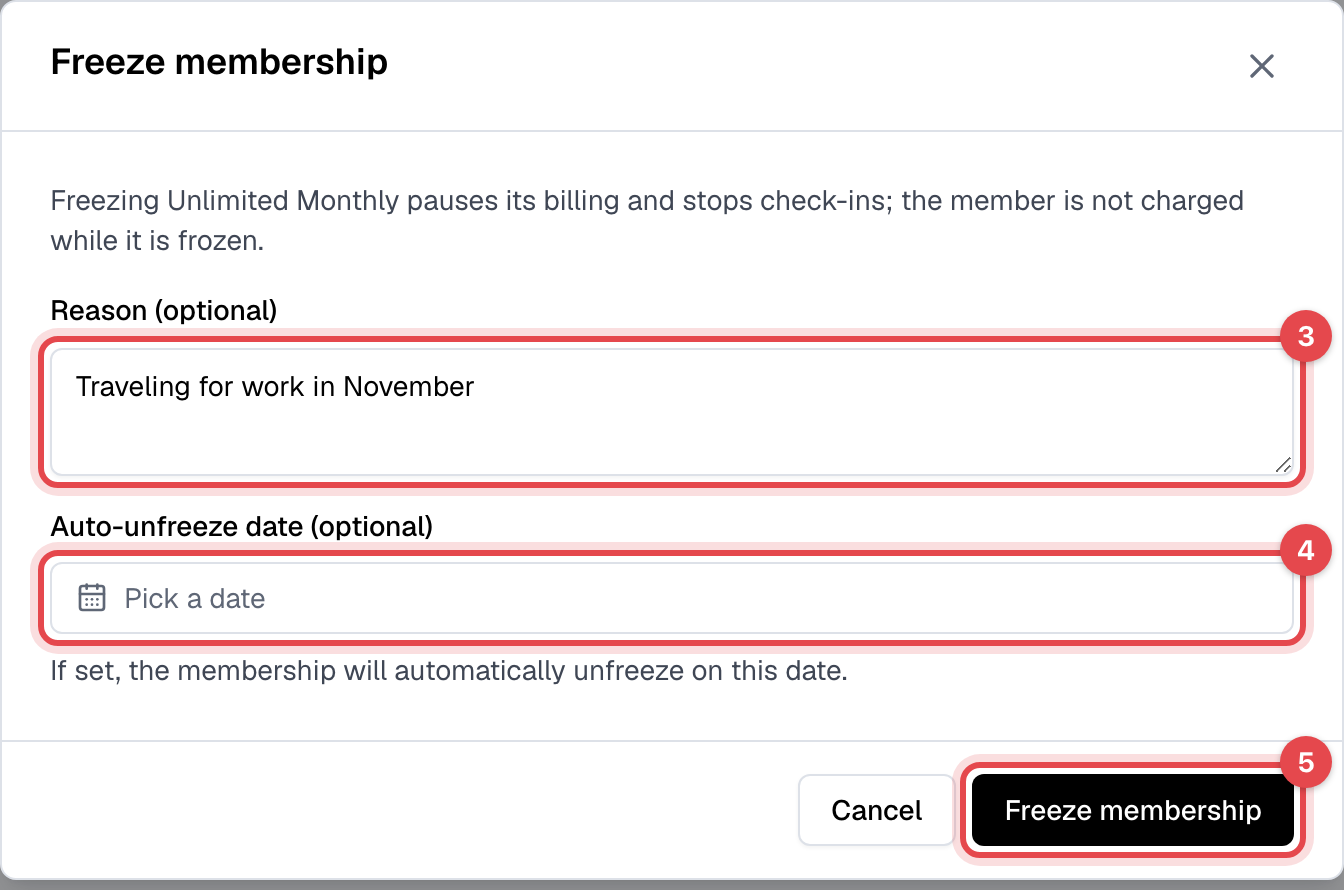
- Add a Reason (optional) for your own records.
- To have it unfreeze by itself, pick an Auto-unfreeze date (optional). Leave it empty to unfreeze it yourself.
- Click Freeze membership.
Unfreeze a membership
- In the membership's row, click ⋯, then Unfreeze membership.
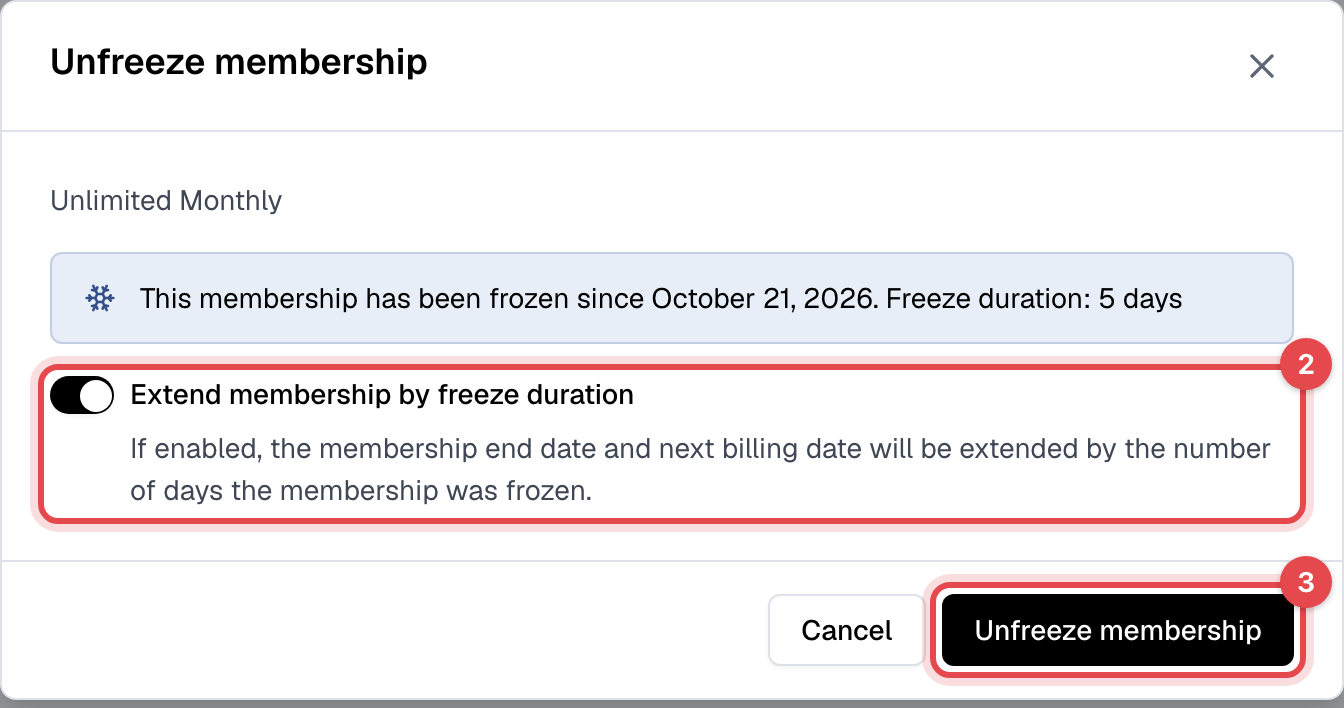
- Leave Extend membership by freeze duration on to move its end date and next billing date on by the days it was frozen. Turn it off to keep the dates it had.
- Click Unfreeze membership.
What happens next
- Frozen: the freeze starts at once. A recurring membership isn't billed, and the member can't check in or book with it. Bookings they already made aren't canceled, but they can't be checked in to a class booked on it. The membership shows Frozen, and the member gets an email.
- Unfrozen: the member can use it again at once and gets an email. A recurring membership is billed again from its next billing date.
- An auto-unfreeze happens at midnight, your business's time, on the date you picked, and always extends the dates by the days it was frozen.
- Without the extension, if the next billing date passed while it was frozen, the next bill is one billing period from the day you unfreeze it. Nothing is charged at the moment you unfreeze.
Good to know
- A freeze can't be scheduled to start later: it starts when you click.
- A freeze doesn't extend a commitment: the earliest date the membership can be canceled stays the same.
- While a membership is frozen, its billing date can't be changed.