How declined card payments work
What happens when a member's card is declined for a renewal, when it's tried again, and when bookings stop.
When a member's saved card is declined for a membership renewal, Finegym tells the member, tries the card again on set days, and can stop the membership from being used for new bookings until it's paid.
What happens after a decline
At midnight on the billing date, your business's time, the renewal invoice is made and the saved card is charged. If the card is declined, the invoice stays open and the card is tried again on the retry days, counted from the first decline. With the default days, 1, 3 and 7:
| When | What happens |
|---|---|
| Billing date | The charge is declined. The member gets an email, and a text message if you've set up text messages, with the date of the next try and a link to pay the invoice. |
| 1 and 3 days later | The card is charged again. Each decline sends the next date. |
| 7 days later | The last try. If it's declined, the member gets a last email asking them to pay the invoice with a working card. |
Retries run at midnight, your business's time. Some declines are never retried, because trying again can't work: a lost, stolen or expired card, a wrong card number, a card the bank says not to try again, or a payment the member has to confirm themselves. The member is told at once.
After the last try, the invoice stays open: the money is still owed. The membership isn't frozen or canceled, and it keeps renewing.
When bookings stop
Block new bookings, in your invoice settings, decides when a declined payment stops the membership from being used for anything new:
- When no retries are left (the default): after the last try, or at once when the decline won't be retried.
- After the first decline.
- Never.
While it's blocked, the member can't book classes or appointments or make a facility check-in with that membership. They're told "The last payment for this membership was declined. Pay the open invoice to book again; bookings already made are kept." Their app and your website show New bookings are paused with Pay invoice. Bookings they already made stay, and they can be checked in to them. With Kisi, the doors stop opening for them too.
Staff see Bookings blocked on the membership, and can't book around it. The block lifts by itself the moment the invoice is paid, forgiven or voided.

Change the retry days or the block
You need the Settings permission.
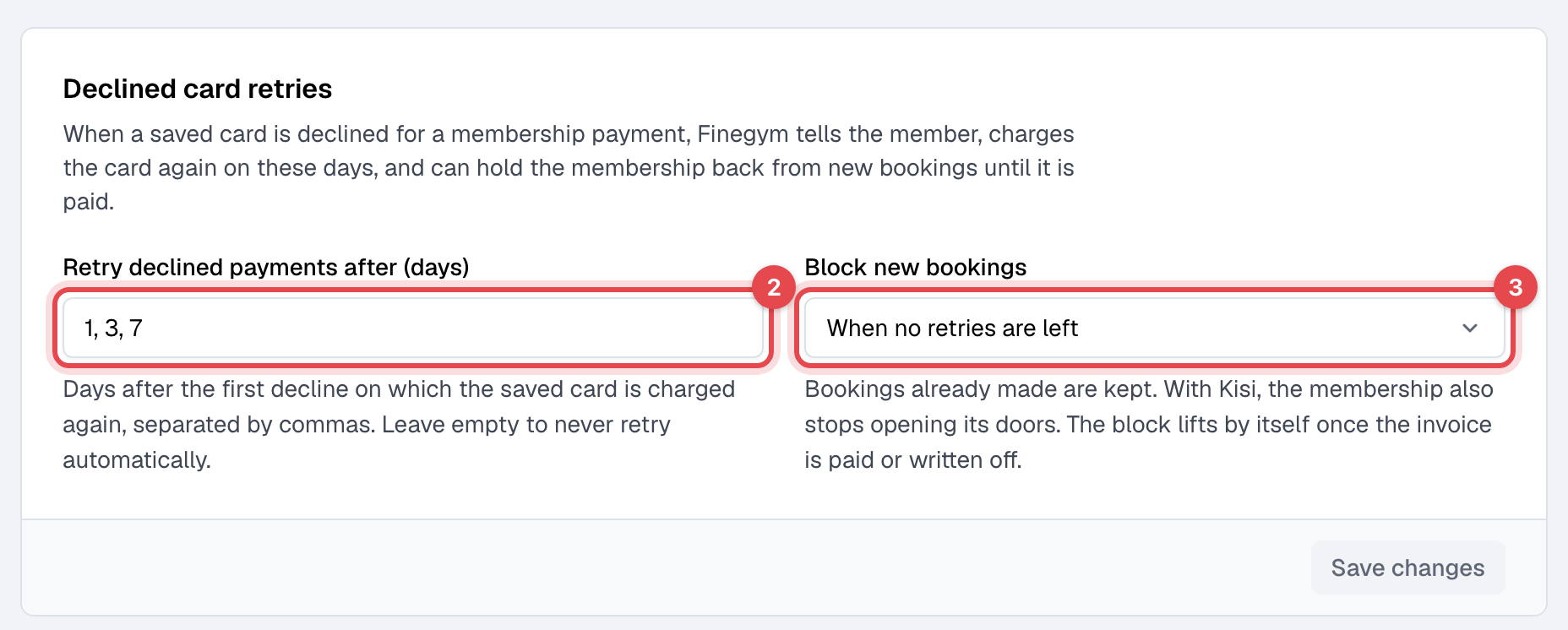
- Open Settings → Invoices and receipts.
- Under Declined card retries, enter the days in Retry declined payments after (days), separated by commas: up to 5, each from 1 to 60, in ascending order. Leave it empty to never retry.
- Choose Block new bookings, and click Save changes.
How it gets paid
- The member pays the invoice in the app or on your website, with any card. The retries stop and the block lifts. The membership still renews on its saved card.
- You charge the card again with Retry now on the invoice, or record a payment taken another way: see Take a payment.
- You give the membership another card: when you choose a different saved card with Change payment type, it's charged at once.
When a charge goes through after a decline, the member gets an email saying so.
Where you see declined payments
- Today, under Needs attention: Payments with a declined card.
- Payments: the Card declined view of invoices, each with its next try or No retry scheduled.
- The member's Memberships tab, while bookings are blocked.
Staff aren't emailed about declines.