Assign a membership
Sell a member a plan at the desk, paid now, later, or by card.
Assign a membership when a member buys a plan from you. Members can also buy plans themselves in the app, on your website and at the front desk kiosk.
Before you start
- You need the Sales permission. The Owner, Managers and Front desk have it.
- To charge a card, your business needs card payments set up: see Accept card payments. Until then, Card is greyed out.
- The member must already exist: see Add a member.
Steps
-
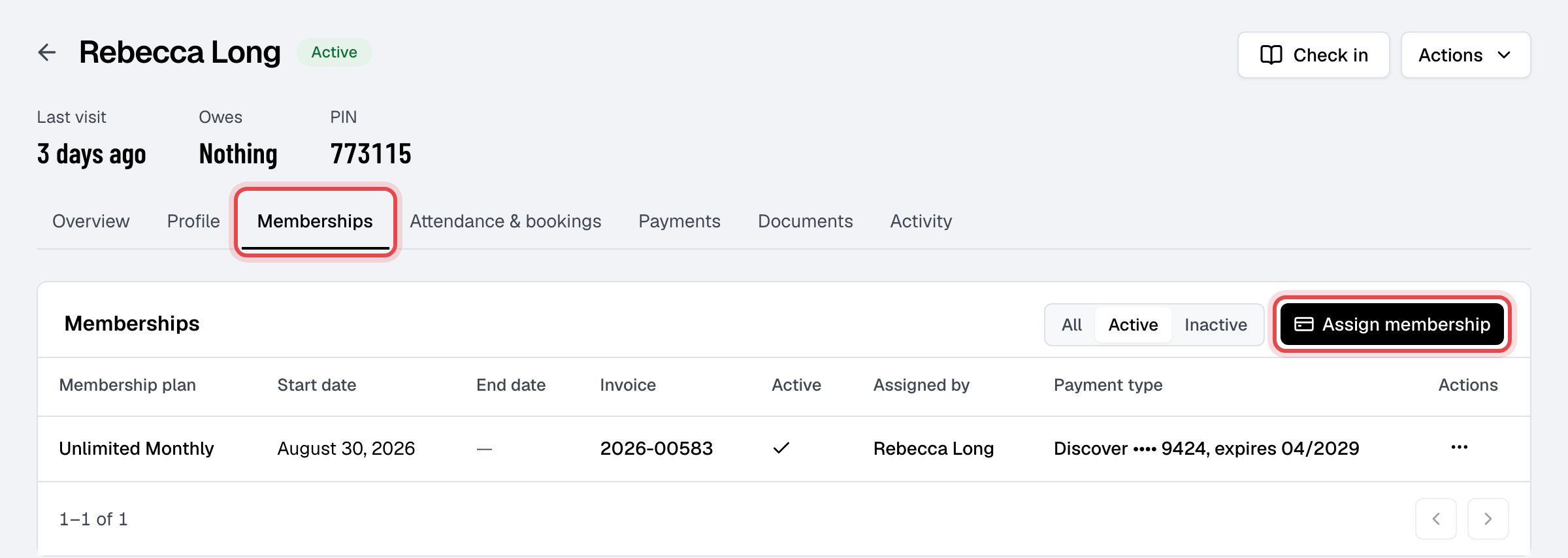
Open the member from Members, click the Memberships tab, then Assign membership. You can also start from a plan's page, with Assign membership, and pick the Member.
-
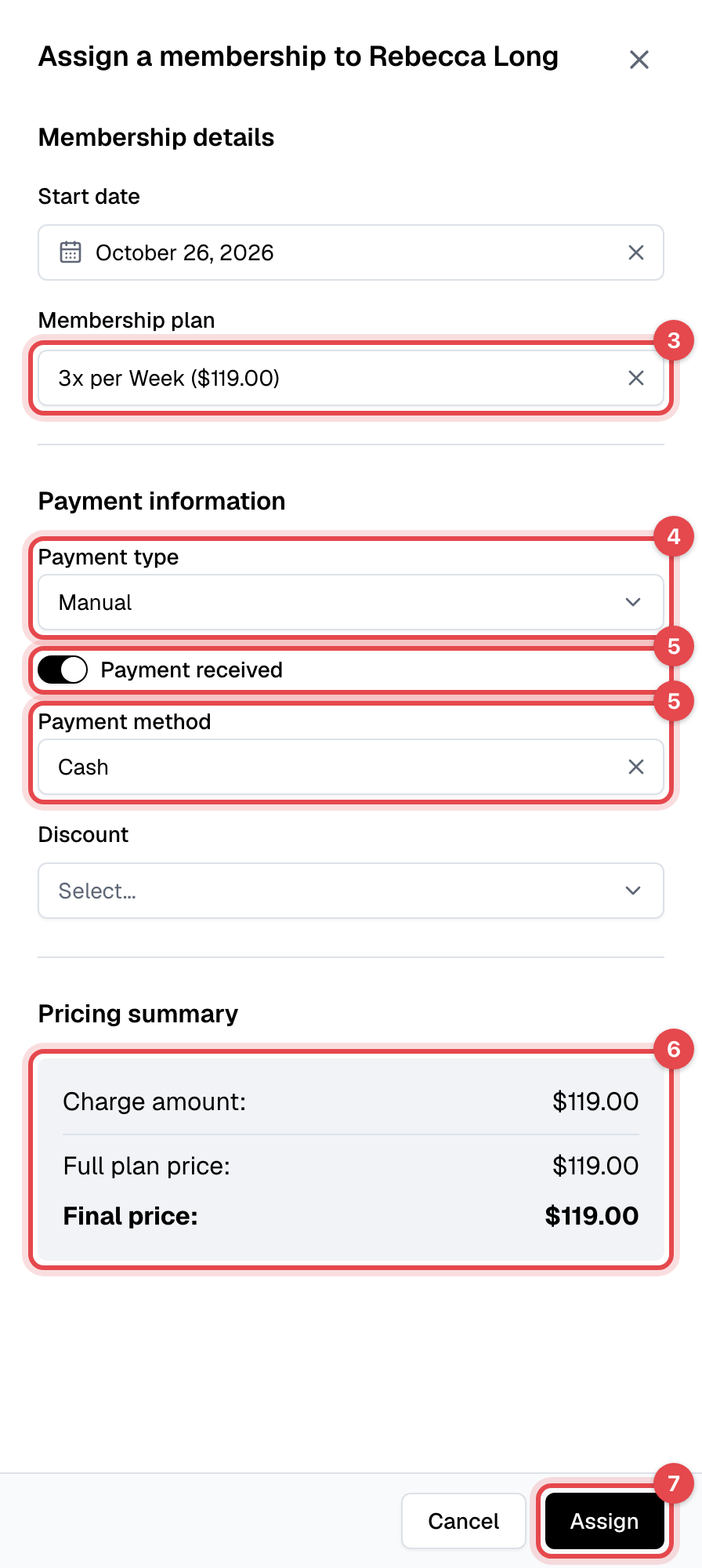
Set the Start date. It's today unless you change it, and it can't be in the past.
-
Pick the Membership plan.
-
Choose the Payment type: Manual when you take the payment yourself, Card to charge the member's card.
-
For Manual, if they're paying now, turn on Payment received and choose the Payment method: Cash, or one of your custom payment methods.
-
Pick a Discount if they get one, and check the Pricing summary.
-
Click Assign. With Card, a Stripe payment page opens: enter the card there and pay.
What happens next
- Manual, payment received: the membership is added, its invoice is paid, and the member gets a payment receipt by email.
- Manual, not received yet: the membership is added with an open invoice, and the member shows as owing the amount. Record the payment when it comes in: see Take a payment.
- Card: nothing is added until the payment goes through, so a page closed without paying leaves nothing. Then the membership is added with a paid invoice, the member gets a receipt, and a recurring plan keeps the card for its renewals.
- The first invoice includes the setup fee. On a plan billed on a fixed day, it covers only the days up to that day.
- A recurring membership paid Manual is never charged automatically: each renewal makes an open invoice for you to collect.
Good to know
- A plan set to One per member can't be assigned to someone who has ever held it, even if that membership ended.
- A plan with Limit quantity at zero can't be assigned: "This membership plan is no longer available."
- A discount stays on a recurring membership: its renewals get it too, for as many payments as the discount allows. This first invoice counts as one of them.