Times or dates look wrong
Every time in Finegym is your business's time, wherever the computer or phone showing it is.
Why it happens
Finegym shows every time on your business's clock: classes, appointments, check-ins, payments and reports. That clock is the time zone in your business's settings, not the one on the computer or phone you're using.
-
Your computer is set to another time zone. A class at 6:00 PM is 6:00 PM at your business, even on a laptop in another zone. When the computer's zone is different, the top bar shows your business's zone next to Scan member, for example Chicago (GMT-5). Point at it to read "Times are in the business's time zone".

-
The business's time zone is wrong. If the wrong zone was picked at sign-up, every time is off by the same number of hours, for everyone.
-
A member is away from home. The member app and your website also show your business's times. When the member's phone or computer is in another zone, they read "Times are in [your business]'s time zone" above the schedule, and online classes also show their start in the member's own time.
What to do
Check your business's time zone
-
Open Settings and go to General settings.
-
Under Language & time zone, read Timezone. It shows the zone and the time there now, for example "Central Time – Chicago (6:49 PM)".
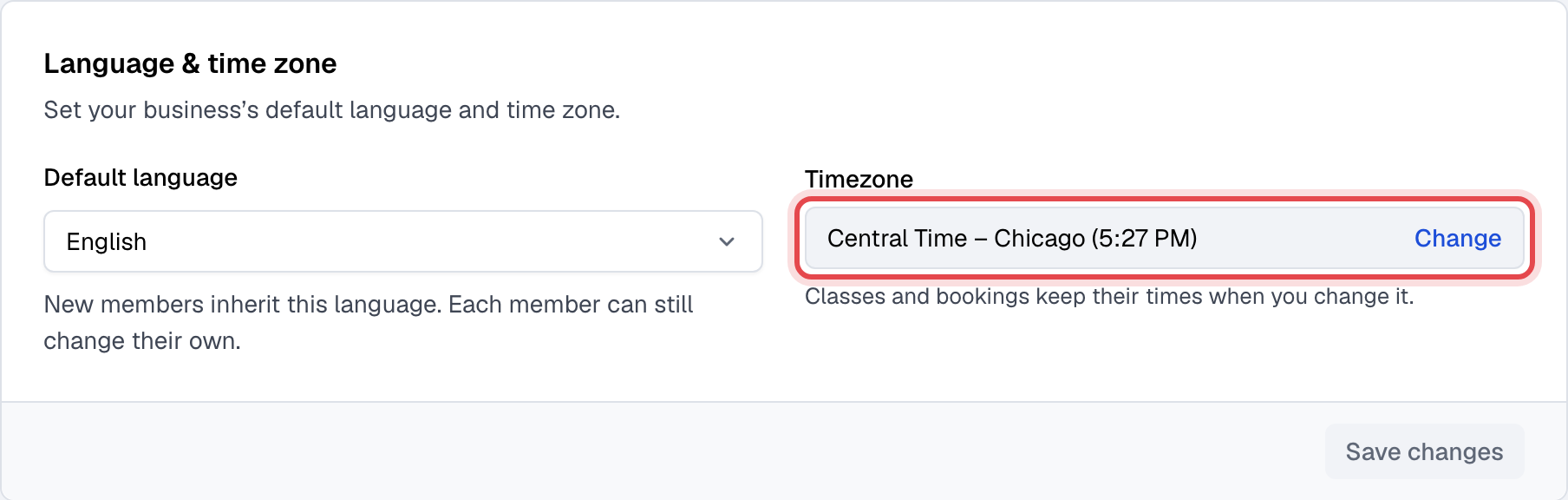
If that time is the time at your business right now, the time zone is right, and so are the times you see.
Change it (owner only)
Only the owner can change the time zone. Everyone else reads "Only the owner can change it."
- Next to the time zone, click Change.
- Pick the New time zone and click Change time zone.
What changing it does:
- Classes, appointments and other bookings keep their times: a booking at 10:00 stays at 10:00, and members aren't told of any change.
- Scheduled campaigns and note reminders keep their times too, and online classes are updated in Zoom.
- Past check-ins, payments and other activity are shown in the new time zone. They happened when they happened, so their clock times move by the difference.
Still stuck?
Write to support@finegym.io with your business name, the time zone you expect, and what looks wrong: which class, check-in or payment, the time you see and the time it should be. If a member sees it, add their email and whether it's in the app or on your website.