A member didn't get an email
Check what Finegym sent them, then their address, the email's settings and, for marketing, whether they unsubscribed.
Why it happens
From most to least common:
- It's in their spam or junk folder. Emails come from Finegym's address, with your business's name as the sender. Ask the member to search every folder, spam and promotions included, for your business's name.
- The address is wrong, or it bounced. When an email can't be delivered because the address doesn't exist, Finegym stops sending anything to that address, receipts and setup links included. An automation's log shows it as "email address bounced or is blocked"; elsewhere the admin doesn't. Correcting a typo in the address fixes it: the new address isn't blocked.
- That email is turned off. Each email in Settings > Email templates can be switched off, for members and for staff separately. Switched off, it isn't sent and isn't listed anywhere.
- It's a marketing email and they unsubscribed. Campaigns and automations aren't sent to members who unsubscribed with the link in an earlier one, were unsubscribed by staff, or reported one as spam. Receipts, booking emails and setup links still go to them. Automations also skip a member who has reached Max marketing messages per member per week, set in Marketing settings on the automations page.
- Nothing was sent. Some emails go out only when staff choose: Send email to member when canceling a membership, and welcome emails for imported members, sent from Settings > Import & migrate. A family dependent's emails go to the family's manager.
What to do
-
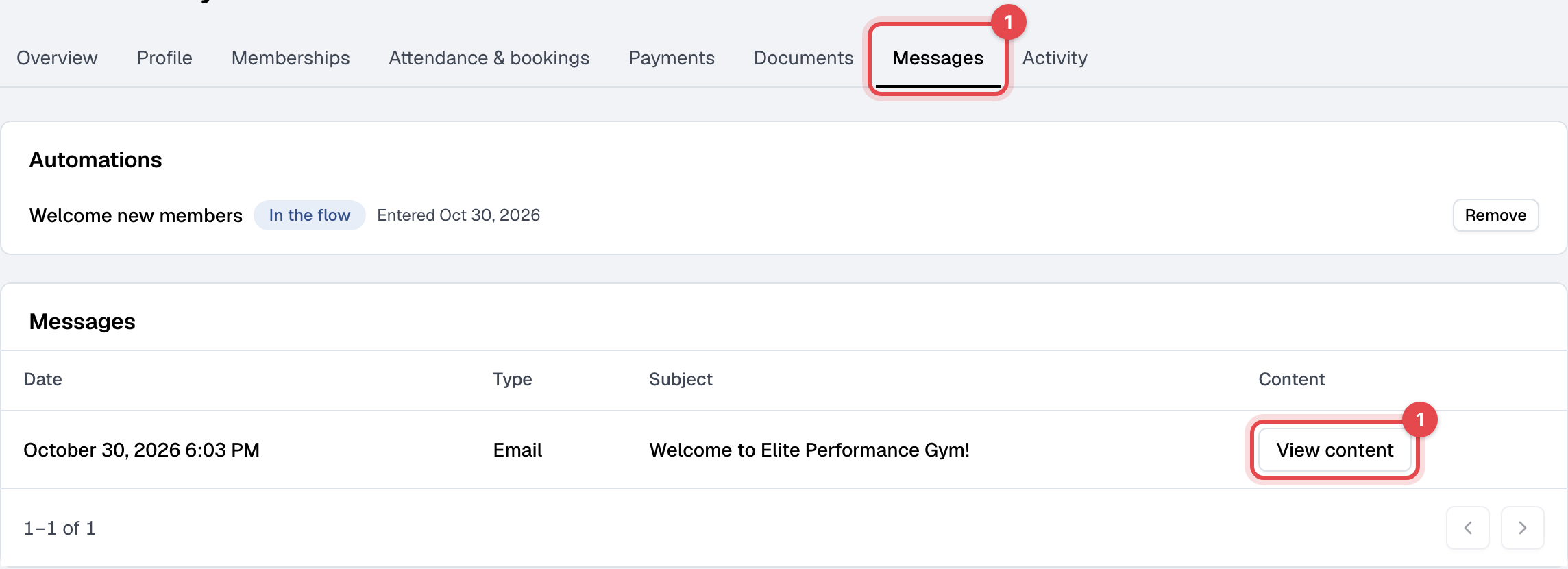
Open the member in Members, go to the Messages tab. It lists every email, text and WhatsApp message Finegym sent them, with View content for each.
-
It's in the list: it left Finegym. Check the email address on the Profile tab, and ask the member to look in spam. A sent email has no delivered or opened status here.
-
It's not in the list: in Settings > Email templates, find the email. If its status is Inactive or Partially active, open it and turn on Email enabled. This needs the Settings permission.

-
A marketing email: on the Profile tab, under Notifications and marketing (on the Growth plan), Marketing emails shows Subscribed or Unsubscribed, with why and when. Click Re-subscribe only when the member asked for it. This needs the Members permission.
-
Send it again where you can:
- the welcome email with their setup link: Send setup link, on the Profile tab under Access;
- their check-in QR code and PIN: Send under Check-in QR code;
- an invoice or receipt: Send invoice or Send receipt on the invoice.
Other emails, such as booking confirmations, can't be sent again.
Password reset emails aren't listed under Messages. If one doesn't arrive, the member can ask for it again, or you can send a setup link instead.
Still stuck?
Write to support@finegym.io with your business name, the member's email, which email they didn't get, and when it should have gone out. If you think the address bounced, say so: support can check whether it's blocked and unblock it.