A member's card payment was declined
Finegym tells the member, tries the card again on a schedule, and can hold back new bookings until the invoice is paid.
Why it happens
The member's bank refused the charge on their saved card. The reason the bank gave, such as "Your card has expired.", is on the invoice. Then:
- Finegym charges the card again. By default it tries 1, 3 and 7 days after the first decline. A card that can't go through (expired, lost or stolen, a wrong number, or one that needs the member to confirm the payment) isn't tried again.
- The member is told each time. They get an email with the reason, and a text too if you send texts and they agreed. While retries are left, it says when the card is tried next; after the last one, it asks them to pay the invoice on your website. In Settings > Email templates these are Payment declined, retry scheduled, Payment failed after every retry, and Payment failed for a card that won't be tried again. If a later retry goes through, the member gets Payment recovered.
- New bookings may be paused. By default, once no retries are left, the membership can't be used for new bookings or for checking in without a booking, by the member or by staff. Bookings already made are kept. The member app and your website show "New bookings are paused" with a Pay invoice button.
The membership isn't canceled or frozen, and the next invoices are still made. The block lifts by itself when the invoice is paid or written off.
What to do
You need the Sales permission. The Owner, Managers and Front desk have it.
-
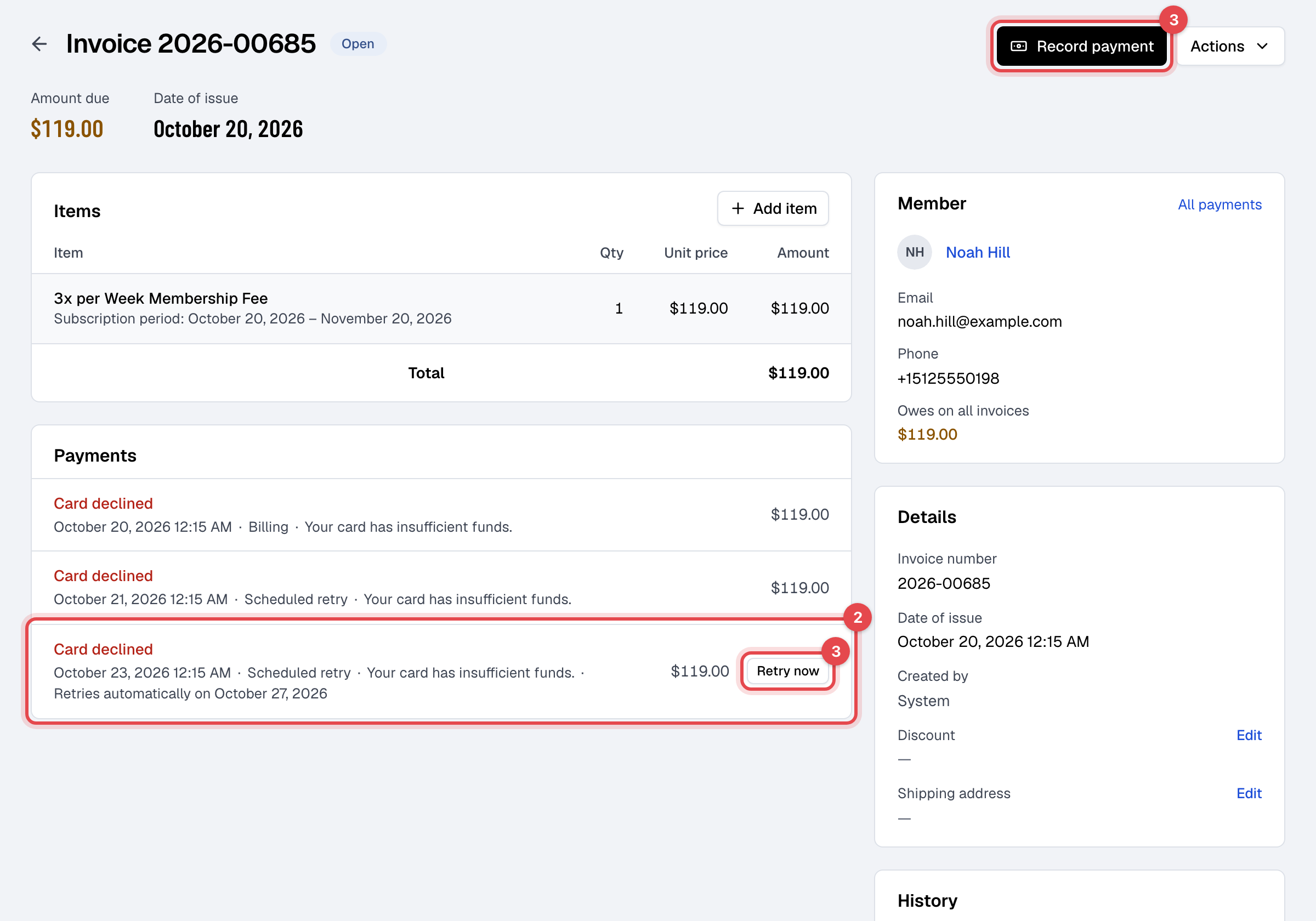
In Payments, open the Card declined view and click the invoice. Today also lists Payments with a declined card.
-
Under Payments, read the reason, and when the card is tried next.
-
Get the payment in one of these ways:
- Charge the same card again: click Retry now. If it's declined again, the member is emailed again.
- Take another payment: click Record payment and pick cash, another payment method, a saved card, or New card (Stripe checkout).
- Ask the member to change their card: in the app's menu, Billing portal; on your website, Manage payment method under their memberships. When they make the new card their default, Finegym charges the open invoice with it at once. You can open the same page for them from the Payments tab of their profile, with Billing portal.
- Ask the member to pay the invoice with Pay invoice in the app or on your website. A card used this way pays this invoice only: the next renewal still goes to the saved card.
Change the retries and the booking block
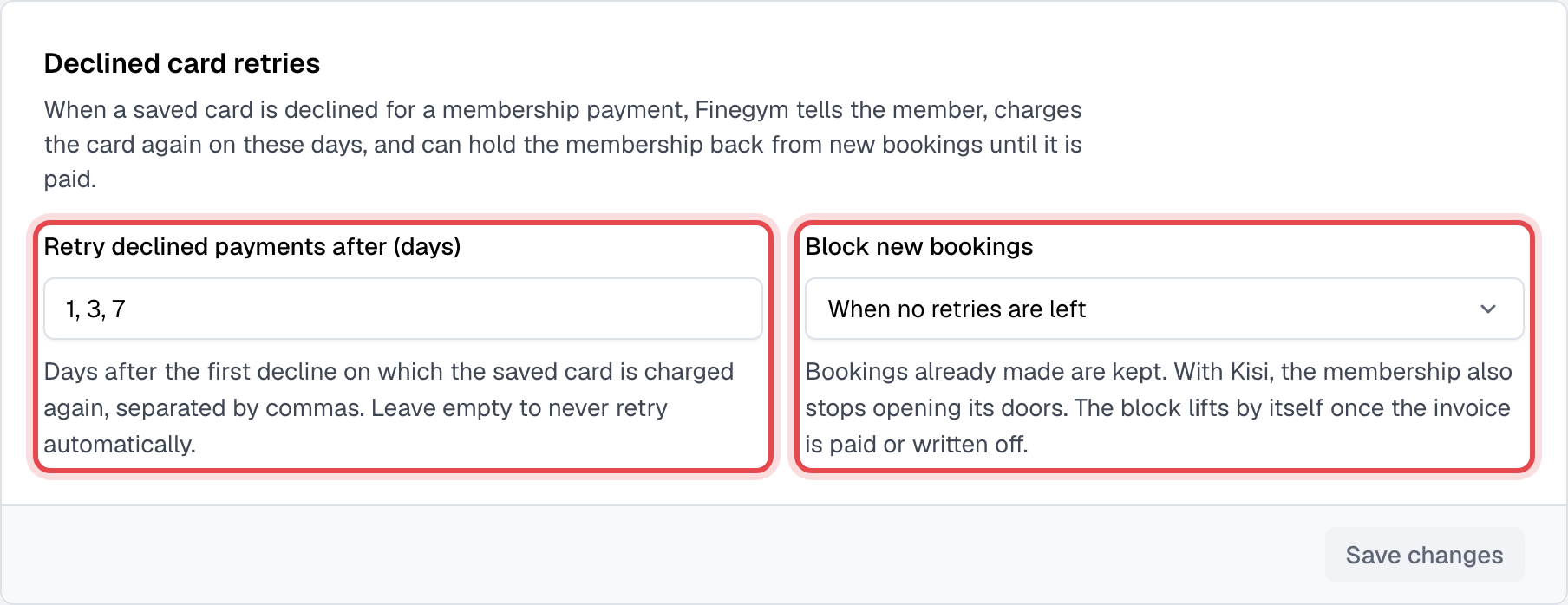
With the Settings permission, go to Settings > Invoices and receipts > Declined card retries:
- Retry declined payments after (days): up to five days after the first decline, such as "1, 3, 7". Leave it empty to never retry automatically.
- Block new bookings: When no retries are left (the default), After the first decline, or Never. With Kisi, a blocked membership also stops opening your doors.
Still stuck?
Write to support@finegym.io with your business name, the member's email, the invoice number, and what you saw: the reason on the invoice, or the message when you tried to charge the card.