A member can't book a class
Most of the time the member has no membership that covers the class today; otherwise the class or the booking window is the reason.
Why it happens
From most to least common, with the message the member sees.
- No membership covers the class. They have no membership, it starts later or has ended, its visits are used up, or its plan doesn't include this class type. The app says "Active membership required"; your website says "You don't have a membership that covers this class" and offers plans.
- The class is full. "The class is fully booked." The member can Join waitlist instead; when a spot opens, the first one on the waitlist who can use it is booked in automatically.
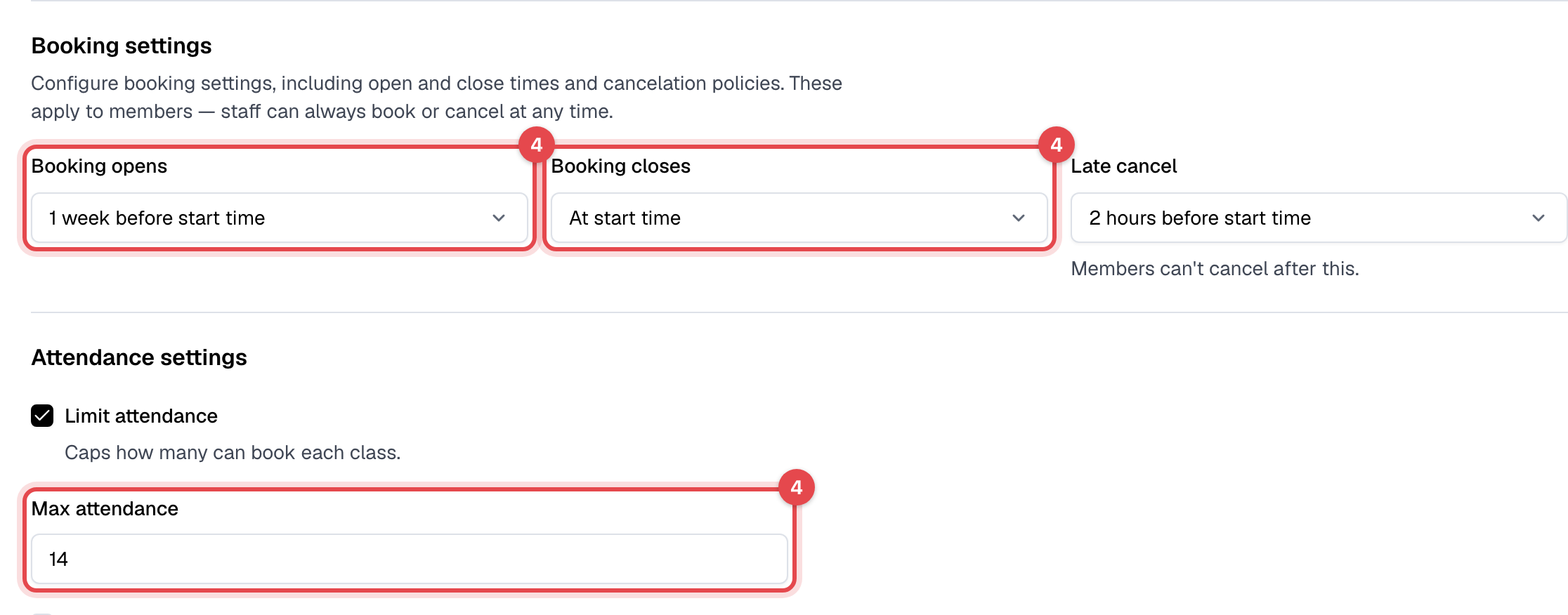
- Booking hasn't opened, or has closed. Each class type sets Booking opens and Booking closes, counted back from the class's start. The class shows "Reservations not open yet" or "Reservations closed".
- The plan's limit is reached. "Usage limit reached for this membership." A plan with Limit usage allows a number of visits per billing cycle, week or month; a class pack has Visits included. Each booking counts as a visit, and canceling it gives the visit back.
- The membership is frozen. "This membership is frozen and cannot be used for check-ins or reservations."
- A card payment was declined. "New bookings are paused", with a Pay invoice button, until the open invoice is paid. See A member's card payment was declined.
- Documents still to sign. With Require document signing on, bookings wait too: "You have unsigned documents that need to be signed before proceeding."
- The class starts outside the plan's hours. Plans with Restrict time window only allow classes that start within it: "Action is not allowed at this time."
- The member is blocked. "This customer is blocked and cannot make reservations or check in."
- The class is over, or you're closed that day. A class that has ended can't be booked, and on a day in Closures nothing can. A deleted class is gone from the schedule.
What to do
-
Open the member in Members and go to the Memberships tab. Check the membership's Start date and End date, and the Active column: it shows Frozen, or Bookings blocked after a declined payment. Pick All under Show only to see memberships that have ended.

-
Fix the membership from its Actions menu, with the Sales permission: Unfreeze membership or Change start/end date. If they need a new one, click Assign membership.
-
If the plan doesn't include the class, open it in Plans and check Class type restrictions, Valid class types and Usage limits under Access & entitlements. This needs the Plans and products permission.
-
If the class is full or booking is closed, open the class type in Classes > Class types and check Booking opens, Booking closes and Max attendance. This needs the Schedule permission.
-
To book the member in yourself, open the class and click Add attendee. Staff can book outside the booking window and book a blocked member, but not into a full class, and not on a membership that is frozen, used up or paused for a declined payment.
For documents, open the member's Documents tab and click Sign document with them, or ask them to sign in the app. For a block, use Unblock member in the member's Actions menu.
Still stuck?
Write to support@finegym.io with your business name, the member's email, the class (name, date and time), and the message they saw, in the app or on your website.