I can't delete a class type
A class type that has had classes is archived instead, and archiving waits until its upcoming classes are gone.
Why it happens
- The class type has had classes. Only a class type that never had a class, past or upcoming, can be deleted. Once it has had one, its Actions menu offers Archive instead of Delete. Archiving keeps its past classes, attendance and staff pay, and takes it out of everything new.
- It still has upcoming classes. Archiving is refused while the class type has a class later today or after, and staff see "Cannot archive class type with future classes. Please delete or reschedule all future classes first." A class that is going on right now counts too: archive it once that class has ended.
Past classes stay. A past class with recorded attendance can never be deleted, so a class type that members have attended is archived, never deleted.
What to do
You need the Schedule permission. The Owner and Managers have it.
Delete its upcoming classes
-
Open Classes and click Bulk delete.
-
In Class type (optional), pick the class type. Leave From date at today and To date (optional) empty, so every upcoming class of that type is picked.
-
Check the count under the filters: how many classes match, and how many bookings will be canceled.
-
Leave Email and text members whose bookings are canceled ticked, so booked members hear about it.
-
Click Delete classes, then confirm.
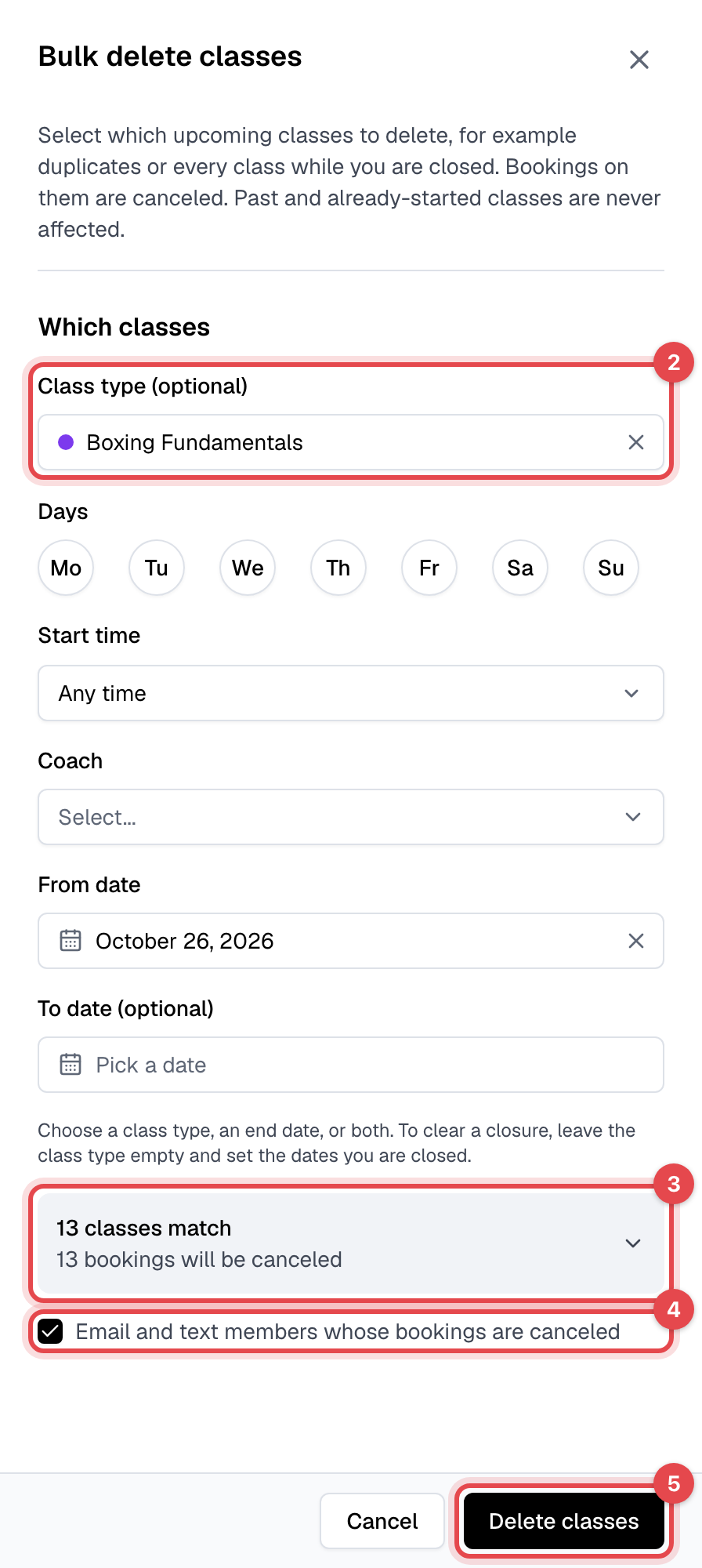
The bookings on those classes are canceled with them, and the members' visits go back to their memberships. Past classes and classes that have already started are never touched.
Archive the class type
-
On the Class types tab, click Actions on the class type's row.
-
Click Archive.
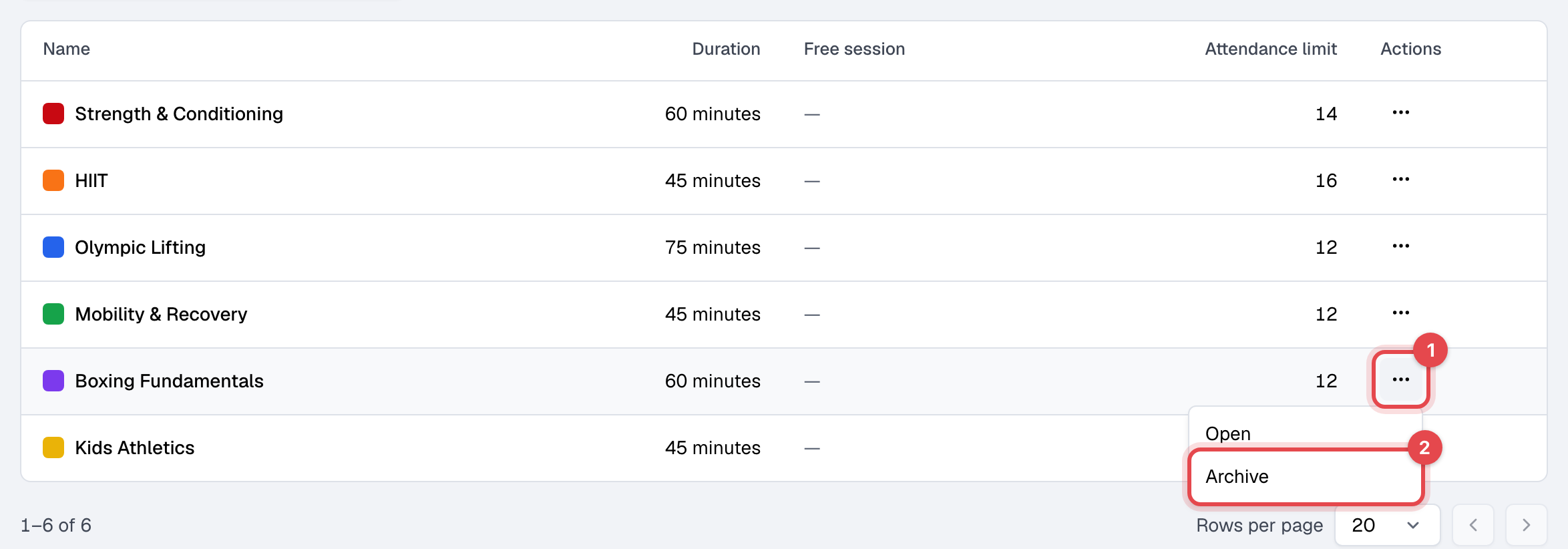
An archived class type can't be scheduled, booked or edited. It's gone from your website and from the class type choices when scheduling or filtering classes, and it shows Archived in the Class types list. To bring it back, click Actions on its row and Unarchive.
Appointment types work the same way: one that was never booked can be deleted, and one with upcoming appointments can't be archived until those appointments are canceled. There is no bulk delete for appointments.
Still stuck?
Write to support@finegym.io with your business name, the class type's name, and the message you see when you try to archive or delete it.