Delete your business
Close your Finegym account for good, with 14 days to change your mind.
Deleting your business removes it from Finegym with all its data: members, memberships, bookings, invoices and settings. It happens 14 days after you ask, and until then you can cancel it.
Before you start
- Only the owner can delete the business. Nobody else sees the Delete business section.
- Cancel your paid Finegym plan first. While it's active, deleting is refused with "Please cancel your Stripe subscription before deleting this business." See Finegym plans and billing.
- Keep what you need. Download your members, invoices and reports first: see Export your data. Nothing can be recovered after the deletion.
Steps
-
Open General settings and, at the bottom, under Delete business, click Delete business.
-
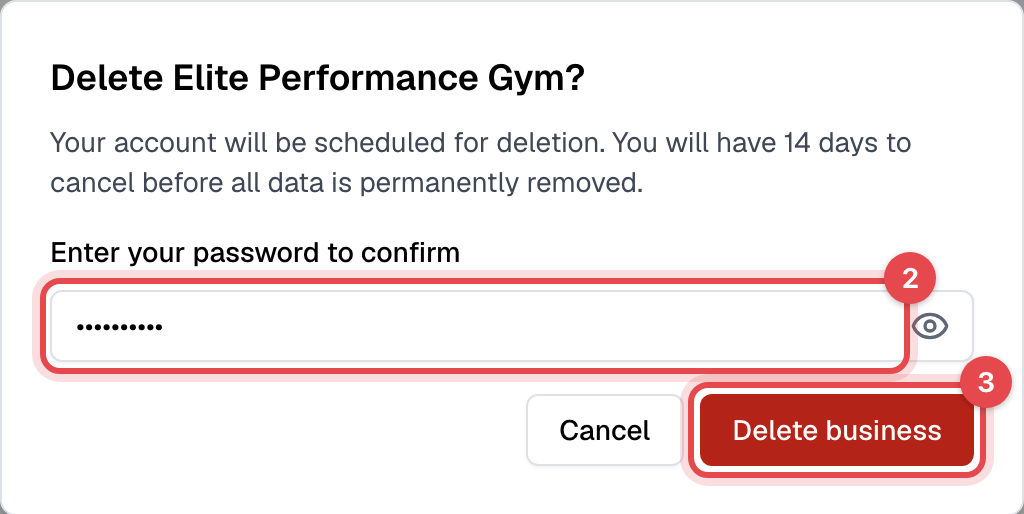
Enter your password under Enter your password to confirm.
-
Click Delete business.
What happens next
- The deletion is scheduled for 14 days later, and you get an email with the date.
- Until then, everything keeps working for you, your staff and your members. A red banner at the top of the admin shows the date and the days left.
- On that date, the business and all its data are deleted permanently.
caution
After the 14 days, the deletion can't be undone, and Finegym can't bring the data back.
Cancel the deletion
- Click Cancel deletion in the banner, or open General settings and click Cancel deletion under Delete business.
- Enter your password and click Cancel deletion.
Nothing is lost: your business carries on as before, and you get an email that the deletion was canceled.
Good to know
- To leave the business to someone else instead of closing it, make them the owner: see Transfer ownership. This can't be done while a deletion is scheduled.