The activity log
A running record of sign-ups, memberships, bookings, check-ins and payments, and who did each.
The activity log is your business's running record: each time a member is added, a membership starts or ends, a class or appointment is booked or canceled, someone checks in or an invoice is paid, a line is added with who it was for, who did it and when.
Where to find it
- The whole business: Activity log, under Finegym account in Settings. It takes the Settings permission, which the Owner and Managers have.
- One member: the Activity tab of their profile, for every staff member.
- One staff member: the Activity tab of their staff page: everything they did.
What it records
| Activity type | Recorded when |
|---|---|
| Member created | A member is added, by staff or by signing up themselves |
| Check-in and Check-in removed | A member checks in, and staff remove a check-in, such as a duplicate scan |
| Membership created, Membership canceled, Membership frozen, Membership unfrozen | A membership is sold or assigned, canceled, frozen or unfrozen |
| Class booked, Class canceled | A member is booked into a class or taken out of it |
| Appointment booked, Appointment canceled | An appointment is booked or canceled |
| Invoice paid | A payment is made on an invoice, in full or in part |
| Refund issued, Refund failed | A refund is made, or a card refund couldn't be completed and was taken off the invoice |
| Ownership transferred | The owner hands the business to another staff member |
Changes to settings, plans, prices and staff permissions aren't recorded here.
Reading a line
- Description says what happened, and opens what it's about: the member, the membership, the class or the invoice.
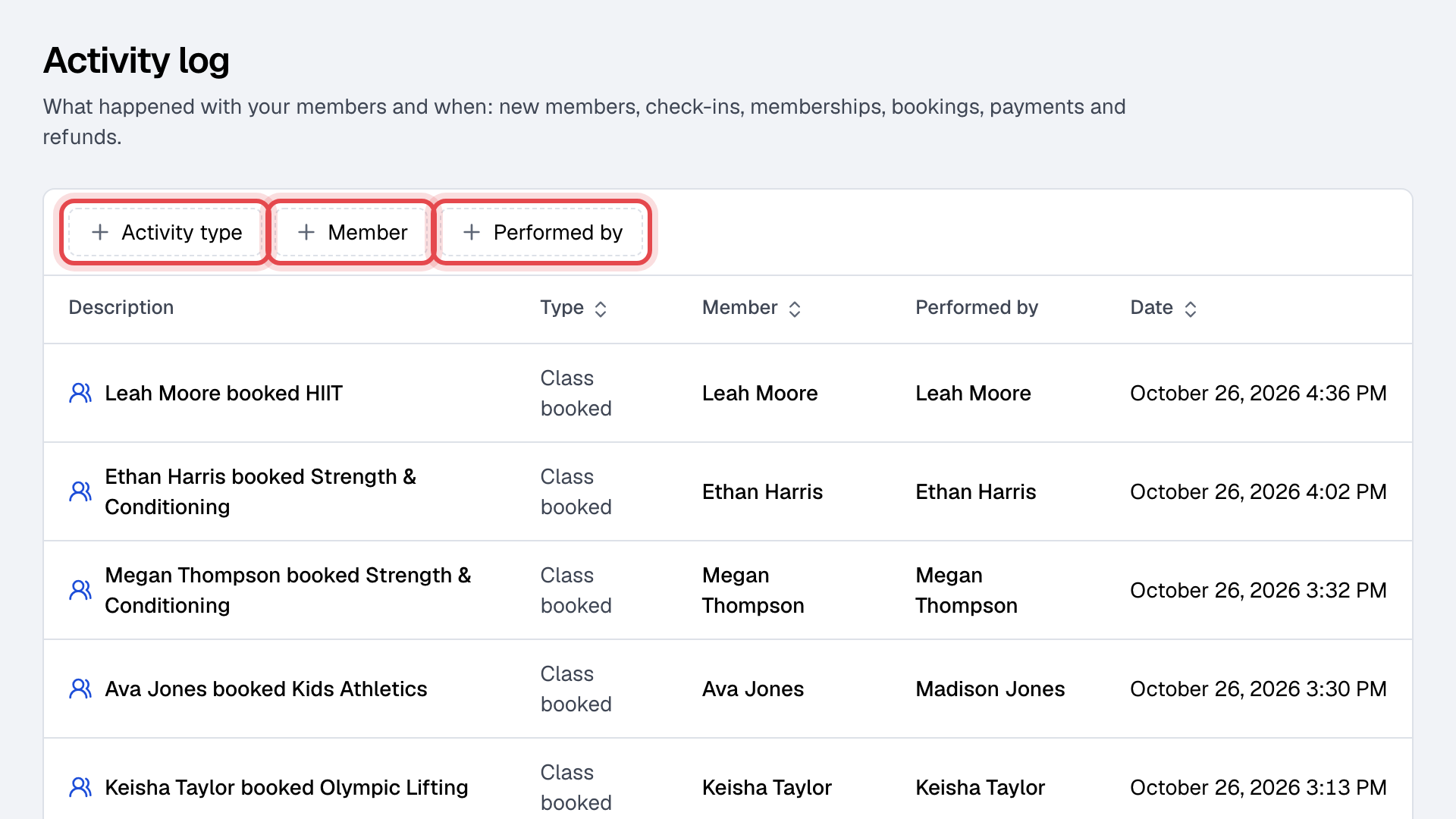
- Member is who it happened to; Performed by is who did it. A member who books in the app or on your website appears in both. A dash under Performed by means nobody did it by hand: Finegym did it on its own.
- Date is on your business's clock.
Filters
Click Activity type, Member or Performed by to narrow the log, for example to every Class canceled by one staff member. Pick several values in a filter to see any of them.