Create a class type
Set up a kind of class once, with its length, spots and booking rules, then schedule it as often as you like.
A class type is a kind of class you run, such as HIIT or Kids Athletics. It holds what every class of that kind shares: its length, how many people can book, and when members can book and cancel. Create the type once, then schedule its classes.
Before you start
- You need the Schedule permission. The Owner and Managers have it.
Steps
-
In Classes, open the Class types tab and click Create class type.

-
Enter the Name and a Description, and add Images if you have them. Members see all three in the app and on your website; the first image is the cover.
-
Pick a Color for the calendar and enter the Duration (minutes).
-
Under Booking settings, choose when Booking opens and Booking closes, counted back from the start of each class, and the Late cancel time.

-
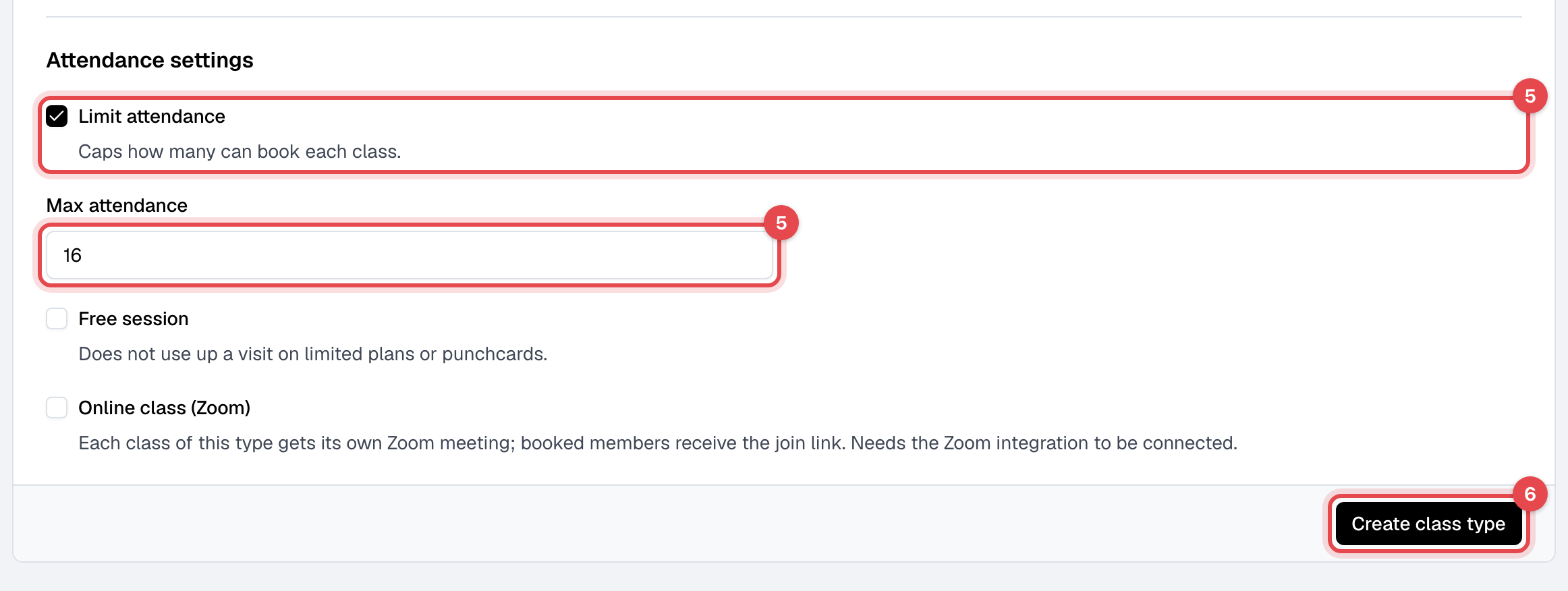
Under Attendance settings, tick Limit attendance and enter Max attendance if the class has a set number of spots. Tick Free session if the class shouldn't use up a visit on members' plans, such as a free trial class.
-
Click Create class type.
What happens next
- The type's page opens, and the type is ready to pick when you schedule a class. Its Classes tab lists its upcoming and past classes.
- To change the type later, edit it on that page and click Save changes. New booking settings and a new attendance limit apply at once to every class of the type, including classes already scheduled. A new Duration applies only to classes you schedule after it; the others keep their times.
- Raising Max attendance, or unticking Limit attendance, books waiting members into the spots that open.
Good to know
- Booking settings are for members. Staff can book or cancel a member at any time. At start time closes booking when the class starts, in the app, on your website and on the kiosk. After the Late cancel time, members can no longer cancel the booking themselves.
- Booking must stay open for at least 15 minutes, so "opens 1 hour before start time" with "closes 1 hour before start time" is refused.
- A class whose type limits attendance takes a waitlist once it's full. See Book members into a class.
- Online class (Zoom) gives each class of the type its own Zoom meeting. See Hold online classes with Zoom.
- Two class types can't have the same name. An archived type can't be edited until you unarchive it.
Related
- Schedule classes
- Delete classes and class types
- Plan limits and restrictions: which plans can book which class types