Take a payment
Record cash, charge a member's saved card, or take a new card, for all of an invoice or part of it.
Record a payment when a member pays at the desk, or charge their card for them. You can take all that is due or part of it, and the rest later.
Before you start
- You need the Sales permission. The Owner and Managers have it, and so does Front desk.
- The invoice must have at least one item.
- Card payments need your Stripe account connected: see Accept card payments. Without it, the card choices show as unavailable.
Steps
-
Open the invoice: in Payments, click its number. You can also open it from the member's profile, on the Payments tab.
-
Click Record payment.
-
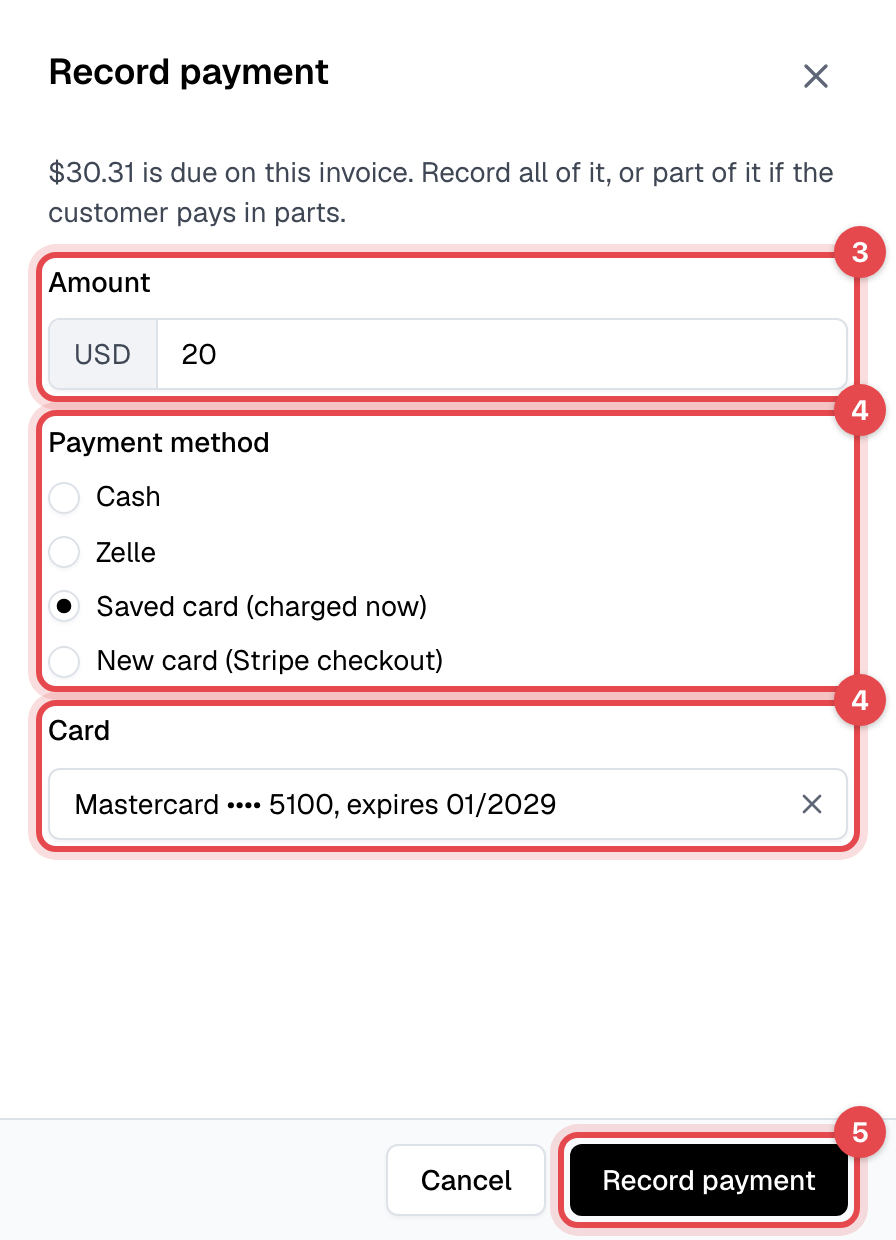
Keep the Amount to take all that is due, or lower it to take part of it.
-
Under Payment method, choose how they pay:
- Cash, or one of your custom payment methods, such as a bank transfer: you have the money already, and Finegym records it.
- Saved card (charged now): pick the Card. Finegym charges it right away.
- New card (Stripe checkout): for a card the member hasn't saved with you.
-
Click Record payment. For a new card the button reads Continue to checkout: Stripe's payment page opens, you enter the card there, and you come back to the invoice once it is paid.
What happens next
-
Paid in full: the invoice is Paid.
-
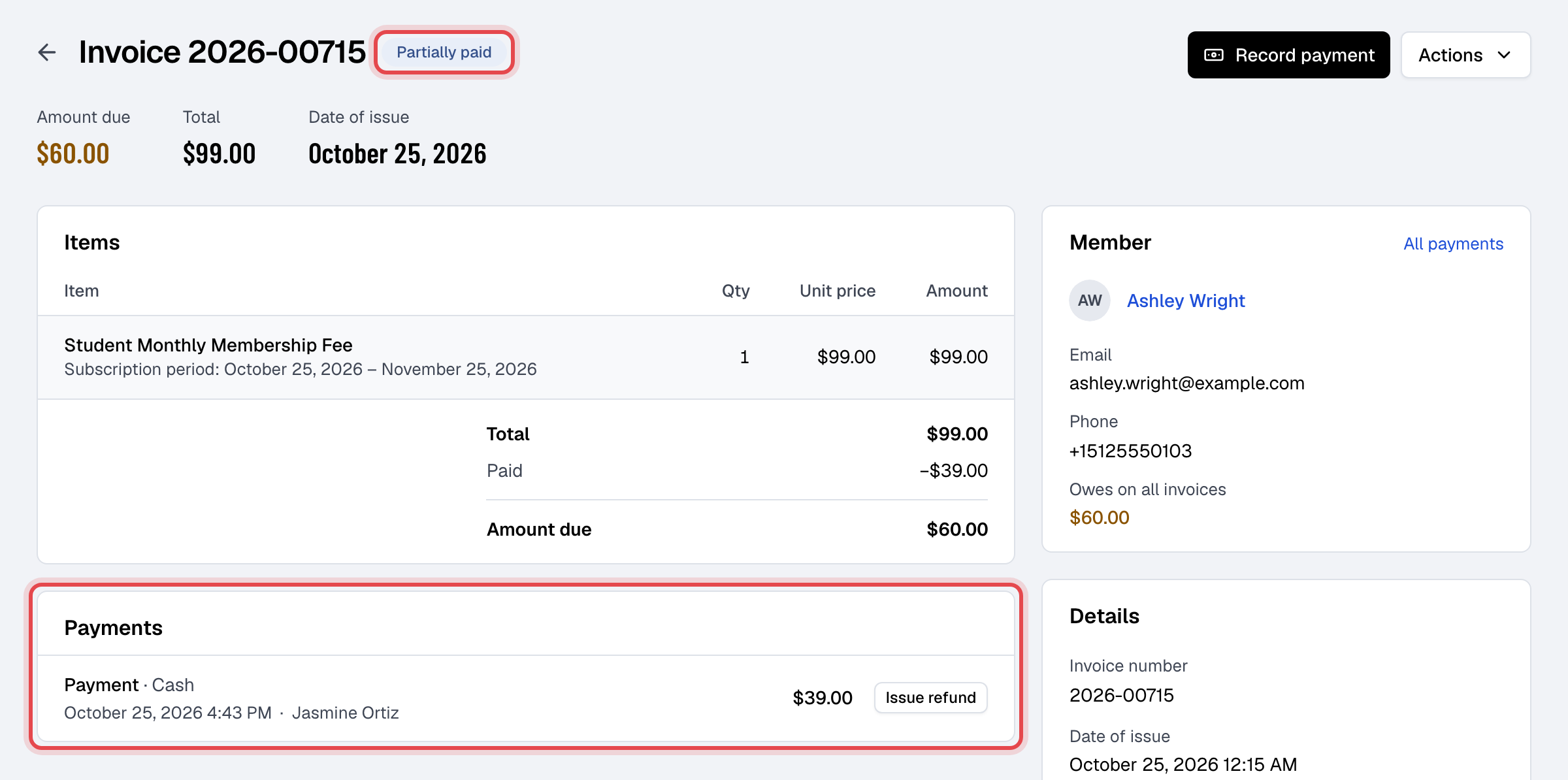
Paid in part: it is Partially paid, and Amount due shows what is left. Each payment is listed under Payments with how it was paid and who took it.
-
The member gets the Payment succeeded email with a receipt for each payment, saying what is still due. They can pay the rest by card in the app or on your website, always all of it at once: see Pay an invoice.
-
A declined card records nothing: you see "The card was declined" and the reason. Choose another way to pay.
Good to know
- The amount can't be more than what is due. With Stripe connected, a part payment can't leave less than Stripe's smallest card charge (50 cents in US dollars) to pay later.
- If the member pays online while you record a payment, any extra is refunded to their card on its own.
- An invoice made free by a discount is closed with a Cash payment of 0.00.
- A walk-in sale has no saved cards; take a new card or cash.