Book a class
Find a class on the schedule and book your place, on the website or in the app.
Book your place in a class ahead of time, so the coach expects you and a full class can't leave you out.
Before you start
You need a membership that covers the class, with sessions left. No membership yet? The booking takes you to the plans that cover the class: see Buy a membership.
On the website
-
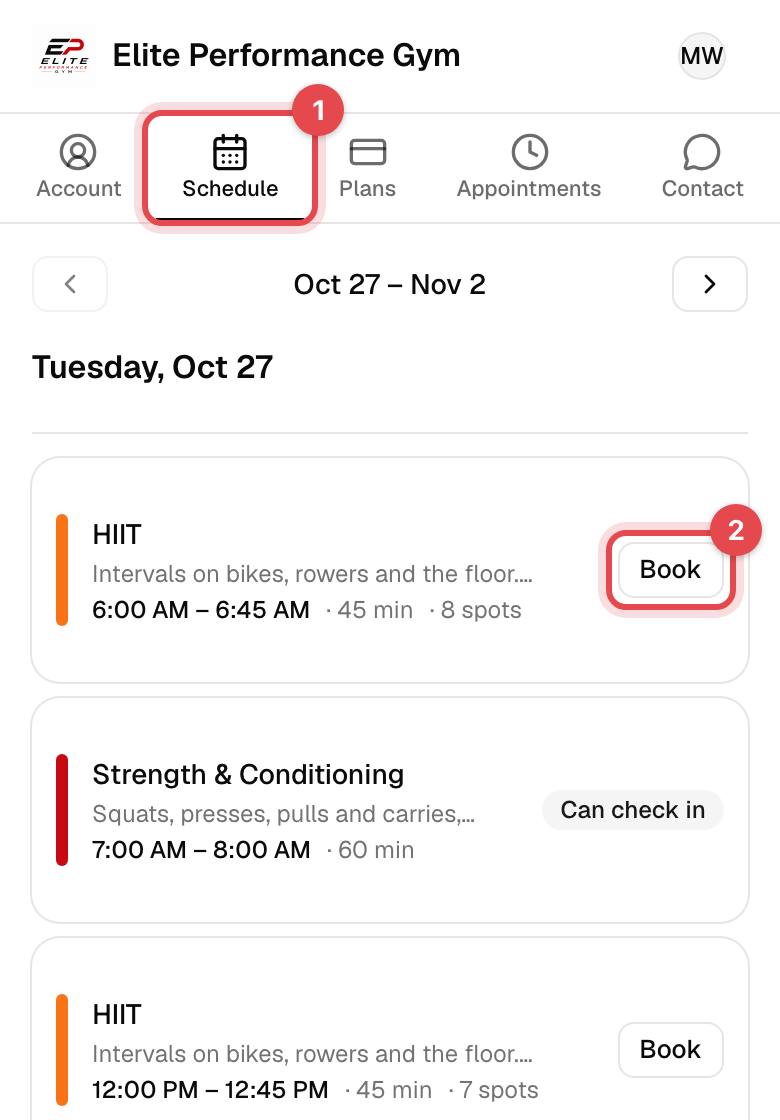
Tap Schedule at the top. The arrows change the week.
-
Tap a class for its coach, spots left and rules, then Book this class. Or tap Book right on its row.
-
If more than one of your memberships covers it, pick one under Select membership.
-
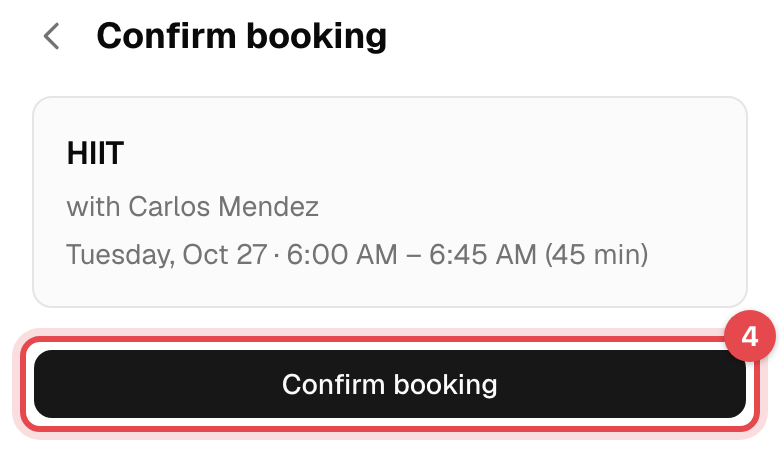
Tap Confirm booking.
In the app
-
Tap Schedule at the bottom, then pick the day.
-
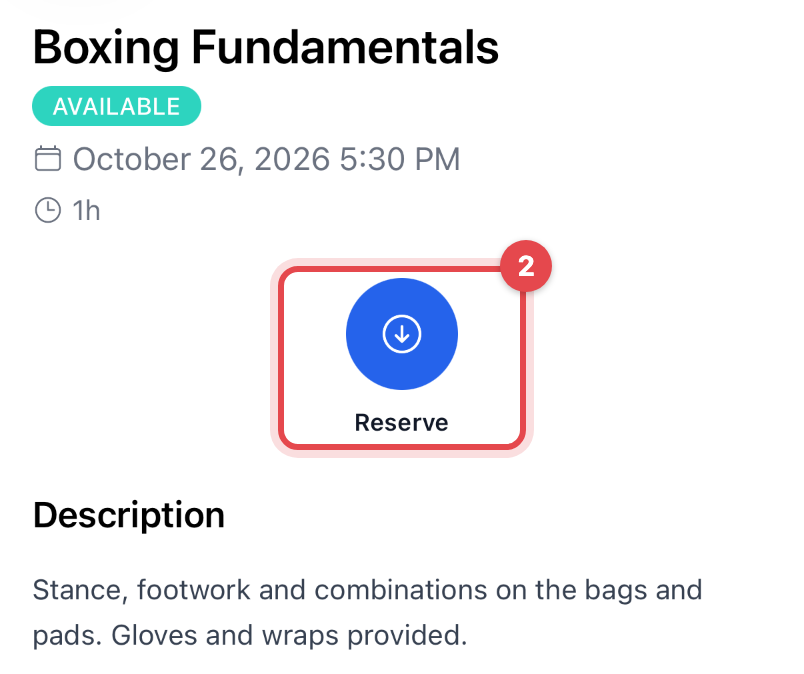
Tap the class, then Reserve.
-
If more than one of your memberships covers it, choose which one to use.
What happens next
- You're booked, and you get a confirmation email with the class attached as a calendar event.
- The class shows Reserved on the schedule and in your Reservations, and uses one session of a membership that has a limit.
- On the day, check in at the front desk, or from the booking itself: see Check in with your QR code.
Good to know
- Cancel from Account → Reservations on the website, or open the booking in the app and tap Cancel Reservation, and confirm. The session goes back on your membership.
- Too late to cancel? Each class shows Free cancellation until, such as 2 hours before start time. After that you can't cancel it yourself: ask the business.
- Class full? Tap Join waitlist, if the business runs waitlists. When a place opens, the first person in line is booked in automatically and emailed. Your membership is checked at that moment: if it can't be used, the place goes to the next person, you keep yours, and you get an email saying why.
- Can't book? The schedule shows when booking opens and closes. A frozen membership, a declined card payment or an unsigned document can also stop a booking; the message says which.