Delete your account
Remove your account at a business yourself, once you have no membership, bookings or unpaid invoices left there.
You can delete your account at a business yourself. It can't be undone.
Before you start
The account can't be deleted while you still have, at that business:
- An active membership. Cancel it and wait until it ends, or ask the business to end it: see Your memberships.
- Upcoming bookings. Cancel them first.
- Unpaid invoices. Pay them: see Pay an invoice.
On the website
-
Open Account, then Profile in the account menu.
-
At the bottom, under Delete account, tap Delete account.
-
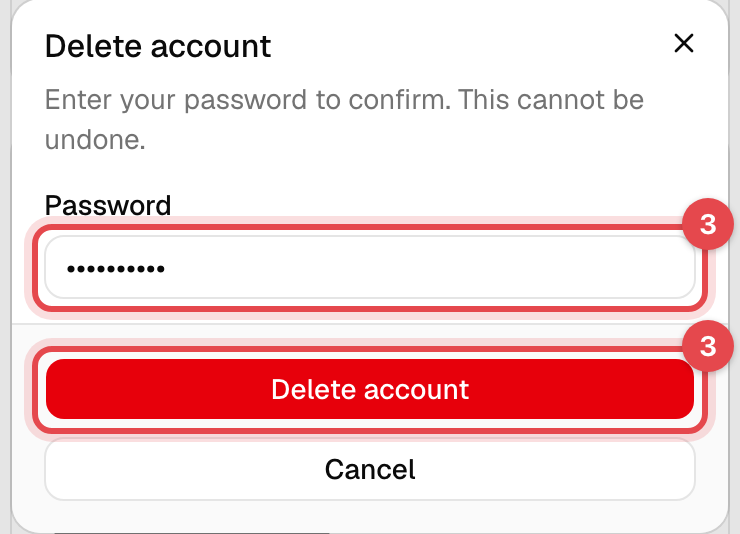
Enter your Password and tap Delete account.
In the app
- Tap Menu, then Account settings.
- Under Danger zone, tap Delete account.
- Enter your Password and tap Delete Account.
What happens next
- You're signed out, and your email and password no longer sign in at this business, in the app or on its website.
- Your profile is removed. Records the business has to keep, such as invoices, payments and the documents you signed, stay with the business without your account.
- An account you have at another business isn't touched.
Good to know
- Refused? The message says which of the three things above is left.
- Only want fewer emails? Turn off texts and marketing instead: see Profile and notifications.
- Coming back later? You'd create a new account, without your old bookings and visits.