Your memberships
See what your membership covers and what's left on it, change your card, or cancel it.
Your memberships show what you can book, how much is left, and when you'll pay next.
See a membership
-
On the website, open Account, then Memberships in the account menu. In the app, tap Menu, then Memberships.
-
Tap a membership. Each shows Active, Inactive or Frozen, and Payment due when a declined payment has paused new bookings on it.
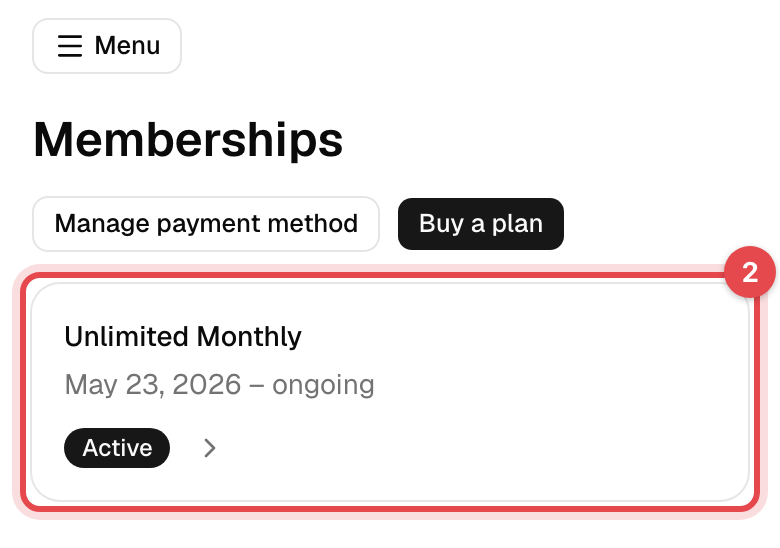
On the website, Details shows when it Started, when it Ends, the Next payment, the Payment method, any Discount and the Sessions left. The Invoices, Bookings and Visits tabs show what it has paid for and been used for. The app shows the same under Billing Details and Usage & Check-ins.
Cancel a recurring membership
-
Open the membership, as above.
-
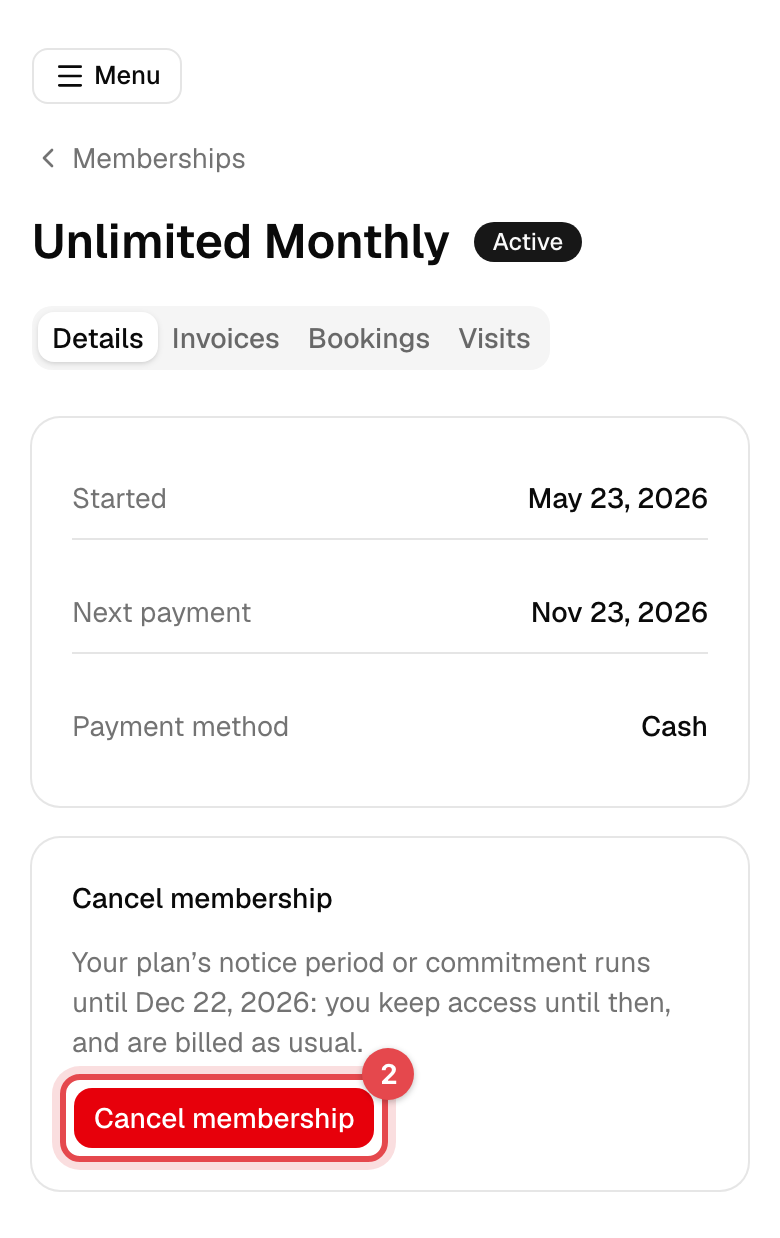
On the website, tap Cancel membership, then Cancel membership again to confirm. In the app, tap Cancel, then Cancel membership anyway.
What happens next
- Before you confirm, you see the last day you keep it. Without a minimum term or notice period, that's the day before your next payment, which is never charged.
- With a minimum term or a notice period, the end date is the first one those allow, and the payments due before then are still charged.
- You get an email with the end date, and the membership shows it next to Cancels on.
- A cancellation can't be undone. To stay, buy the plan again or ask the business.
Good to know
- No cancel button? Only a running recurring membership with a next payment can be canceled by you. Plans that only the business can cancel, or that end on their own after a minimum term, have no button; ending those, and freezing any, is done by the business.
- New bookings are paused: the last card payment for this membership was declined. Tap Pay invoice to pay it; bookings you already have are kept. See Pay an invoice.
- Change your card: tap Manage payment method on the website's Memberships page, or Billing portal in the app's Menu. It opens a secure Stripe page. It's there only when the business takes card payments online.
- Sessions left counts bookings as well as visits. Canceling a booking in time gives the session back.