Profile and notifications
Keep your details, photo and answers up to date, and choose your language and the messages you get.
Your profile is what the business knows about you. Your language and notification choices decide how it reaches you.
Update your profile
-
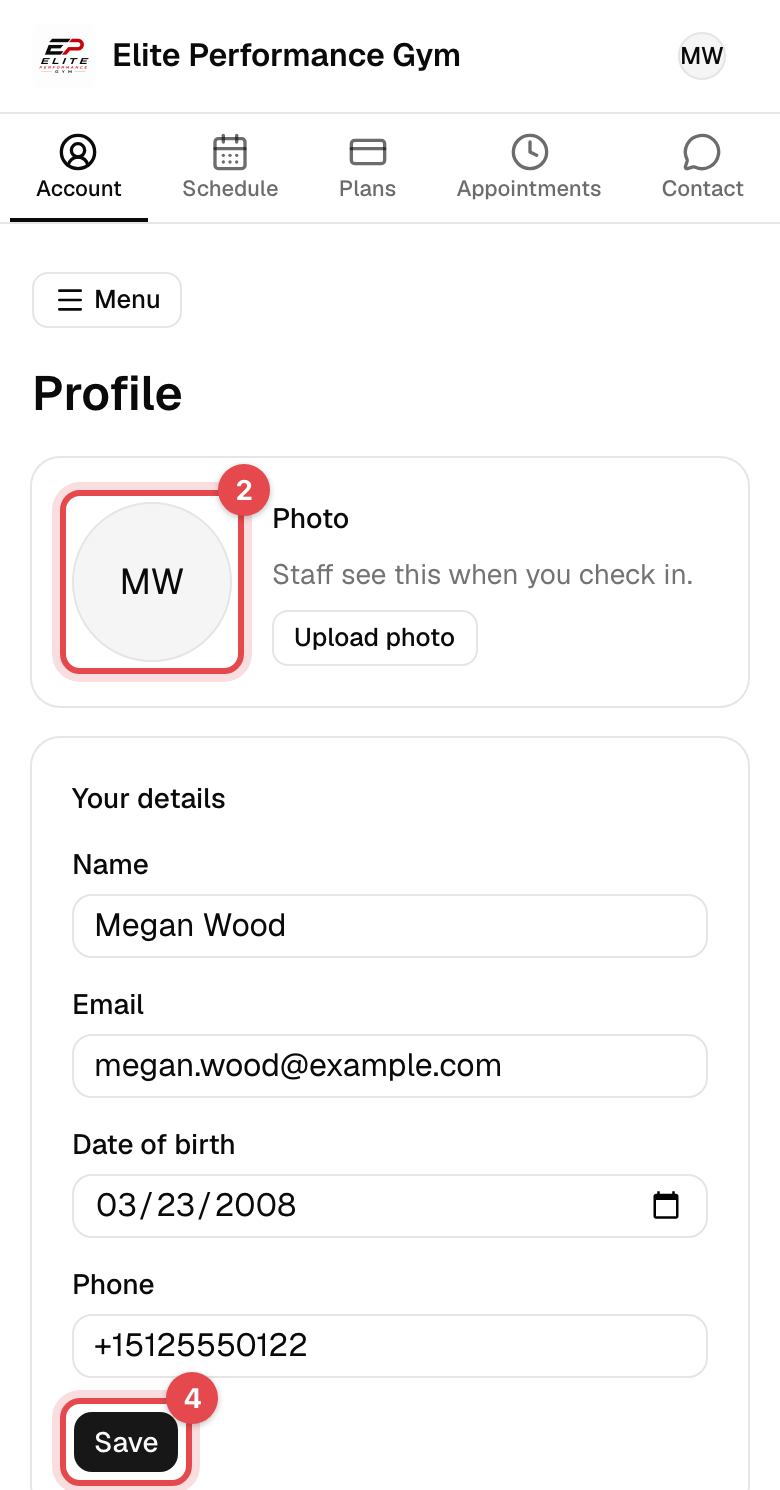
On the website, open Account, then Profile in the account menu. In the app, tap Menu, then Personal details.
-
Change what you need: your photo, Your details (General information in the app), your Address and, if you're under 18, your Guardian.
-
If the business asks every member some questions, answer them under Questions from the business. Those marked
*are required. -
On the website, tap Save in the section you changed. In the app, tap Save changes.
Choose your language and notifications
-
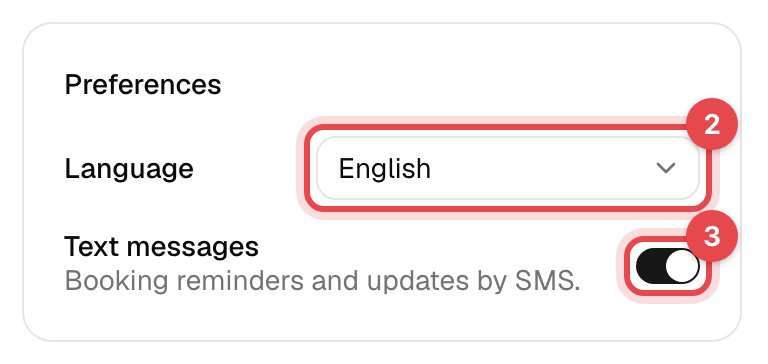
On the website, go to Preferences on your Profile. In the app, tap Menu, then Preferences for the language and Notifications for the rest.
-
Pick your Language: English, Bosanski, Español or Português.
-
Turn texts on or off: Text messages on the website, SMS/WhatsApp notifications in the app, for booking confirmations and payment reminders.
-
In the app, tap Turn on under App notifications to get notifications on this phone, such as changes to your bookings. News and offers turns the business's news and offers on or off.
What happens next
- Your language and notification choices save as soon as you change them. Your profile is the same in the app and on the website.
- Your language is also the language of the emails the business sends you.
- Your photo is what the staff see when you check in.
Good to know
- Change your password: on the website, under Change password on your Profile; in the app, Menu → Account settings → Change password, which asks for your current one.
- Change your sign-in email: on the website, change Email under Your details on your Profile; in the app, Menu → Account settings → Change email. Both ask for your current password. You sign in with the new address from then on.
- Marketing emails have an unsubscribe link at the bottom. To stop marketing texts, reply STOP.
- Only staff see your answers to the business's questions.