Pay an invoice
Pay what you owe by card on your business's website or in the app, and download receipts.
An invoice is open until it's paid. Pay it online by card, from the email about it, the website or the app.
Before you start
The business has to take card payments online. If it doesn't, the invoice says "Online payments are unavailable": pay at the front desk instead.
On the website
-
Open Account, then Invoices in the account menu. Or tap the link in the email or text about the invoice: it opens the invoice directly.
-
Tap the invoice marked Open.
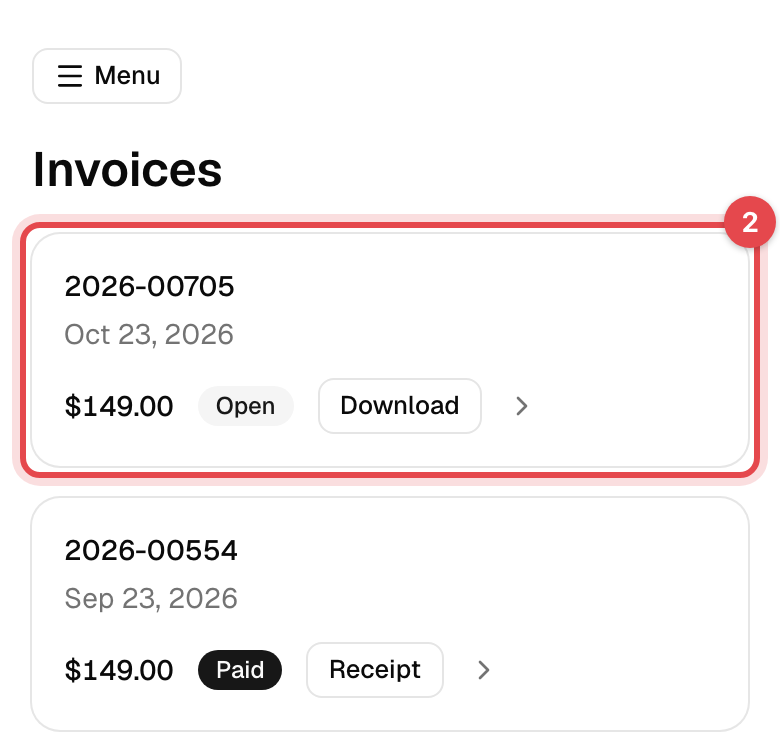
-
Under Pay this invoice, tap Pay … with the amount.
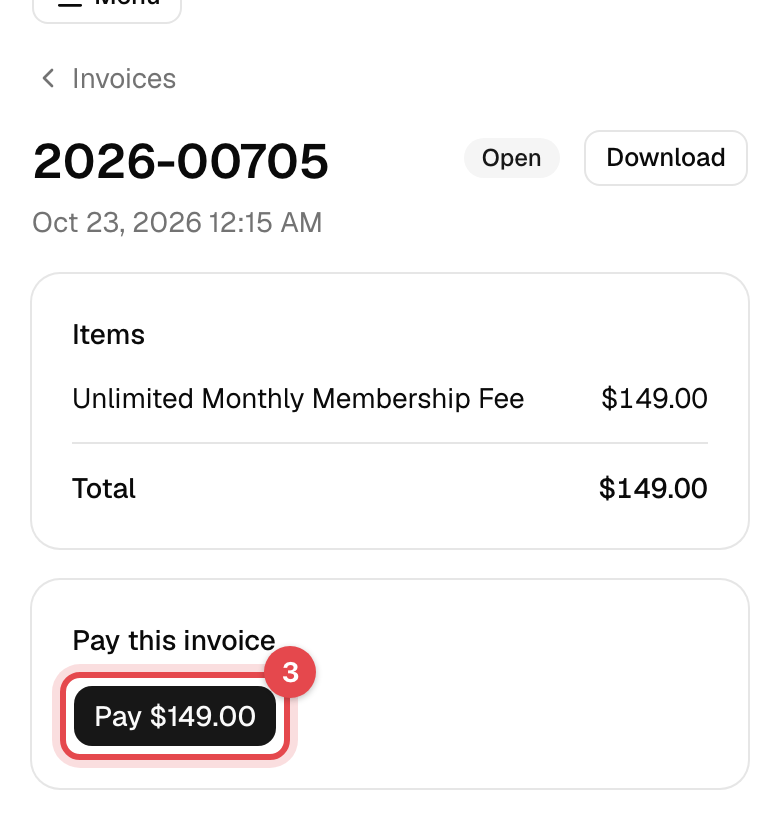
-
Choose a saved card or enter a new one in the secure Stripe form, and tap Pay now.
In the app
- Tap Invoices on Home, or Menu, then Invoices, and stay on Open Invoices.
- Tap the invoice, then Pay invoice, and pay with your card.
What happens next
- "Payment received": the invoice is Paid and moves to your paid invoices.
- If this invoice had paused new bookings on your membership, you can book again at once.
- You pay all that's left. An invoice already paid in part shows Left to pay and, in the app, Pay the rest.
Good to know
- Download a copy: on the website, Download gives the invoice as a PDF and, once paid, Receipt the receipt. In the app, open the invoice and tap Download.
- Card declined? Nothing is charged; the message says why. Try another card, or ask your bank.
- Several open invoices? Pay them one at a time. Overview on the website, and Home in the app, say how many are waiting.
- Something wrong on an invoice? Only the business can change it. Ask before you pay.