Sign in or create an account
Set up your account from your welcome email, sign in on your business's website, or create an account there.
You have one account at each business you train with: the same email and password work in the app and on the business's website.
Added by the business?
Your welcome email has a Set up your account link. Open it, enter a New password of at least 8 characters, the same under Confirm new password, and tap Set up your account. You're signed in on the website, and you use the same email and password in the app.
The link works once and for 7 days. On an expired link, tap Email me a new link. If the business asks its members a few questions, such as an emergency contact, they come next.
Sign in
-
On the business's website, tap Account at the top.
-
Enter your Email and tap Continue.
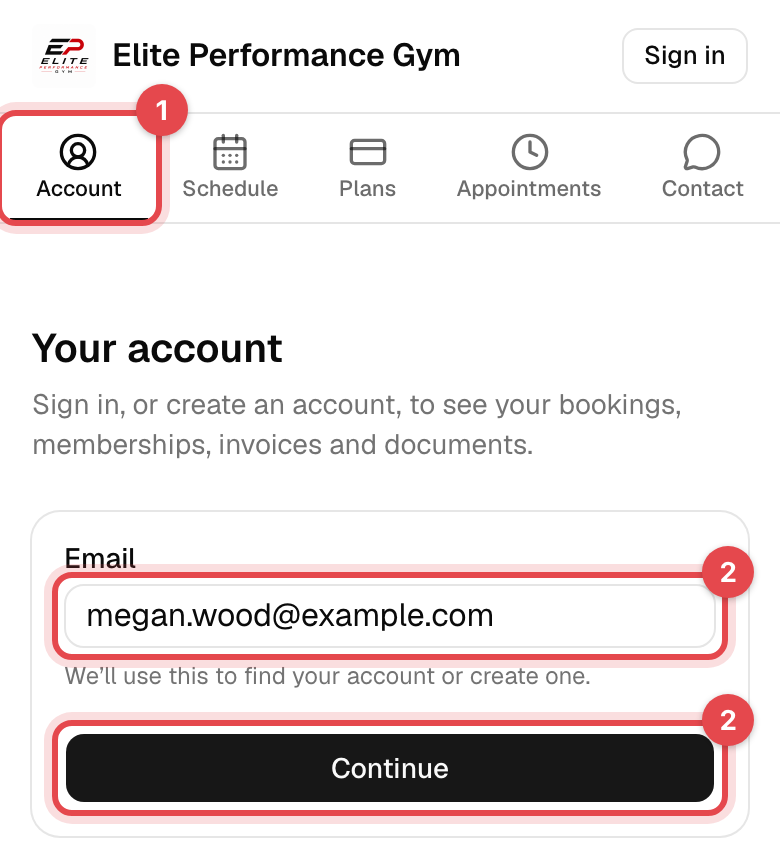
-
Enter your Password and tap Sign in & continue.
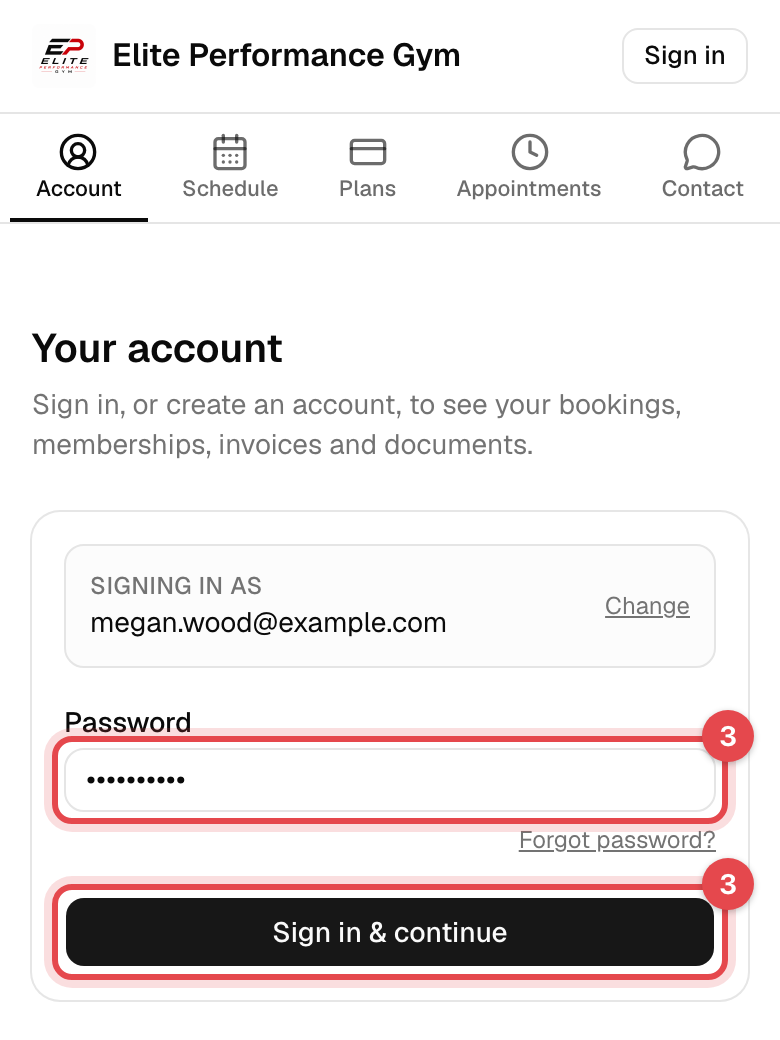
Forgot it? Tap Forgot password? under the field. You get an email with a link where you choose a new one.
Create an account
-
Tap Account, enter your Email and tap Continue. An email the business doesn't know takes you to the next step.
-
Enter your Full name and Date of birth, and choose a Password of at least 8 characters. Phone is optional.
-
Answer the business's questions, if it has any. Those marked
*are required. -
Tick the box if you'd like news and offers by email and text, then tap Create account & continue.
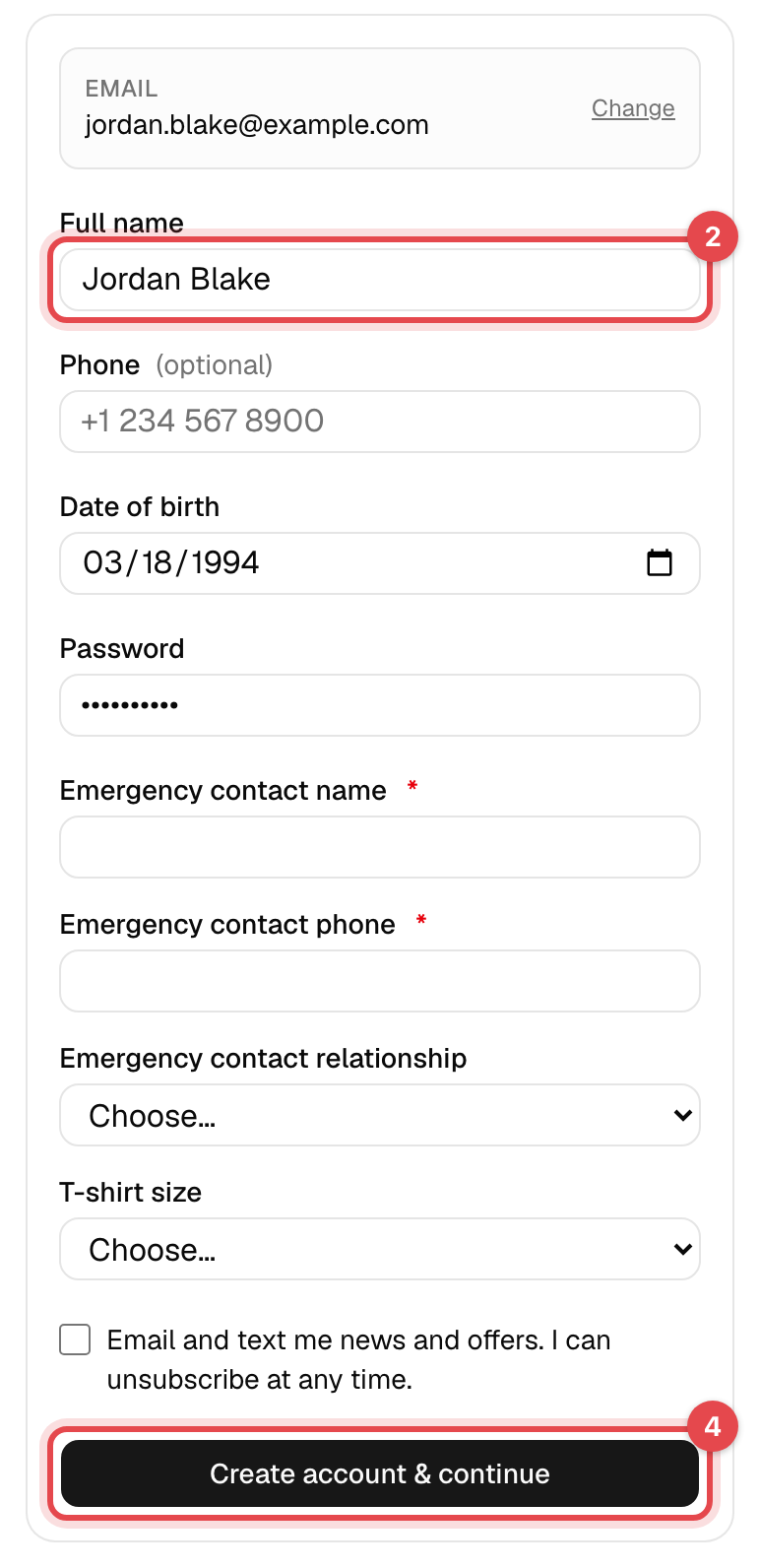
What happens next
You're signed in, on your account's Overview. To book you need a membership that covers what you book: see Buy a membership. You also sign in with this email and password in the app.
Good to know
- "This email belongs to a staff account": the business's staff can't book on its website with their staff email. Use another email for your own membership.
- One account per business. At a second business, you create or set up another account there, even with the same email.
- The website keeps you signed in on that browser. To sign out, tap your initials at the top right, then Sign out.