Book an appointment
Pick a coach, a day and a time for a one-to-one session, and book it with your membership or pay for it.
Appointments are sessions you book on your own, such as personal training: you choose the coach, the day and the time.
Before you start
You book with a membership that covers the appointment, or pay for the one session (a drop-in) when the business allows it. Each appointment shows its price and its rules, such as how far ahead you must book.
On the website
-
Tap Appointments at the top, then the appointment you want.
-
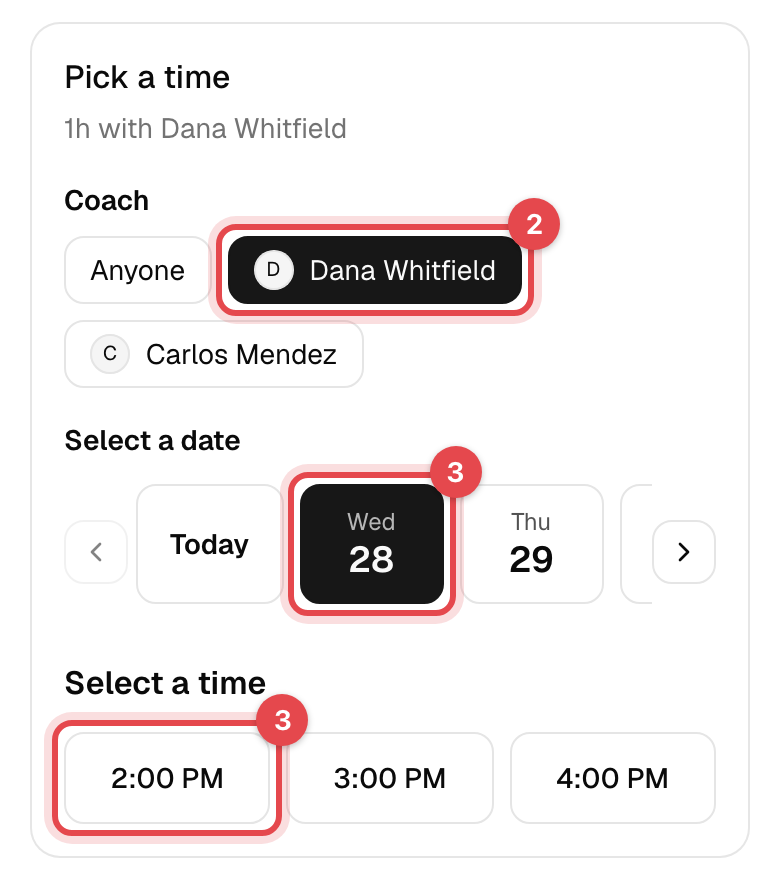
Under Coach, pick one or leave Anyone.
-
Pick a day under Select a date, then a time under Select a time.
-
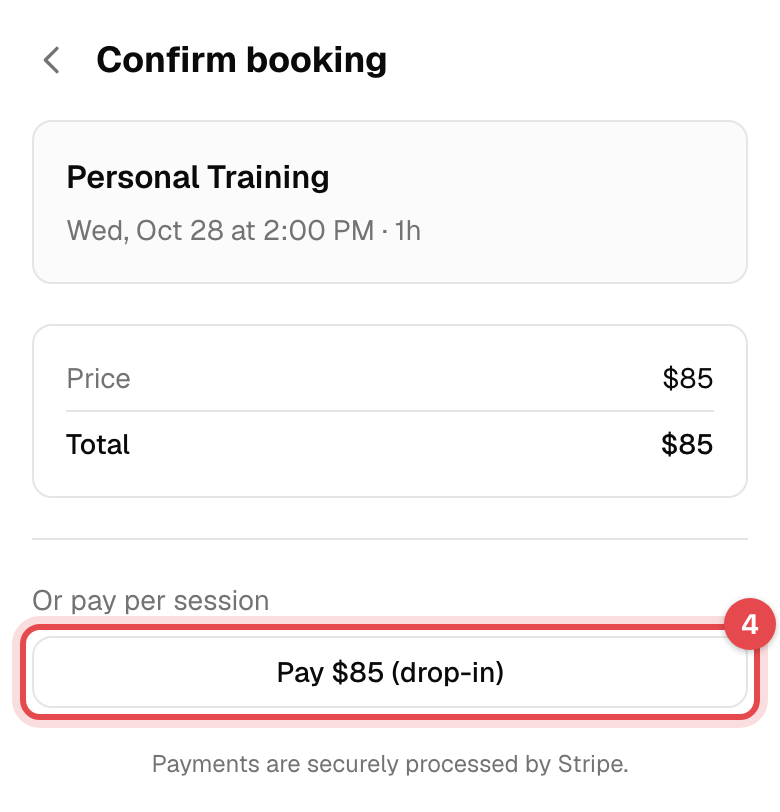
On Confirm booking, tap your membership under Use a membership to book at once. Or tap Pay … (drop-in) and pay by card.
In the app
- Tap Schedule at the bottom, then Appointments, and the appointment you want.
- Tap Reserve.
- Choose the Staff (or leave No preference (auto-assigned)), a day, and a Time.
- Under Purchase type, choose Membership and pick one, or Drop-in. Tap Reserve.
What happens next
- You're booked with that coach, and get a confirmation email with the session attached as a calendar event.
- It appears in your Reservations with the coach's name, and uses one session of a membership that has a limit.
- A drop-in gets you an invoice, paid by your card. Find it under Invoices.
Good to know
- Few or no times? Only free times of the coaches who give this appointment are shown, and not sooner than its Book by notice.
- Cancel it the way you cancel a class: see Book a class. After Free cancellation until has passed, ask the business.
- A paid drop-in isn't refunded when you cancel. Ask the business.
- No membership covers it? View membership plans shows the plans that do, and books the appointment once you've bought one.