Set up a family
Let one membership cover a parent and their children, without an email for each child.
A family is a group of members. When one of them holds a membership on a plan that's Shareable with family, everyone in the family can check in and book on it. Children are added as dependents: they need only a name, and have no email and no sign-in of their own.
Before you start
- You need the Members permission. The Owner, Managers and Front desk have it.
- The plan must be Shareable with family, a switch on the plan. See Create a membership plan.
Steps
-
Open the parent's profile from Members and go to the Profile tab.
-
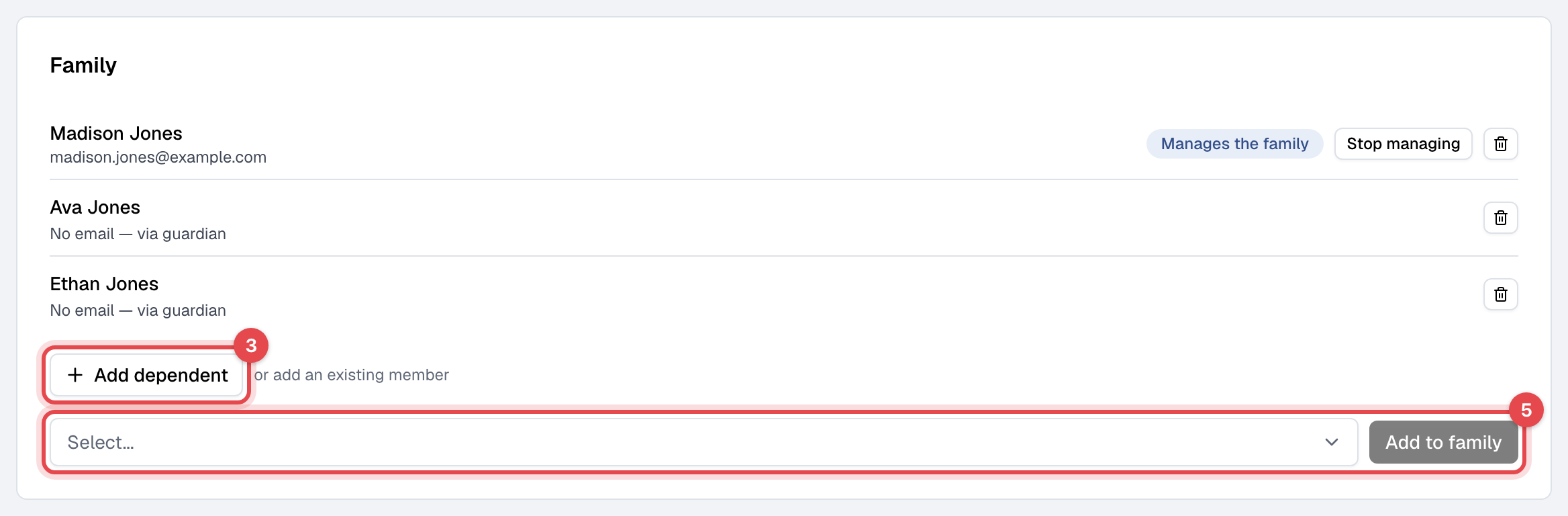
Under Family, click Create family. The parent becomes the one who Manages the family.
-
Click Add dependent.
-
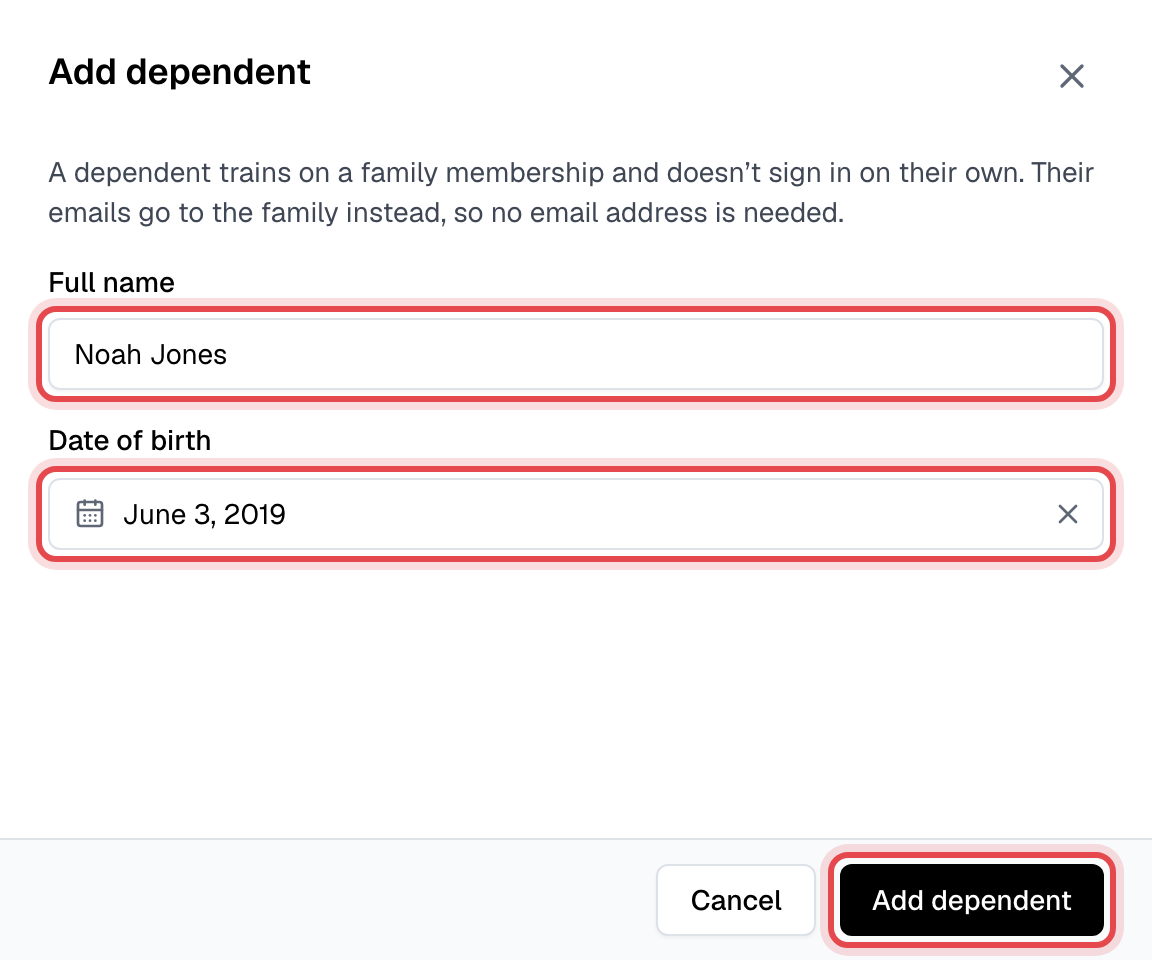
Enter the child's Full name and, if you like, their Date of birth, and click Add dependent.
-
To add someone who already has an account, such as a partner or an older child, pick them under or add an existing member and click Add to family.
What happens next
- A dependent is a member like any other: a profile, a check-in QR code and PIN, attendance and notes. They show as Active while someone in the family holds an active shareable membership, and their Memberships tab shows Covered by a family membership and who holds it.
- When you book a class or check someone in, a dependent is offered like anyone else, with the family's membership. Each visit counts against that membership's limits, whoever makes it.
- Emails meant for a dependent go to whoever manages the family.
- Whoever manages the family can, in the app and on your website, add and edit dependents, book and cancel for them, pay their invoices and sign their documents. See Your family.
Good to know
- Make manager on a family member's row lets them manage the family too; Stop managing takes it away. Dependents can't manage, since they can't sign in.
- Two children, one parent's email: an email belongs to one account. Give it to the parent's profile, or to one child if the parent doesn't train, make that profile the manager, and add the other children as dependents.
- Remove someone with the bin on their row. Their account and history stay; they just stop sharing. Members > Families lists every family, and its menu deletes one.
- Freezing the holder's membership pauses it for the whole family. Change the plan itself on the holder's profile.