Add a custom payment method
Record payments made by bank transfer, Venmo or any other way, under their own name instead of Cash.
Besides cash and cards, members may pay you by bank transfer, Venmo or check. Add each as a payment method, and staff can record a payment under its name. Finegym only records these payments; the money doesn't go through Finegym.
Before you start
- You need the Settings permission. The Owner and Managers have it.
Steps
-
Go to Custom payment methods: in Settings, under Payments.
-
Click Create payment method.
-
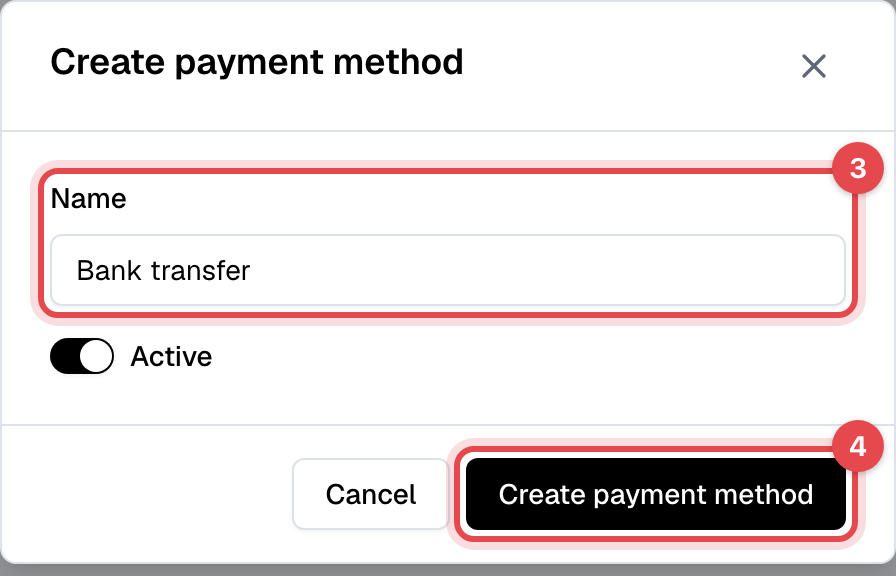
Enter the Name, such as "Bank transfer". Keep Active on.
-
Click Create payment method.
What happens next
- The method shows next to Cash under Payment method when staff take a payment on an invoice, sell a membership with the payment received, switch a plan, or book a drop-in appointment.
- Payments recorded under it show its name on the invoice and in the Transactions report, where Payment methods gives its count and total.
- A refund of such a payment is recorded under the same method: give the money back the same way.
Good to know
- Members don't see these methods: they are for staff recording a payment.
- To stop using one, edit it and turn Active off. It disappears from the choices, and past payments keep its name.
- A method that has payments can't be deleted: "Cannot delete this payment method because it has associated transactions. Please deactivate it instead."