Give one invoice a discount
Take money off a single invoice, such as one month of a member's plan, without changing what they pay after.
Use this when a member should pay less on one invoice, for example one month of their plan, and the price after it stays the same.
Before you start
- You need the Sales permission. The Owner and Managers have it, and so does Front desk.
- The discount must exist under Discounts, set to apply to what's on the invoice: Memberships for a plan's invoice, Products for a sale.
- The invoice can't have a payment or refund on it yet.
Steps
-
Open the invoice: in Payments, click its number. You can also open it from the member's profile, on the Payments tab.
-
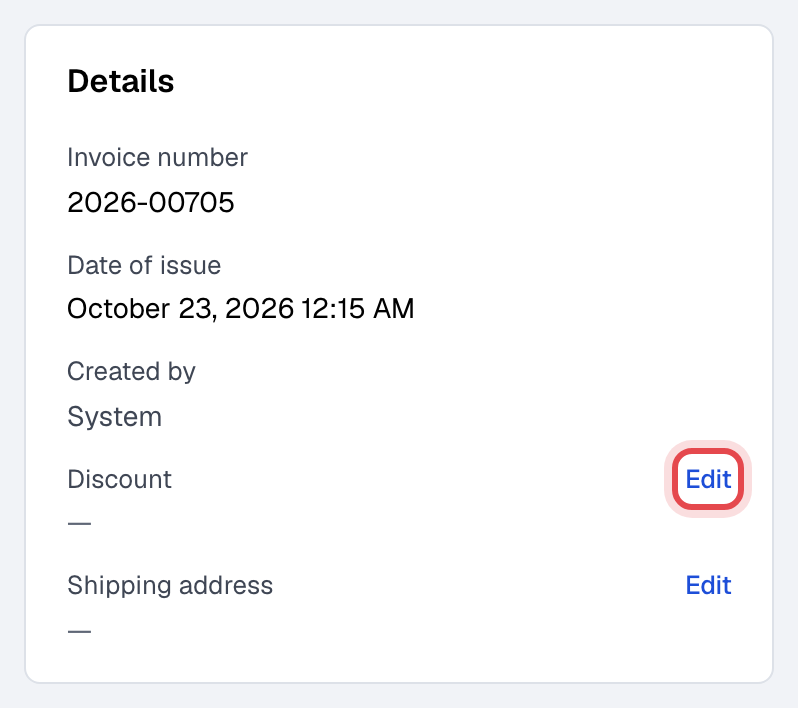
Under Details, next to Discount, click Edit.
-
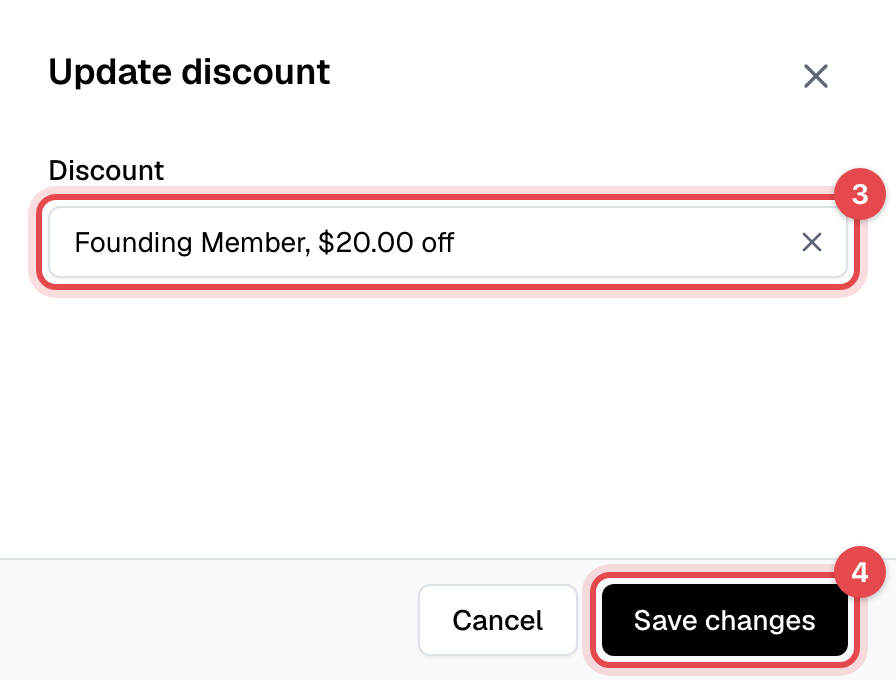
Pick the discount from the list. It shows only the discounts that apply to what's on this invoice.
-
Click Save changes.
What happens next
- The invoice's total drops at once, and its tax is worked out again on the new price.
- The member sees the new total on the invoice in their app and on your website. If you had already emailed them the invoice, send it again from the invoice's menu.
- Only this invoice changes. Their next invoices are at the plan's normal price.
Good to know
- Already paid? The discount can't be added any more. Refund the difference instead, from the payment on the invoice: see Refund a payment.
- The next month's invoice instead of this one: add the discount to the member's membership, with the discount limited to one payment. See Change a membership's billing date, payment or discount.
- A discount with a limit per member counts this invoice as one use.
- Walk-in sales without a member can't take a discount after they're made.