Add a product
Set up what you sell at the desk, such as drinks or apparel, with its sizes, price and stock.
Products are what you sell at the desk besides memberships: shakes, T-shirts, shaker bottles. Each can come in sizes or colors, with its own price and stock.
Before you start
- You need the Plans and products permission. The Owner and Managers have it.
Add a product
-
In Products, click Add product.
-
Enter the Name, pick a Category, and add a Description if you like. Keep Status on Active to sell it now.
-
Under Images, upload photos (JPG, PNG, WebP or BMP, up to 2.5 MB each). The first is the cover.
-
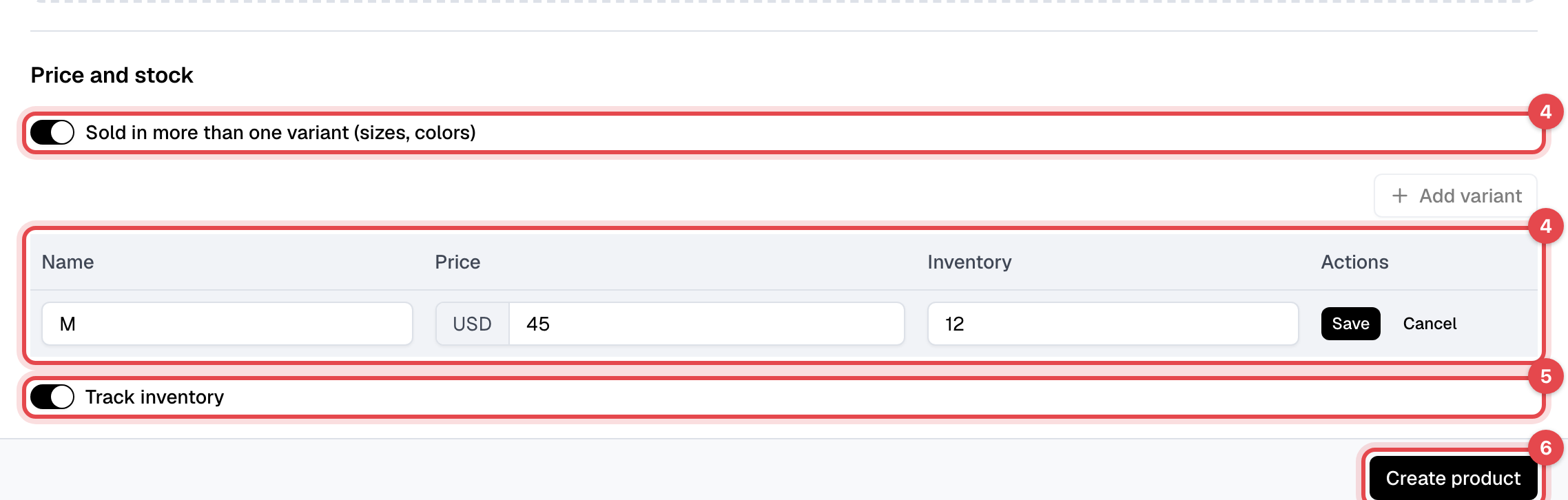
For one price, enter the Price. For sizes or colors, turn on Sold in more than one variant (sizes, colors), click Add variant, enter its Name and Price, and click Save. Repeat for each variant.
-
To count stock, turn on Track inventory and enter how many you have: In stock, or each variant's Inventory.
-
Click Create product.
Change the stock
-
Open the product: in Products, click its name.
-
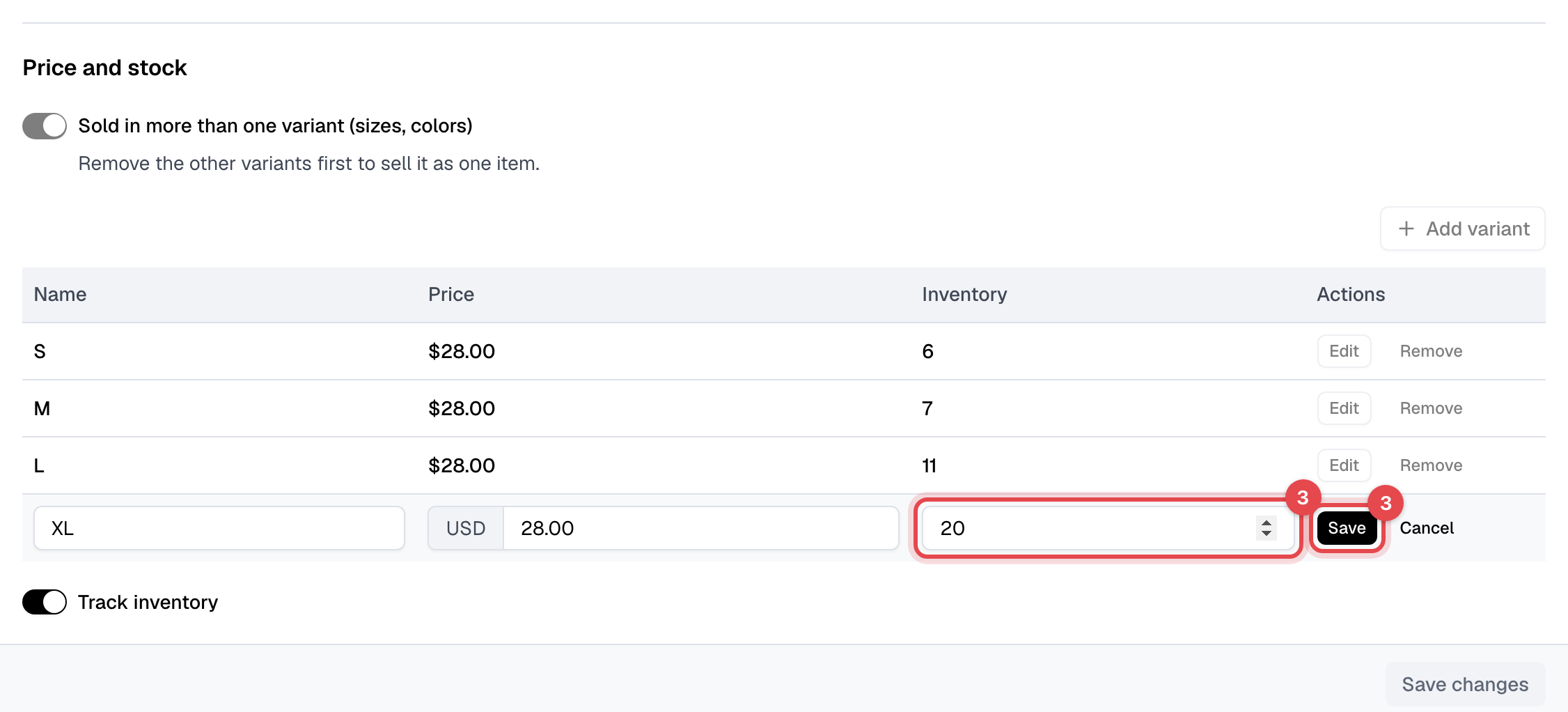
Under Price and stock, click Edit next to the variant.
-
Change its Inventory and click Save. It is saved at once. (A product sold as one item: change In stock, then click Save changes.)
What happens next
- Selling it: staff add it to an invoice: see Create an invoice. Members can't buy products in the app or on your website.
- Stock goes down as soon as the product is added to an invoice, before it is paid. Taking it off the invoice puts it back; a refund doesn't.
- Running low: when a variant drops below 5, the account owner gets the Low inventory alert email, with a link to the product, and the product page shows how many are left, or Out of stock.
- Taxes for products are added on the invoice: see Taxes.
Good to know
- Draft keeps a product off sale: it can't be added to an invoice.
- Categories: add them on the Categories tab. Deleting a category leaves its products without one.
- Delete product (under Actions on the product) can't be undone. Past invoices keep the item's name. To stop selling it but keep its history, set it to Draft instead.
- The Sales tab lists every paid purchase of it. Total sales counts paid invoices only.