Activity Log & Audit Trail
See who did what across your account.
The Activity Log provides a complete audit trail of all actions performed in your gym, including member signups, membership changes, payments, bookings, check-ins, and more.
Viewing the Activity Log
Location: Settings > Activity Log
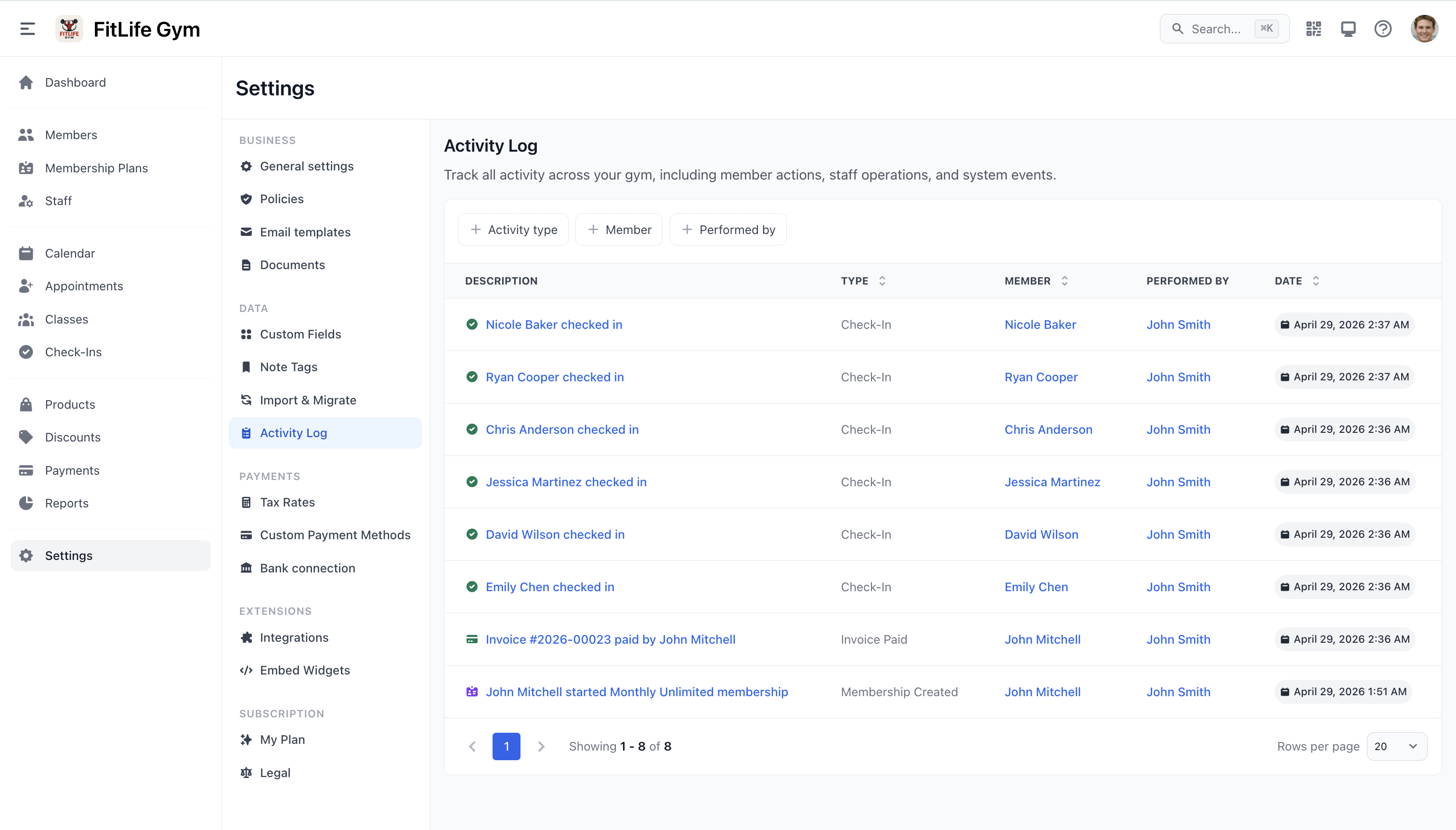
The activity log displays a chronological list of events:
- Action -- What happened (e.g., "Member created", "Membership assigned", "Payment received")
- Target -- The affected entity (member, invoice, class, etc.)
- Performed by -- The staff member or system that performed the action
- Date -- When the action occurred
Clickable Targets
Each log entry links to the related entity. Click the target to navigate directly to the member profile, invoice, booking, or other relevant page.
Filtering the Log
Use the filters at the top of the page to narrow results:
- Action type -- Filter by specific action categories
- Performed by -- Show only actions by a specific staff member
- Date range -- Limit to a specific time period
Tracked Actions
The activity log automatically records actions across all major areas:
| Area | Example Actions |
|---|---|
| Members | Member created, profile updated, member deleted |
| Memberships | Membership assigned, cancelled, frozen, unfrozen, switched |
| Payments | Payment received, invoice created, refund issued |
| Classes | Class scheduled, cancelled, reservation made |
| Appointments | Appointment booked, cancelled, completed |
| Check-ins | Member checked in (older logs may also show a historical "Check-Out" type, which is no longer recorded) |
| Staff | Staff member added, permissions updated |
| Settings | Configuration changes |
Per-Member and Per-Staff Activity
Alongside the account-wide log, each member and each staff profile has its own Activity tab showing just that person's history:
- Member Profile → Activity — everything involving that member (check-ins, membership changes, bookings, payments, and more)
- Staff Profile → Activity — everything that staff member has performed
These tabs use the same entries and filters as the main log, already scoped to that person — handy when you want one member's or one employee's timeline without filtering the full log.
Dashboard Widget
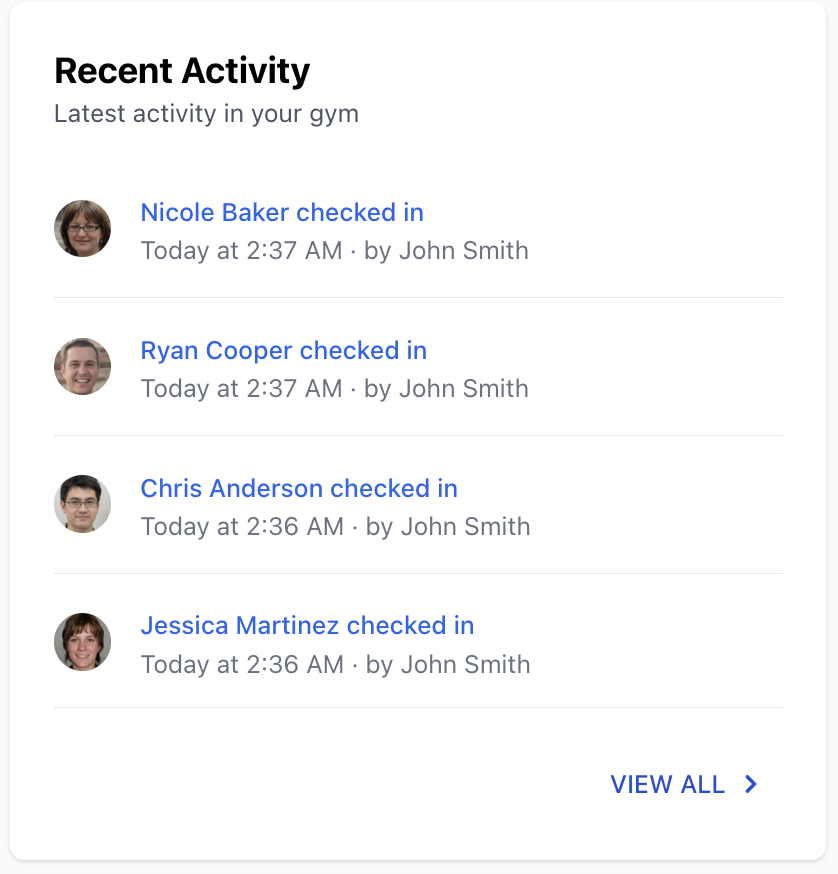
A Recent Activity widget on the dashboard shows the latest actions at a glance, so you can quickly see what's happening without navigating to the full log.
Related Topics
- Dashboard & Key Metrics -- Dashboard overview and KPI tracking
- Staff Profiles & Permissions -- Manage staff access and roles
- General Settings -- System configuration