Create an appointment type
Set up a one-to-one session, such as personal training, with its length, booking rules, price and the coaches who give it.
An appointment type is a session one member books with one coach, such as personal training or a nutrition consultation. Members can book it when a coach who gives it is free.
Before you start
- You need the Schedule permission. The Owner and Managers have it.
- Each coach who gives it needs a schedule with hours. See Set a coach's availability.
Steps
- In Appointments, open the Types tab and click Add type.
- Under Basic information, enter the Name, Description and Duration (minutes), pick a Color, and add Images if you have them.
- Under Booking requirements, choose the Minimum booking notice (how far ahead a member must book) and the Late cancel time.
- Under Additional settings, choose the Buffer before appointment and Buffer after appointment (time kept free around each booking) and the Time slot granularity (how often start times are offered, such as every 30 minutes).
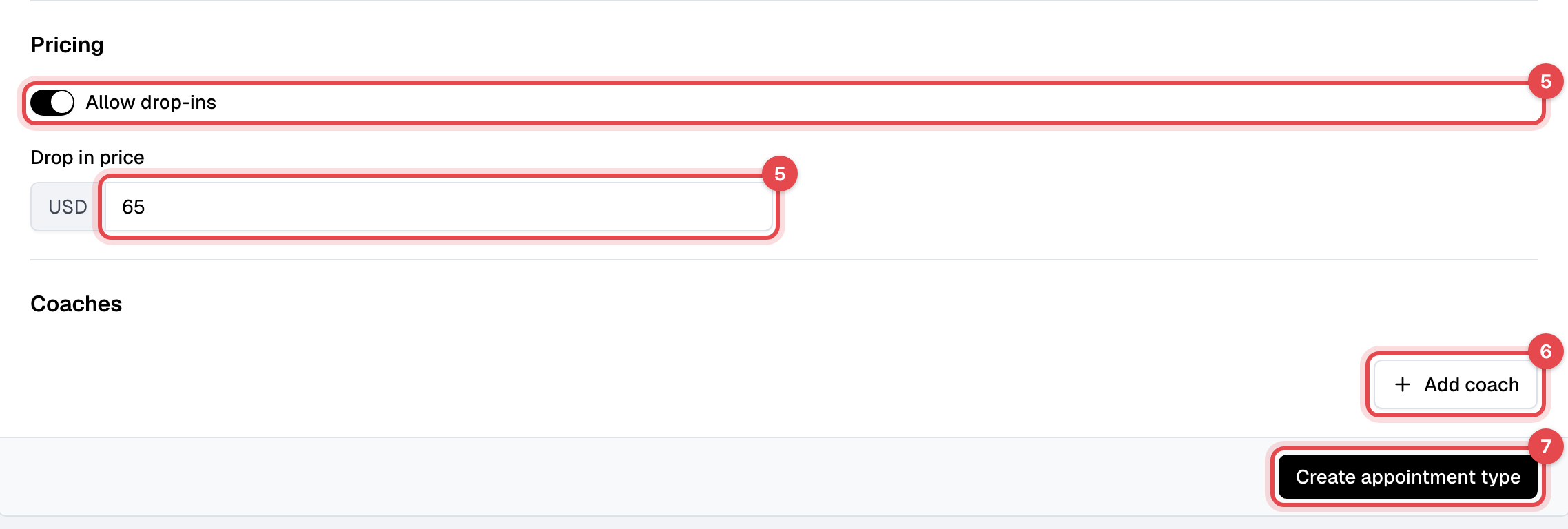
- To sell single sessions, turn on Allow drop-ins under Pricing and enter the Drop in price.
- Under Coaches, click Add coach, pick the Coach and the Schedule of theirs to use. Repeat for each coach.
- Click Create appointment type.
What happens next
- Members whose plan covers appointments can book it in the app and on your website. With drop-ins on, anyone can book a session and pay by card. Which plans cover which types is set on the plan: see Plan limits and restrictions.
- Members are offered only the start times when one of its coaches is free, as their hours, bookings and buffers allow. You can book for them too.
Good to know
- The booking rules are for members. Staff can book inside the minimum notice and cancel at any time. After the Late cancel time, members can no longer cancel themselves.
- A coach whose schedule has no hours shows Schedule has no time slots. with a Configure schedule link.
- An appointment type can be deleted only until someone books it; after that, Archive it. Archiving is refused while it has upcoming bookings: cancel them first.
- The drop-in price can't be zero.